


Build UnifyApps solutions from your AI coding agent, in your own words.
UnifyApps Headless is a plugin for your AI coding agent. You say what you need in plain words. It builds the objects, automations, apps and AI agents on your UnifyApps tenant, then proves each one works.
What it is
You talk to UnifyApps Headless like a teammate. You do not need to open the platform screens. You do not need to make a task list by hand.
It works in 6 coding agents: Claude Code, Codex, OpenCode, Gemini CLI, Antigravity and GitHub Copilot CLI. You install it in the agent you already use.
A tenant is your company's UnifyApps address, such as your-company.unifyapps.com. A solution is one project on that tenant. It groups the apps, objects and automations built for one purpose.
An example
Here is a real ask and what comes back. The folder was empty, so UnifyApps Headless set it up first.
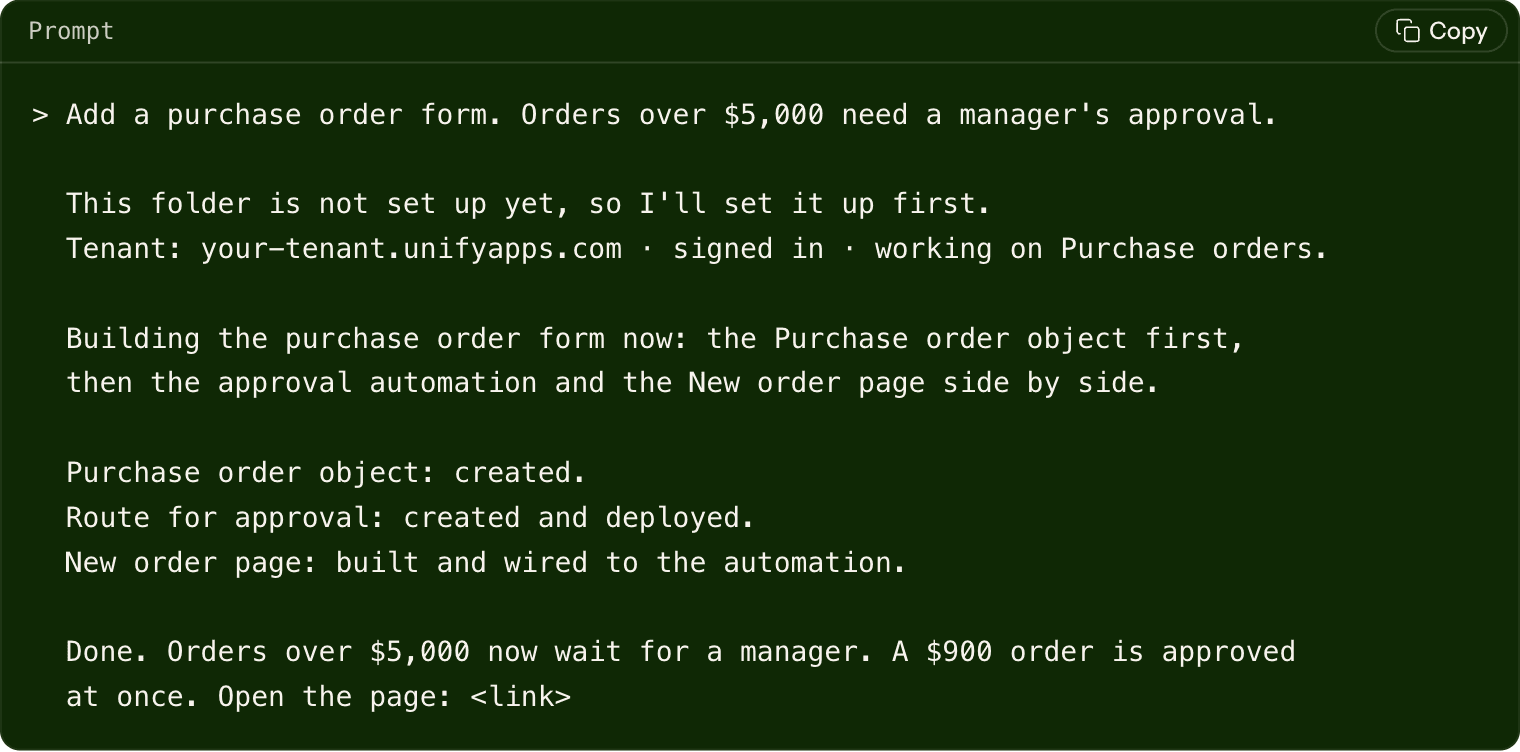
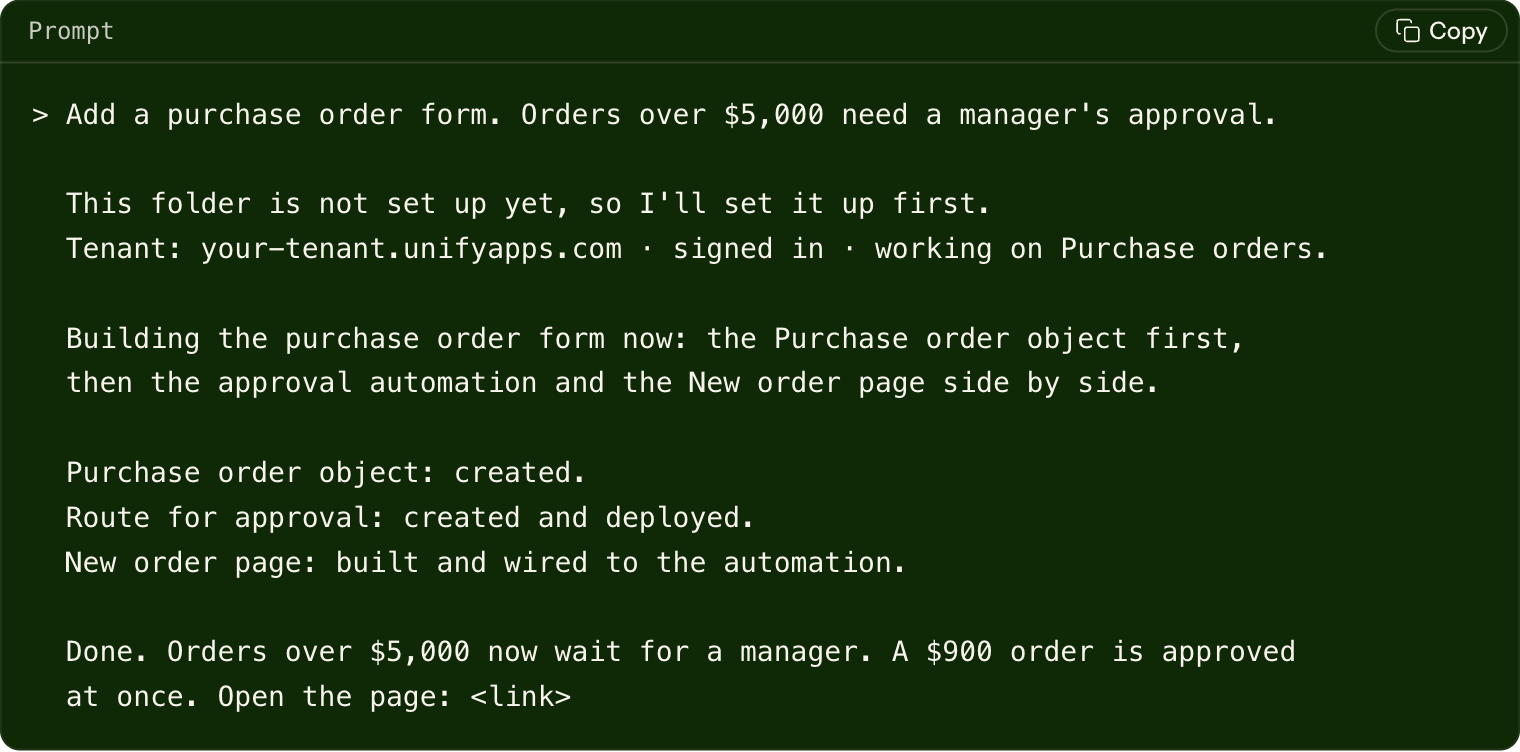
You asked in one sentence. It made three parts that work together. It gave you a link to the result.
How it works
Every change goes through the same 4 steps. This is why you can trust the result without checking each screen yourself.
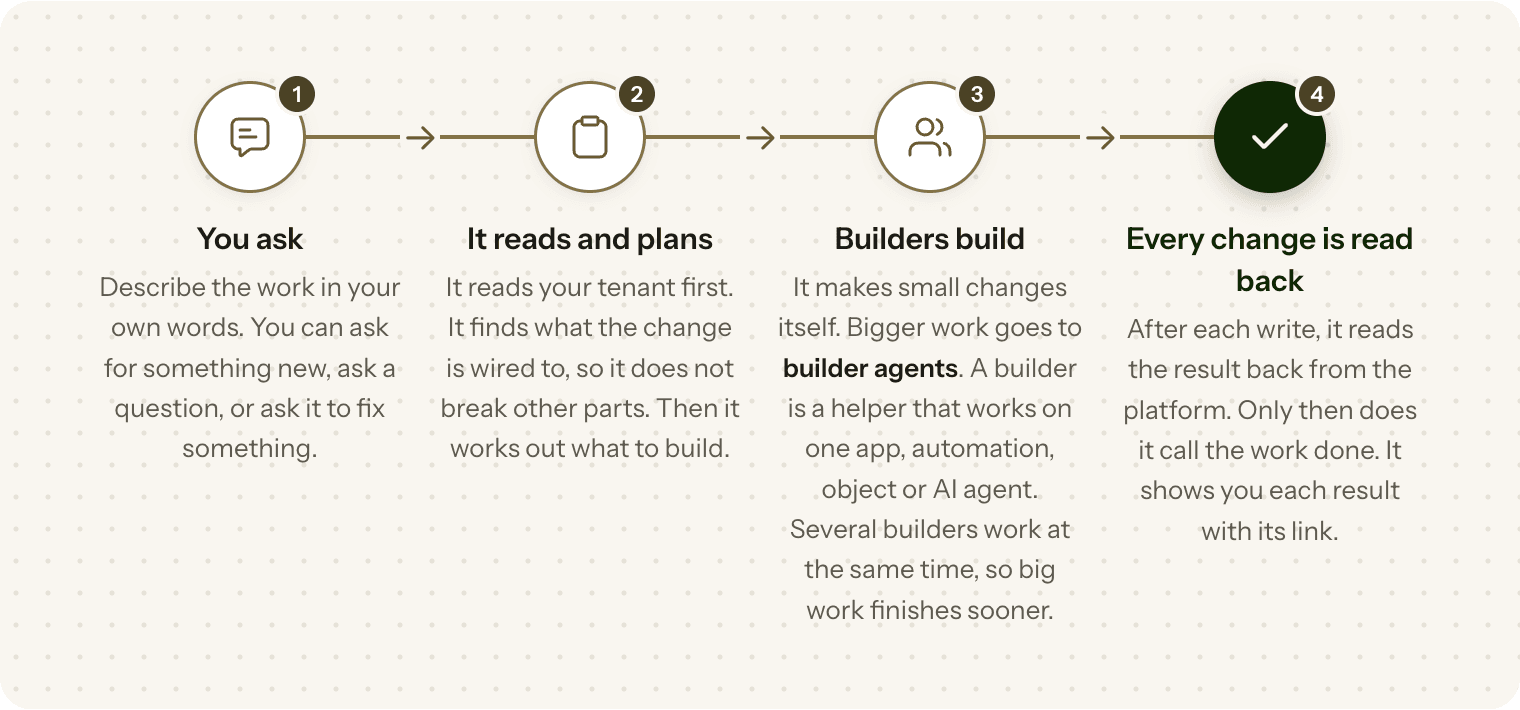
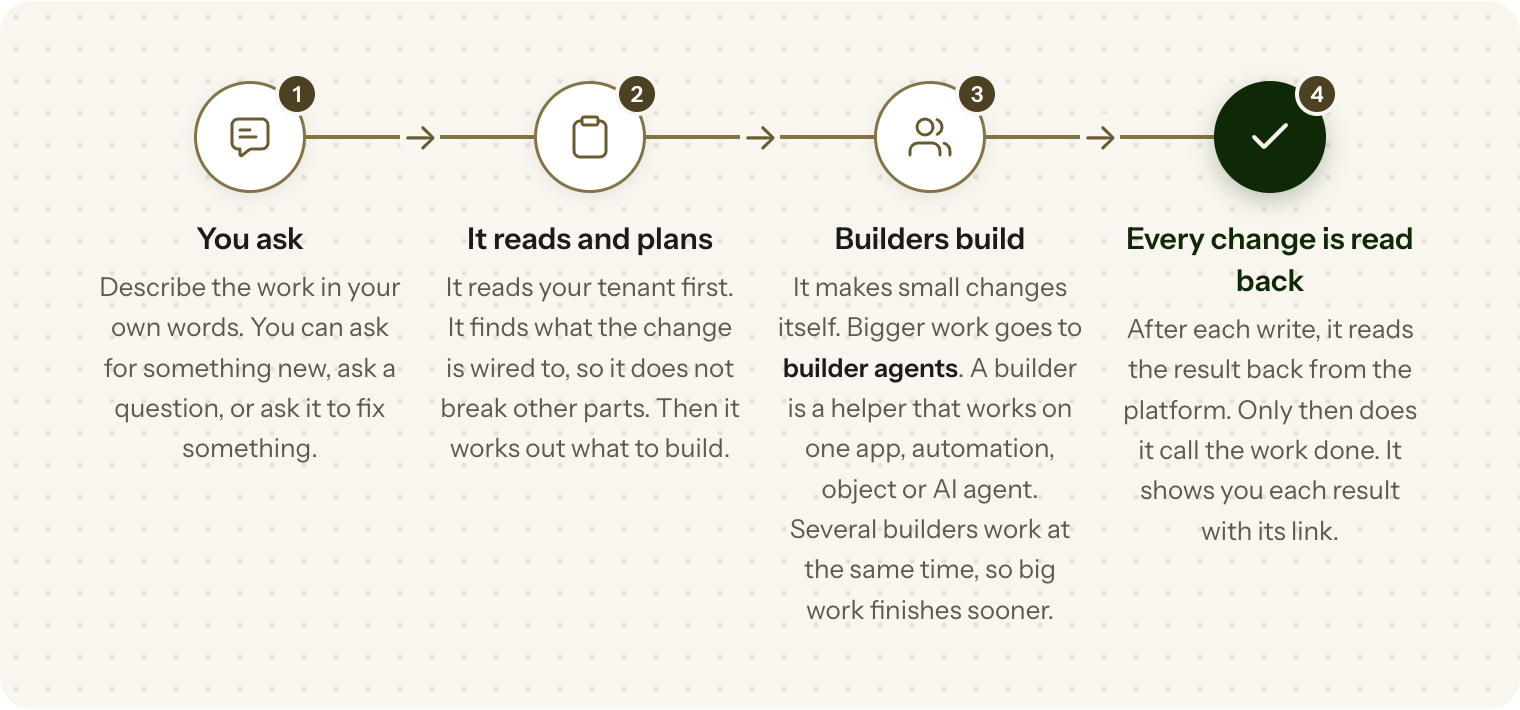
Tip: Want to see the plan before anything is built? Type /ua:plan. You can approve the plan first.
Note: UnifyApps Headless always asks before it deletes anything.
What it can build
What | Examples |
|---|---|
Objects and records | New objects, fields, indexes and records |
Automations | Written, tested with a test run, then deployed |
Apps | Web pages checked in a browser, mobile pages checked on a simulator |
AI agents | Instructions, tools and knowledge, then a test run and publish |
It also builds code apps, context graphs, UI tests and changesets. It uses your tenant's connections. Builders never create one. In chat, it can make one with you: you give the sign-in details, or open its sign-in link and approve.
Where to go next
Install: Add the plugin to your coding agent.
What you need: The programs and tenant settings each kind of work needs.
Set up your folder: Link a folder to your tenant and solution.
Quickstart: Build the purchase order example step by step.
Loops: Run a whole piece of work from start to finish.
Commands: Every command and when to use it.
Troubleshooting: Fix sign-in, update and folder problems.
Next steps
Install: Add UnifyApps Headless to your agent first.
Quickstart: Go from an empty folder to a built page.