


The Stories block adds an Instagram-style stories experience to your app. Users see a horizontal strip of avatar circles, one per person, with a ring that shows whether they've seen that person's stories. Tapping a circle opens a full-screen story viewer. Users can also capture a photo or video with the in-app camera and post it as their own story.
The block always loads the platform's story feed for the signed-in user. You don't configure slides, timing or navigation — the feed, viewer and camera are built in. It is built for mobile apps: on the web, the block shows a sample strip so you can judge size and placement.

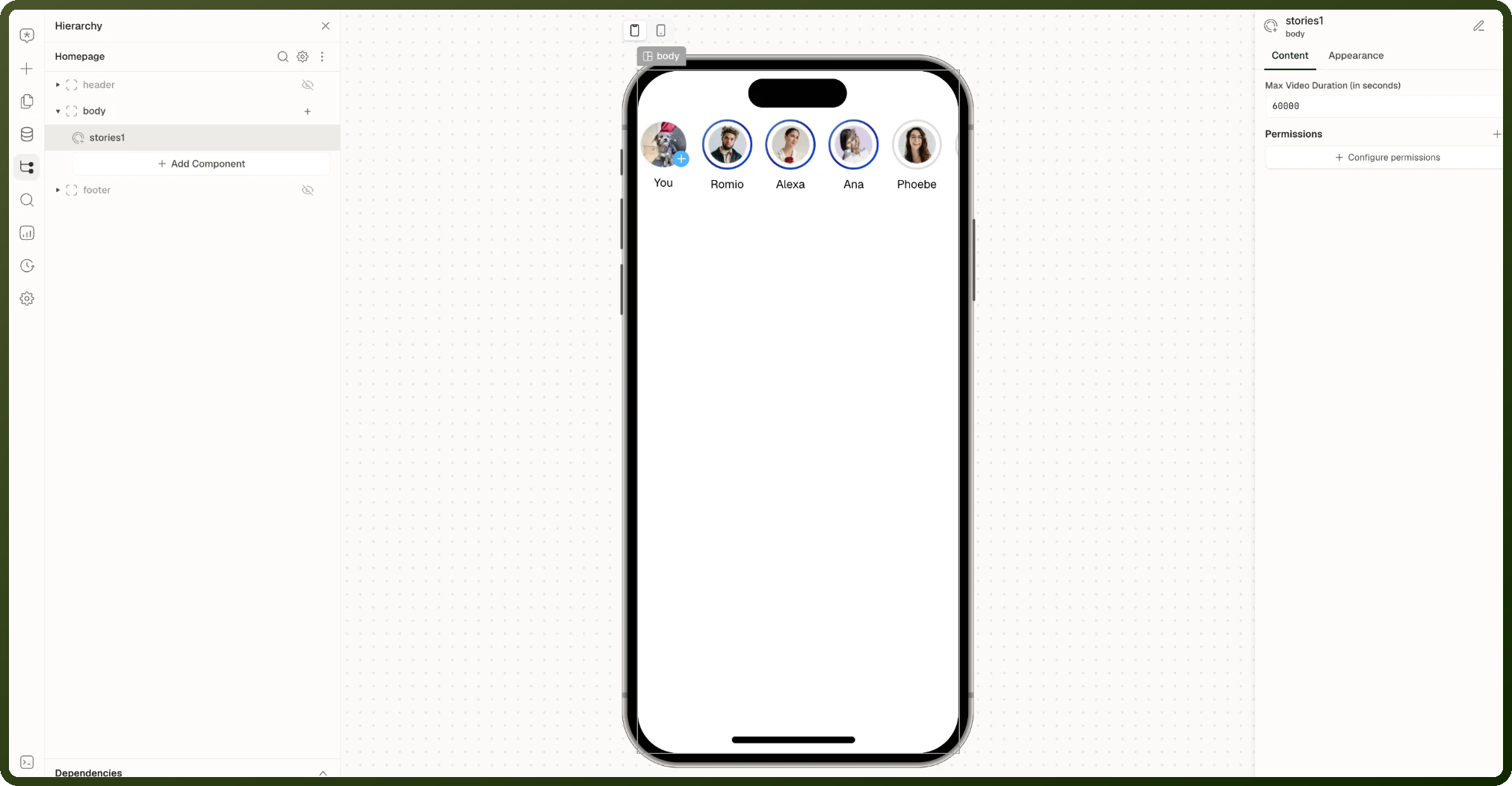
What Users See
Part | Description |
|---|---|
Story strip | A row of avatar circles. The signed-in user's own circle comes first and is where they start a new story. Unseen stories have a colored ring. |
Story viewer | Opens full screen when a user taps a circle. It shows the poster's name, the caption (tap to expand it) and how long ago the story was posted. Users move between people's stories in the viewer. |
Likes and views | In the viewer, a heart button shows the story's like count. Tapping it likes the story, and tapping again removes the like. An eye icon shows how many people have viewed the story. |
Camera | Captures a photo or video in portrait, or picks one from the gallery. The flow is capture, edit, add a caption, then publish. |
Properties
Property | Section | Description |
|---|---|---|
Max Video Duration (in seconds) | Content | The recording limit for videos captured with the in-app camera. Despite the label, the value is read in milliseconds: a new block starts at 60000 (one minute), and 30000 gives 30-second clips. Videos picked from the phone's gallery aren't limited. |
Permissions | Content | Restricts who can see the block. |
Visibility | Appearance | Show or hide the block based on a condition. |
Styles | Appearance | Width, height (with min and max), margin and padding. |
Warning: Max Video Duration (in seconds) is read in milliseconds, not seconds. Enter 30000 for 30-second clips or 60000 for one minute. A value entered in seconds, such as 30, stops recording almost at once.
The Stories block has no events and no methods. Opening, viewing and liking stories are handled inside the block.
Adding a Stories Feed to a Mobile App
Check the story setup: Stories runs on platform automations that your platform admin sets up: loading the story feed and each person's stories, posting a story, liking a story, recording a view, and counting likes and views. Ask your admin to confirm all of them are configured. If one is missing, that part silently does nothing — an empty strip on a phone usually means the feed automation isn't set up.
Drop the block: Drag Stories near the top of your mobile app's home page.
Set the video limit: Adjust Max Video Duration if you want shorter or longer clips. Enter the value in milliseconds — for example 30000 for 30 seconds.
Test on a device: Publish the mobile app and open it on a phone. Use the web canvas only to check sizing and placement.
Tip: For timed slides such as an onboarding or announcement sequence, use the Carousel block instead. Stories always shows the platform story feed, not content you author.
Related Pages
Page | Relationship |
|---|---|
Images and videos you supply, shown as a gallery that opens full screen — use for content you author | |
Two-face toggle — simpler binary reveal; use when two states are sufficient | |
Capture photos or video in your own flow, outside the story feed |