


Skills are reusable pieces of expertise you can bring into a conversation so the AI handles a specific kind of task the way you want it to, without re-explaining it every time.
What is a skill?
A skill packages guidance and know-how for a particular job — for example, a skill that runs your team's monthly Jira clean-up the same way every time. A skill is a shared asset: bringing it into a conversation doesn't copy it. Conversations use a skill's latest published version, so once an update is published it applies everywhere the skill is used.
Attaching a Skill in Chat
Click the + beside the message box and choose Skills to open a search box and the list of skills available to you — or type / in the message box to open the same list. Pick one to bring it into your message: it appears as a blue / skill name chip, and hovering the chip shows the skill's description. To remove it before sending, delete the chip. Use Manage Skills below the list to jump straight to the full skills list.
The list shows the skills linked to the Enterprise Search agent, including the ones your admin attaches (see Skills under Enterprise Search). If no skills are available, the Skills option doesn't appear in the + menu. When your admin adds or removes a skill, the change applies to your conversations right away.
Managing Skills
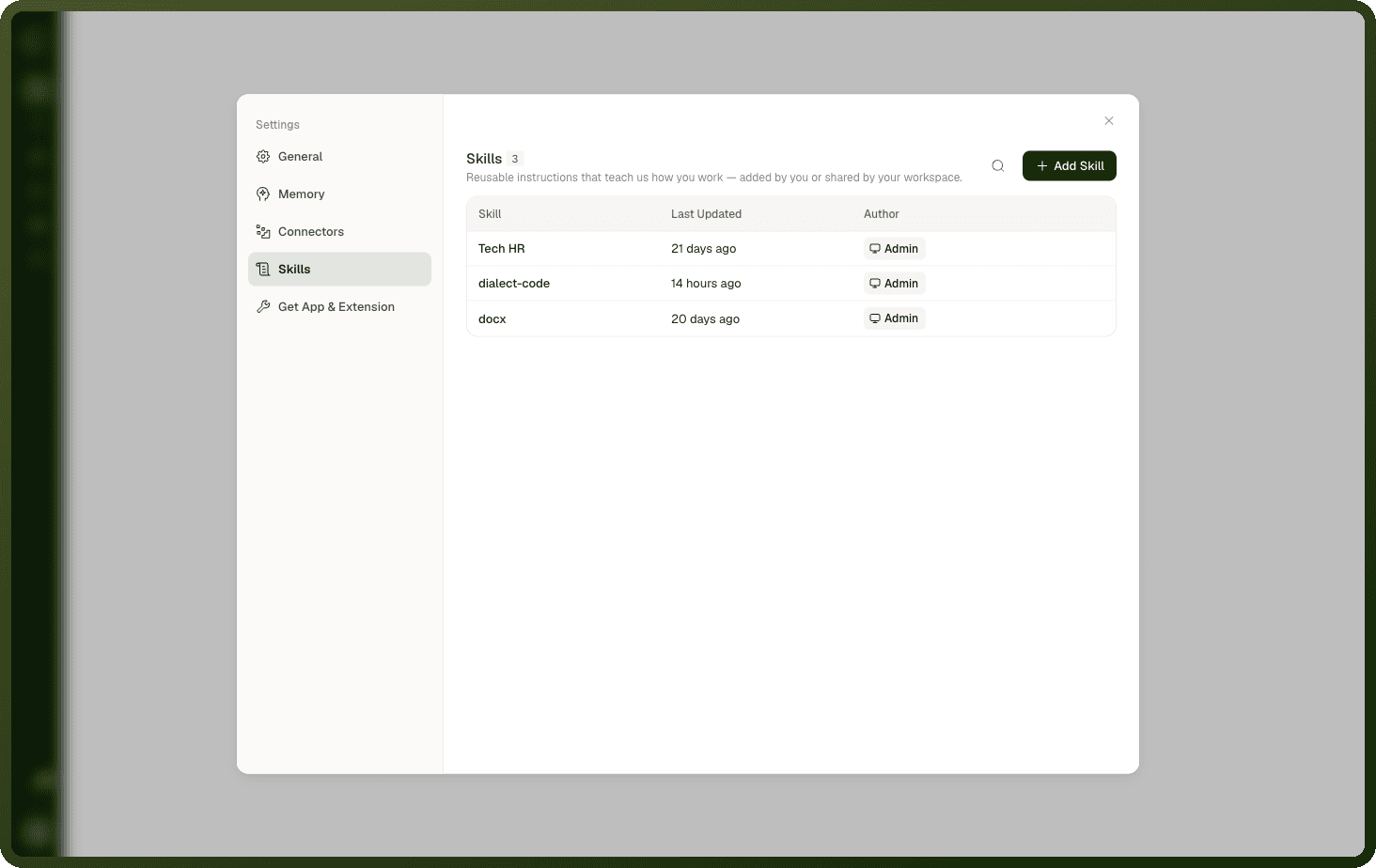
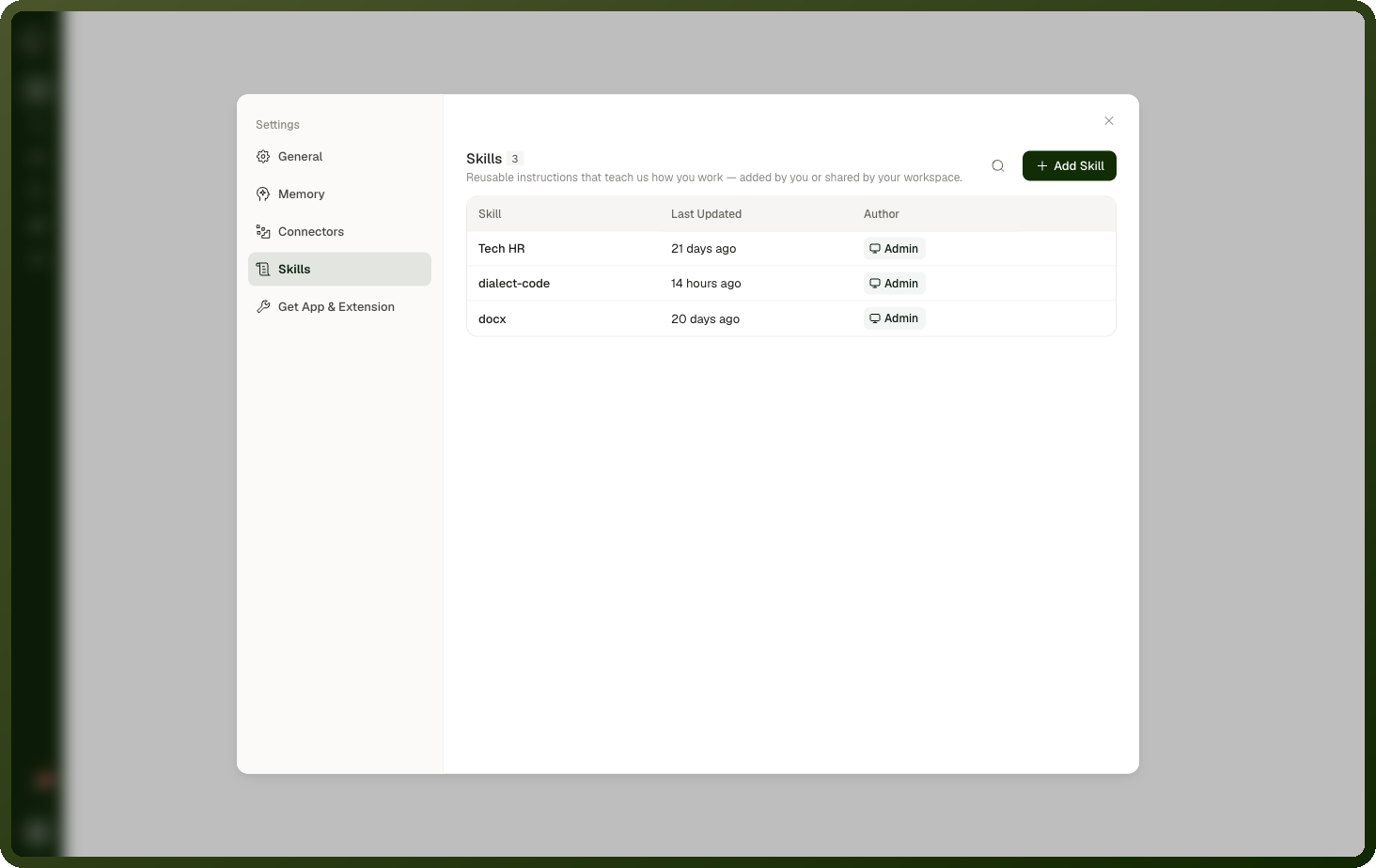
The Skills tab in Settings lists every skill available to you with its Last Updated date and Author. Use the search icon to find a specific skill by name once the list grows.
Creating a Skill
Select Add Skill and give the skill a name and a description. Both are required, and the description is what helps the AI recognize when to use the skill. The skill then opens in the editor, where you write its guidance and add any supporting files; select Save to keep your changes. A skill you create here is published straight away, so you don't need a separate publish step.
Editing a Skill
When you edit a skill, Save also publishes your changes, so they apply the next time the skill is used. If you can edit a skill but don't have permission to publish it, Save keeps your changes without publishing them.
Related Pages
Skills (Enterprise Search) — how admins attach skills to the Enterprise Search agent.
Routines — a routine can also use skills, so it follows the same process every time it runs.