


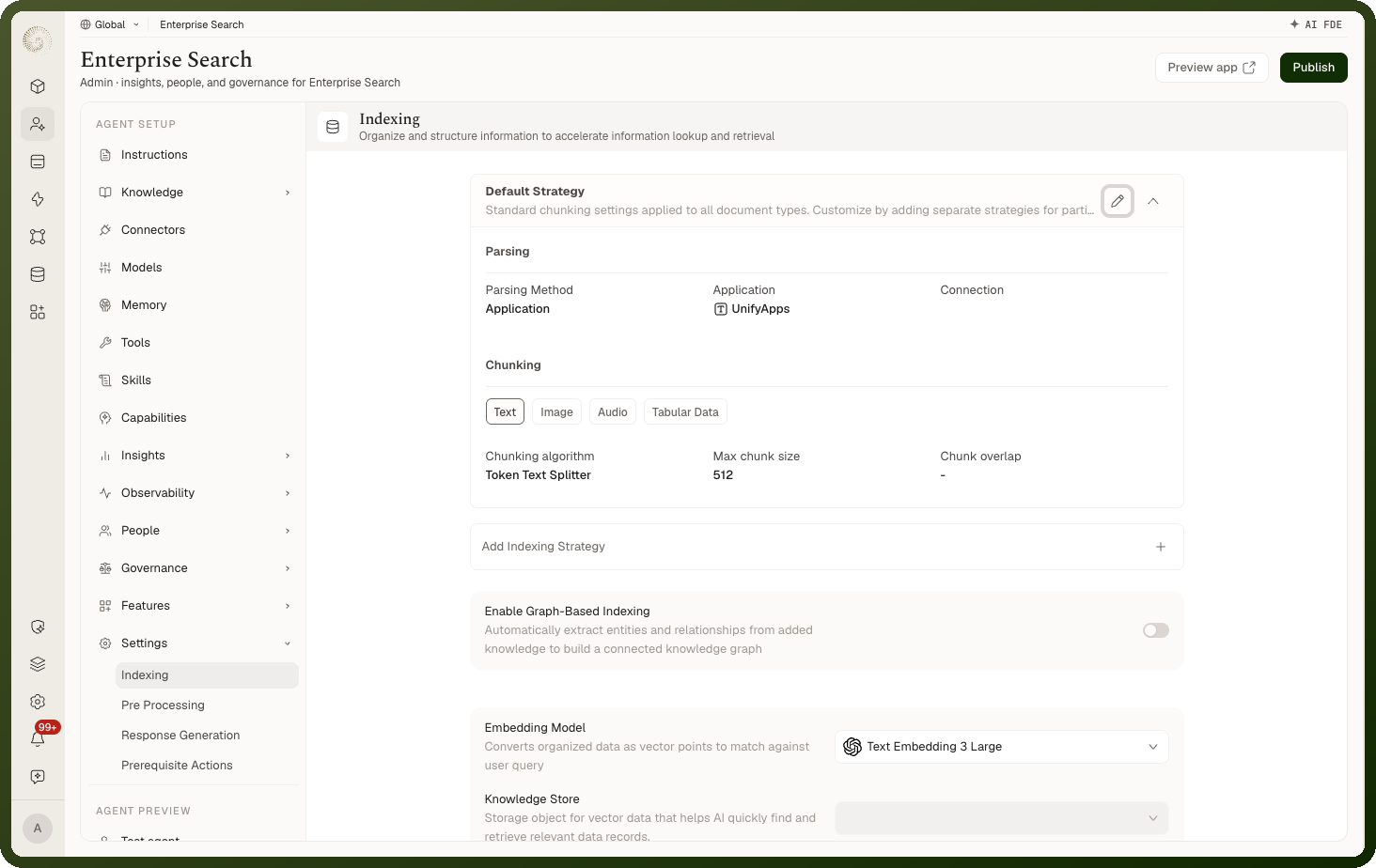
Settings is where you tune how Enterprise Search prepares knowledge and generates answers. These screens mirror the same Settings group used in the standard AI Agent editor, since Enterprise Search runs on the same underlying agent.

Overview
The Settings group controls how knowledge is prepared and how answers are written. Because Enterprise Search reuses the agent's indexing and retrieval pipeline, everything here works exactly like it does for a standard AI agent — you're configuring the same mechanics, just scoped to Enterprise Search's own agent.
Open these screens from the Settings group near the bottom of the Enterprise Search admin side menu: Indexing, Pre Processing, Response Generation, and Prerequisite Actions. Your changes save as you go, but they reach the live search experience only after you Publish; Test Agent runs your current unpublished configuration. See Overview for how publishing works.
What's in This Section
Section | What it covers |
|---|---|
Indexing | How content is parsed, chunked, and stored to accelerate lookup and retrieval. |
Pre-processing | Query rephrasing, chunk retrieval, ranking, and conversation compaction. |
Response Generation | Output format, the Answer Generation Model, response language, and the tone, style, and format of the agent's answers, plus Chain of Thought, Graph-Based Retrieval, and Watermarking. |
Prerequisite Actions | Callable automations the agent runs before it answers the first message in a session, for example to look up the user or load account context. Their outputs are stored, so they don't run again in that conversation. Add them from your existing automations. |