


Linking records in one object to records in another.
Overview
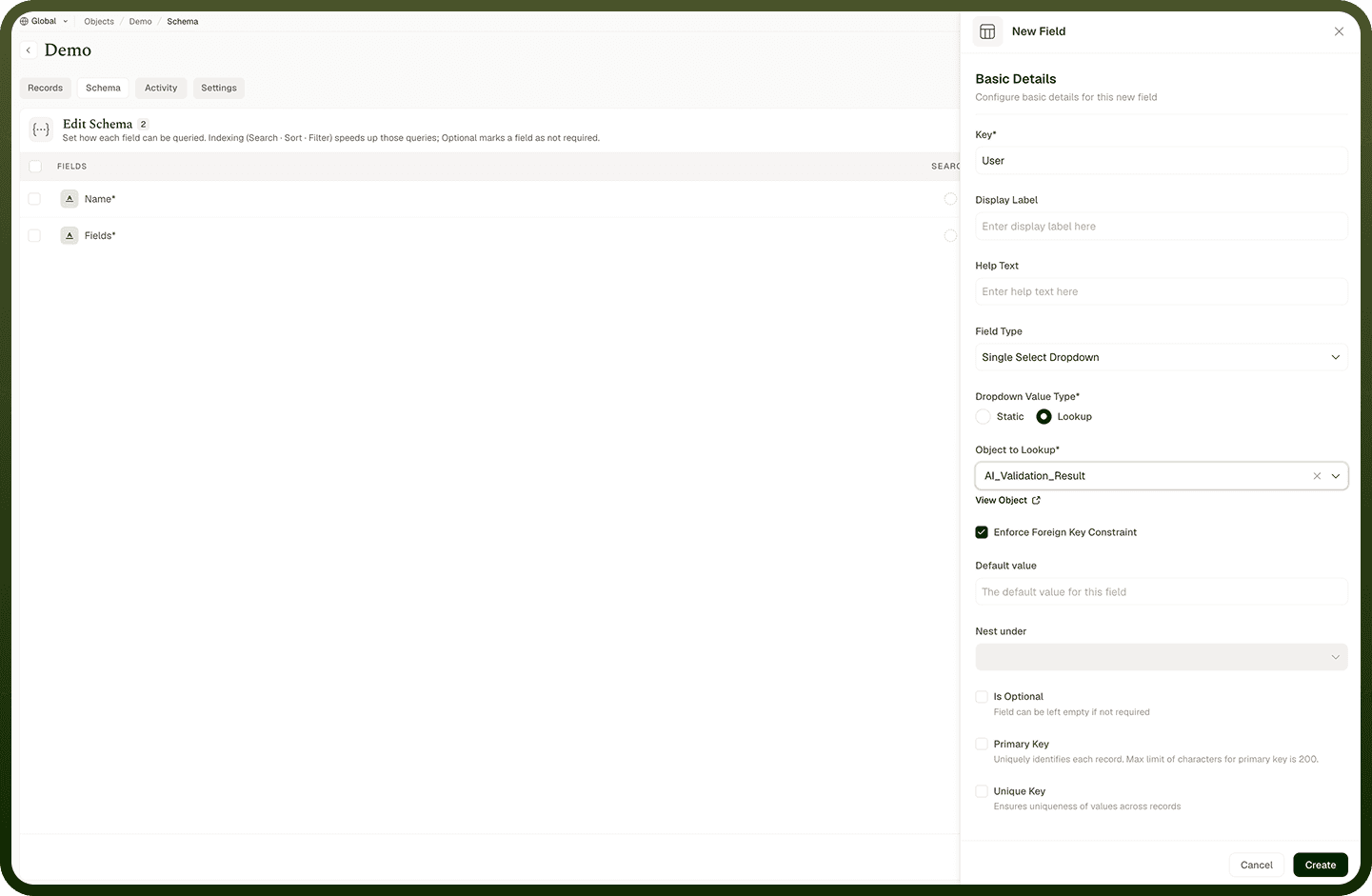
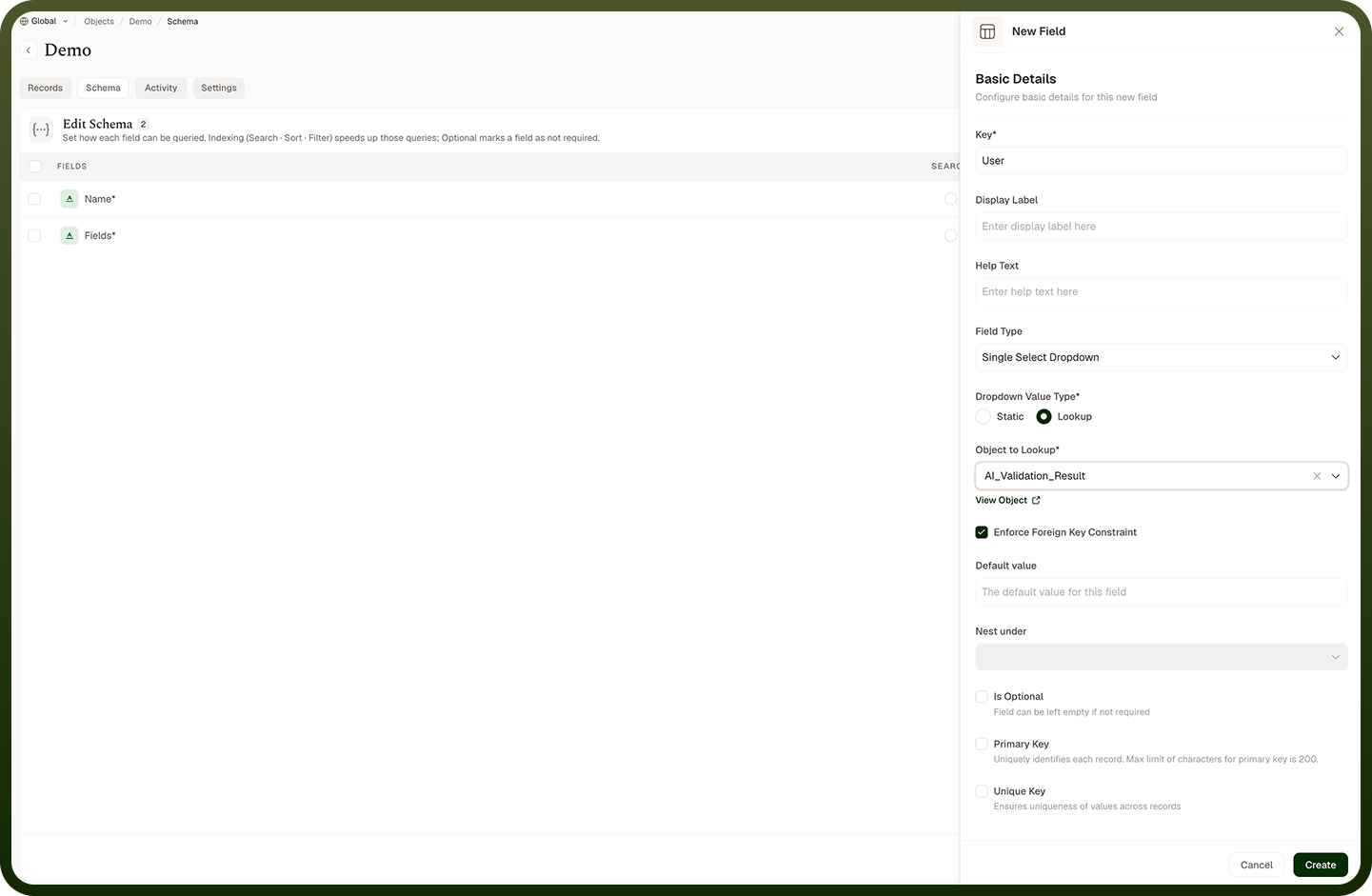
You link objects with a lookup field. On the object that should point at another, add a Single Select Dropdown (one link) or Multi Select Dropdown (many links) field and set its Dropdown Value Type to Lookup. Then choose what to look up: any object, or Users or Teams to link a record to platform users or teams. Now each record can reference one (or several) records in that other object — for example an Order object with a lookup to a Customer object means every order points to its customer. The lookup shows the referenced record by its Display Name, not its raw ID, so the link reads clearly. You can optionally enforce a foreign-key constraint (below) so only real records can be chosen.
Types of relationships
Relationships come in four shapes, based on how many records can link on each side:
One to one — each record here links to exactly one record there, and vice versa.
One to many — one record here links to many records there (one Customer has many Orders).
Many to one — many records here link to one record there (many Orders belong to one Customer).
Many to many — records on both sides can link to many on the other (Students and Courses).
Which shape you get follows from the lookup: a single-select lookup gives a "to-one" link from this side; a multi-select lookup gives a "to-many" link. Reading the relationship from the other object's side flips it (a Customer's view of Orders is one-to-many).
The foreign-key constraint and when to enforce it
When a lookup field uses the Lookup value type, you can turn on Enforce Foreign Key Constraint. With it on, a record can only store a reference to a record that actually exists in the linked object — if the target is missing, saving that record is rejected with an error. With it off, the field can hold a reference that may not resolve to a real record. Enforce it when referential integrity matters (you never want an Order pointing at a Customer that doesn't exist); leave it off when you're importing or staging data where the referenced records may not be present yet.