


The Audience Segments node computes and retrieves audiences — the set of records that currently match a saved segment. A segment is a saved filter rule over a data entity (for example, "customers in the EU who ordered in the last 30 days"), not a static list. Use it to target campaigns, drive personalization, or feed a downstream sync with exactly the people who currently qualify.
Overview
Four operations are available. Understanding which to use — and when — prevents stale or truncated results.
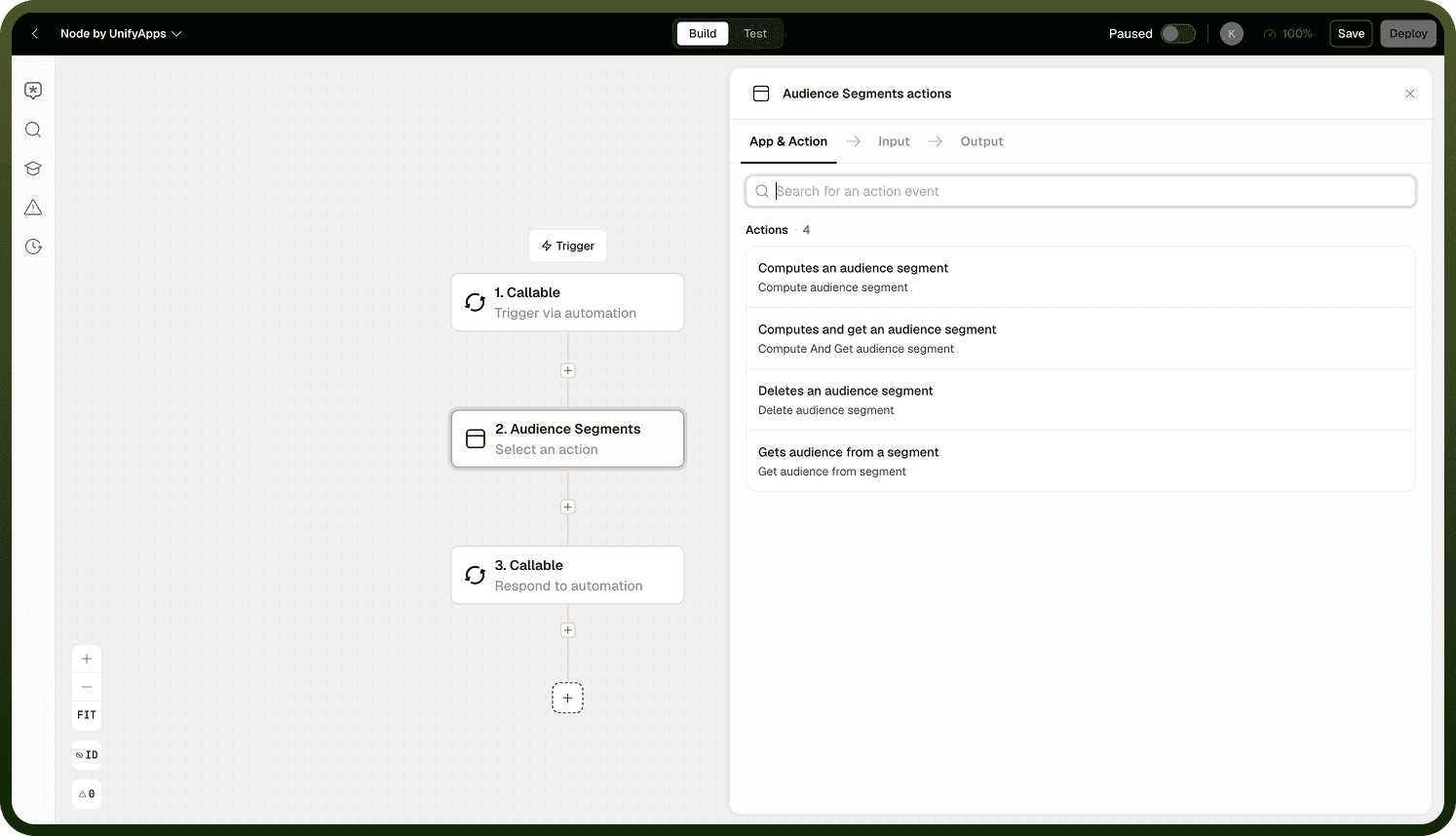
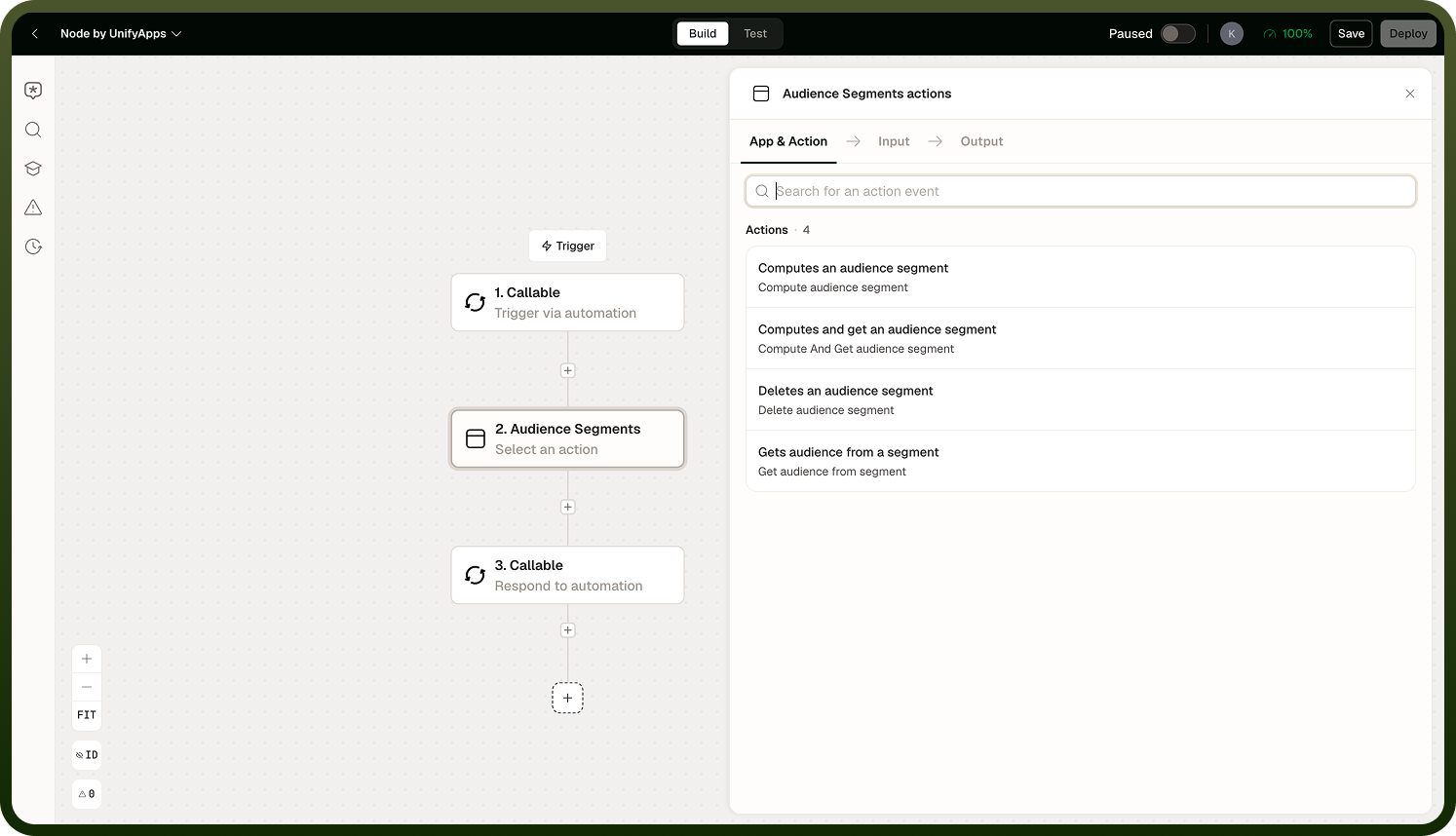
Operation | What it does | Returns | Best for |
|---|---|---|---|
Computes an audience segment | Runs the segment rule and stores the resulting audience. | A count of matched records (not the members). | Large audiences; pre-computation before a later read. |
Computes and get an audience segment | Runs the rule and returns the members inline. | The matching records directly. | Small segments only (under ~1,000 records). |
Gets audience from a segment | Reads back a previously computed audience, in batches. | A batch of member records. | Reading a large audience after it has been computed. |
Deletes an audience segment | Removes a stored audience. | A success flag. | Clearing a computed audience you no longer need. |
Computes an audience segment
Runs the segment rule and stores the resulting audience for later retrieval. Returns a count, not the member records.
Input Field | Description |
|---|---|
Select segment | The saved segment (filter rule) to run. |
Unique Id for the audience | A unique ID for the stored audience, generally the campaign ID. Use the same ID to read or delete this audience later. |
Output: The count of records that matched the segment rule. The audience is stored and can be retrieved with Gets audience from a segment.
Computes and get an audience segment
Runs the segment rule and returns the matching members in the same call. Intended for small segments only. Results are effectively truncated beyond approximately 1,000 records — do not use this operation for large audiences.
Input Field | Description |
|---|---|
Select segment | The saved segment to run. |
Output: An array of the matching records, returned inline. Truncated if the audience exceeds the size limit.
Do not use Computes and get an audience segment for audiences that may grow beyond ~1,000 records. Use Computes an audience segment followed by Gets audience from a segment (with pagination) for any sizable audience.
Gets audience from a segment
Reads back the members of an already-computed audience. Supports pagination via cursor and batch size. Returns whatever was last stored when the audience was computed — if the audience has never been computed (or was deleted), the result will be empty.
Input Field | Description |
|---|---|
Select segment | The segment whose stored audience to retrieve. |
Unique id for audience | The unique ID you used when computing the audience. |
Cursor | The pagination cursor from the previous batch. Omit for the first batch. |
Size of batch | The number of records to return per batch. |
Sorts | Optional sort order: pick a field and ASC or DESC. |
Output: A page of audience member records and a cursor for the next page (empty when the last page is reached).
Deletes an audience segment
Removes a stored audience (the computed result set). The segment definition itself is not affected — only the stored audience data is deleted.
Input Field | Description |
|---|---|
Select segment | The segment whose stored audience to delete. |
Unique Id of audience | The unique ID of the stored audience to delete. |
Output: Confirmation that the stored audience was deleted.
Notes
The Audience Segments node works best when you match the operation to your audience size and keep data freshness in mind:
The reliable pattern for large audiences: run Computes an audience segment first, then use Gets audience from a segment with pagination to page through the members.
Gets audience from a segment returns stale data if recomputed infrequently. It reads whatever was last stored. Always compute before reading if you need current membership.
Computes and get an audience segment is not suitable for large segments. Results are truncated beyond approximately 1,000 records. Use it only for small, bounded audiences.
Use the same unique audience ID across compute, read and delete so each step works on the same stored audience.
Deleting a stored audience does not delete the segment definition. The segment can be re-computed at any time.
A well-designed Audience Segments workflow uses Computes an audience segment for large audiences and always re-computes before reading when current membership is required.