


The Java Archive node resolves Java dependencies and exports both the resolved JARs and a generated POM file from within an automation. Use it when a workflow needs to produce an artifact bundle — the JARs plus their dependency manifest — for handoff to a build system, a registry, or an artifact store.
Overview
The Java Archive node resolves the full dependency tree for a set of declared coordinates and packages the result as a downloadable archive. Unlike the Maven node (which focuses on downloading JARs for immediate use), Java Archive is oriented toward producing a distributable artifact with its POM for downstream consumption.
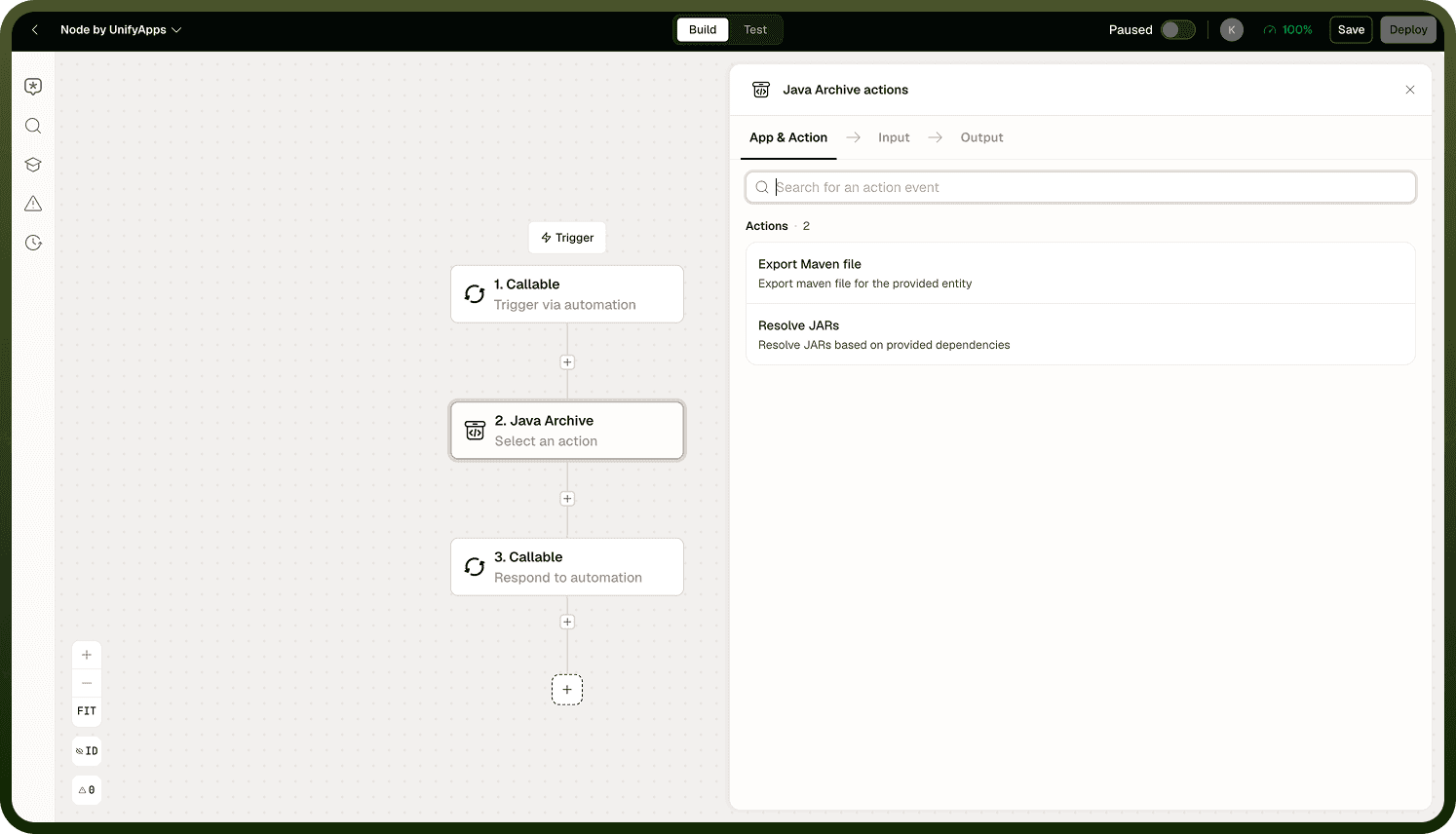
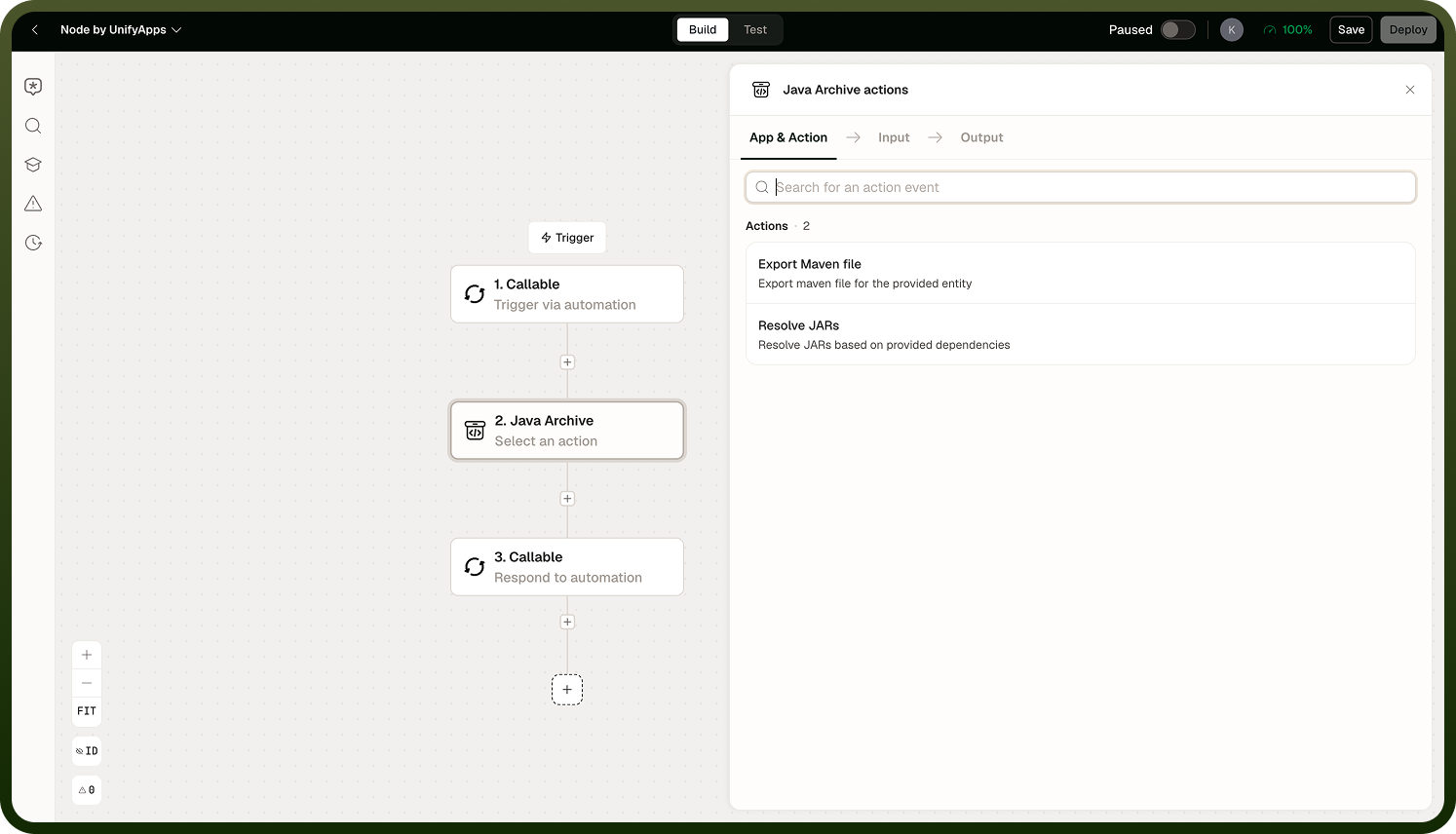
Actions
The node has two actions. Both start from a Java Archive you select.
Resolve JARs
Resolves JARs based on the dependencies you provide. Fill in:
Libraries — Required. The libraries to resolve. For each library, enter Group (the group ID), Name, Version, and optionally Extension (defaults to jar), Classifier and Exclude Groups (Group and Name of dependencies to leave out).
Connections — Optional. Select one or more Maven connections. Use these when libraries come from private repositories.
Export Maven file
Exports the Maven (POM) file for the selected Java Archive.
Download Link
Export Maven file returns a time-limited download link to the generated POM file. This link is valid for approximately 30 minutes after the node runs. If the automation is slow to complete subsequent steps, download the file promptly or pass the link to a Storage node to persist it before the link expires.
Note: The download link does not auto-renew. If you need the POM file available beyond the 30-minute window, store it explicitly in a file storage destination as part of the automation.
Versioning
The node does not automatically increment the version of the artifacts it resolves. You control the version by specifying it in the dependency coordinates. If your workflow requires version bumping as part of a release process, manage that in a preceding step (for example, reading and incrementing a version number from a file or variable) and pass the result into this node.
Output
The output depends on the action:
Resolve JARs returns the JAR bundle as a file, plus metadata for each JAR: group ID, artifact ID, version and licenses.
Export Maven file returns a link to the POM file, valid for about 30 minutes.
Pass the file or link to a downstream step, or use a Storage node to write it to a persistent location.
Notes
Keep these constraints in mind when using the Java Archive node:
Download or persist the POM file from Export Maven file within the 30-minute window — the link expires regardless of whether it has been used.
The node does not increment versions automatically — manage version numbers upstream before invoking this node.
Use the Maven node instead if you only need the JARs for immediate in-automation use (e.g., passing to a Code node classpath) without producing a distributable POM bundle.
Specify exact coordinates (group ID, artifact ID, version) — the node resolves whatever you declare, so a typo produces a failed resolution, not a warning.
Managing the download window and version numbers upstream keeps the node's behavior deterministic across automation runs.