

The Custom HTTP Endpoint node enables interactions with external systems through custom HTTP requests, functioning as a versatile integration tool for APIs not covered by standard connectors.
Overview
The node supports seven action types for different API communication patterns: Execute REST request, Execute GraphQL request, Execute REST multipart request, Execute SOAP request, Execute SOAP multipart request, Execute Streaming REST request and Execute Streaming REST multipart request. This page summarizes the key fields of each action.
Execute REST Request
REST (Representational State Transfer) is a very common and flexible architectural style for web services that allows operations on resources identified by URLs using standard HTTP methods.
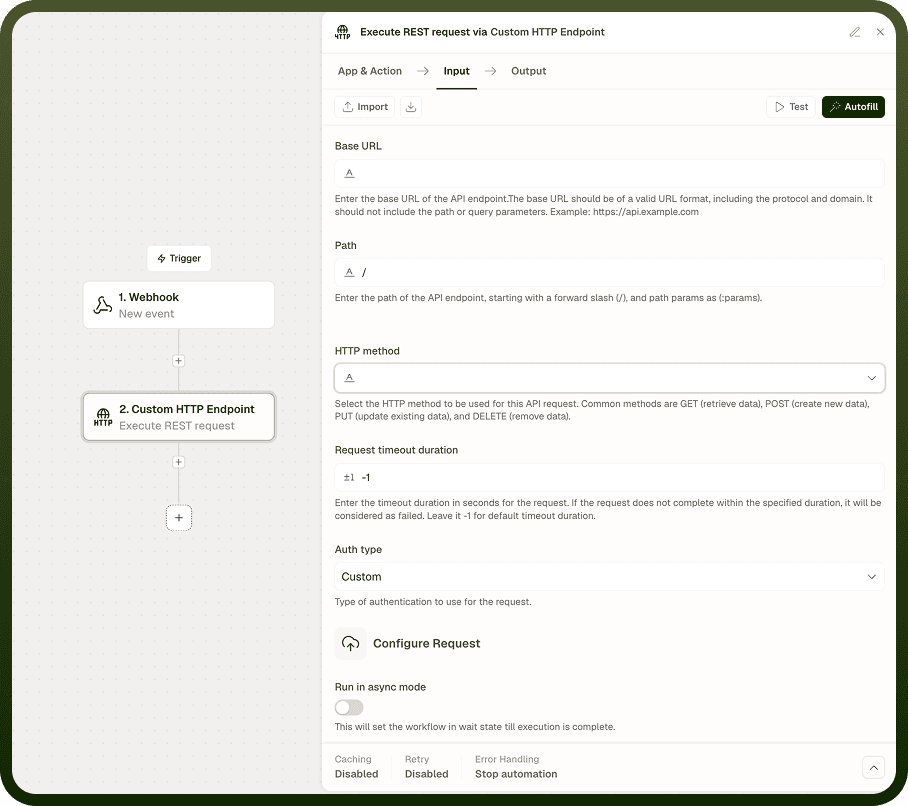
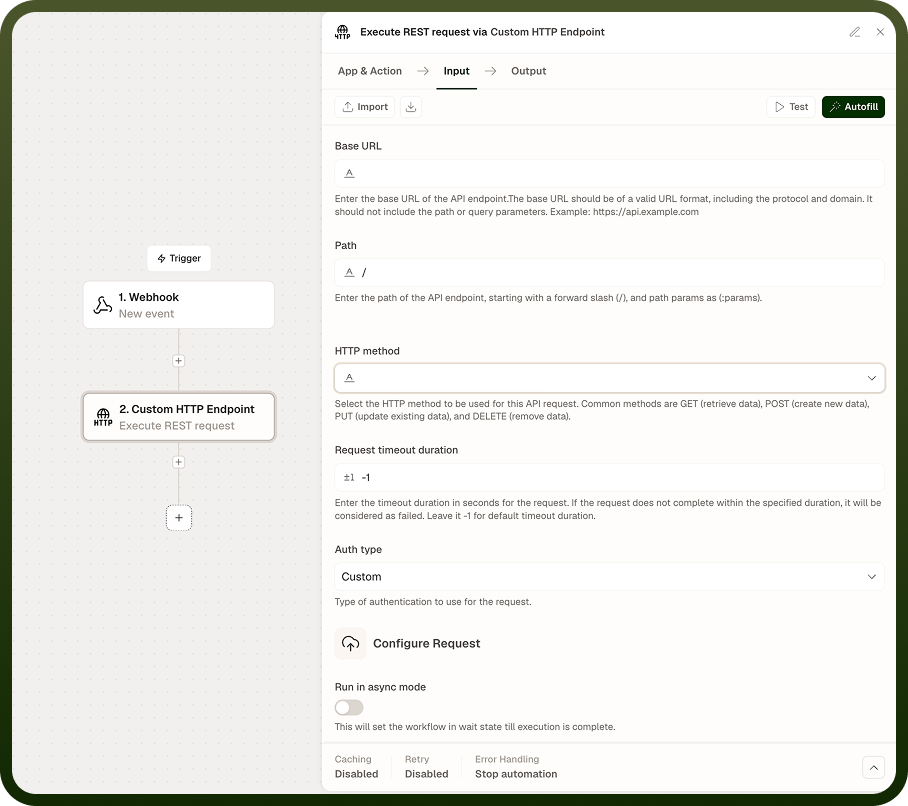
Key Input Fields:
Field | Description |
|---|---|
Base URL (required) | Root API address including scheme and domain |
Path (required) | Resource endpoint appended to Base URL |
HTTP method (required) | GET, POST, PUT, PATCH, or DELETE |
Auth type | Custom (default; add tokens or API keys yourself as headers) or Basic Auth (username and password) |
Verify SSL Certificates | Off by default, so the server's SSL certificate is not checked. Turn it on for production endpoints. |
Request timeout duration | Maximum wait time in seconds; default −1 (no limit) |
Configure Request: Run in async mode; Preserve Trailing Slash in URL (off by default; turn on when the API treats /path and /path/ differently); Request Content Type; Headers; Query Parameters; Payload (Add Field, Code Snippet, or Map from step).
Configure Response: Response Content Type; Response Headers; Response Structure; Error Response.
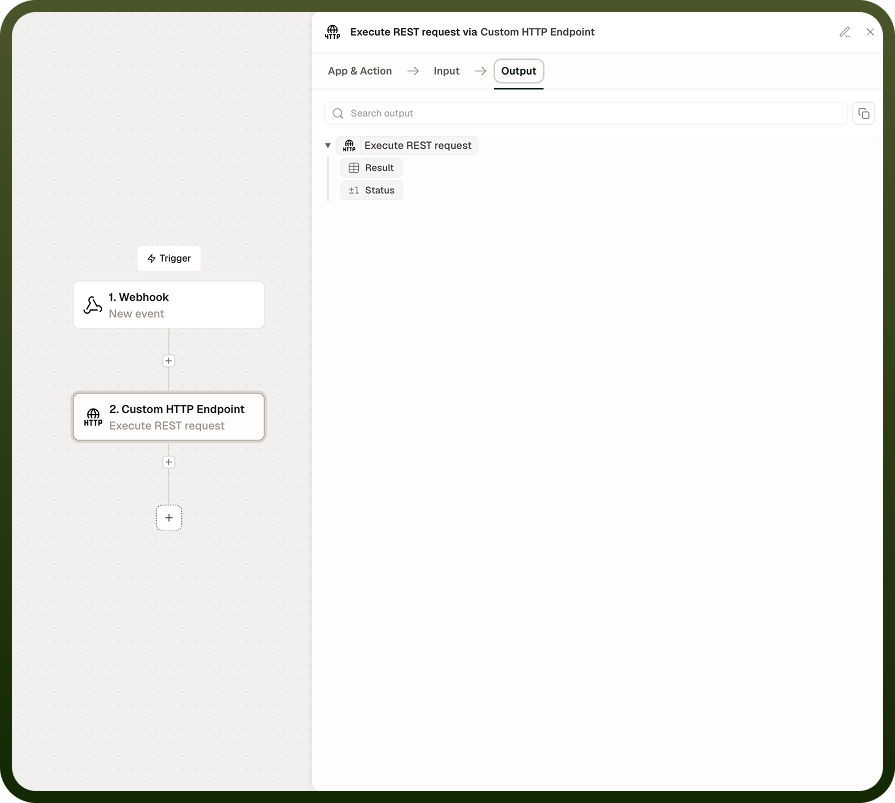
Output: The Result data pill contains the processed API response matching the defined Response Structure or Error Response, including parsed body, HTTP status code, and extracted headers.

Execute GraphQL Request
GraphQL enables clients to request exactly the data they need in a single request to a single endpoint, providing efficiency advantages over REST for certain use cases.
Key Input Fields: Base URL (required); Path (required, often /graphql); Auth type; Headers (including Authorization and Content-Type); Variables (Add Variable, Code Snippet, or Map from step); GraphQL Query (required — complete query or mutation definition).
Output: Result data pill contains query execution outcome with structure matching Response Structure (success) or Error Response (failure), typically including parsed data object, errors object, status code, and extracted headers.
Execute REST Multipart Request
Multipart requests send data composed of multiple parts, typically when uploading files, with each part supporting its own content type.
Key Input Fields: Base URL, Path, HTTP method (typically POST or PUT), Auth type, Request timeout (consider increasing for large uploads). Configure Request: Content Type is shown as JSON but overridden to multipart/form-data; Payload fields include form fields and file objects from previous steps.
Output: Result data pill contains request outcome structured per Response Structure or Error Response, including parsed body, status code, and extracted headers.
Execute SOAP Request
SOAP (Simple Object Access Protocol) exchanges structured information in the implementation of web services using XML and strict WSDL contracts.
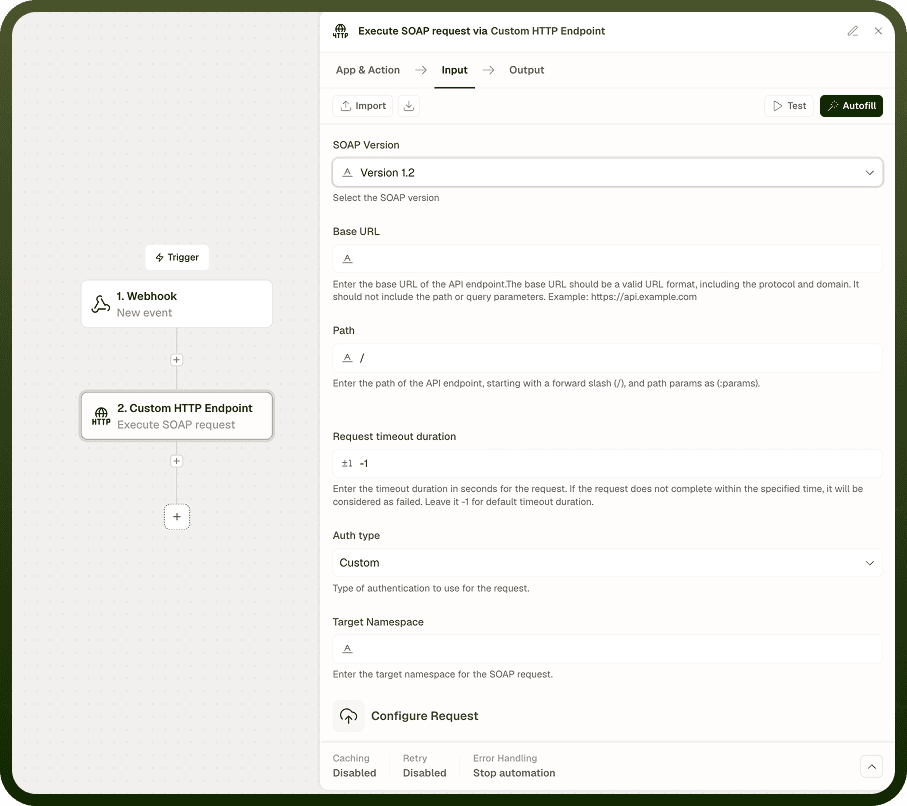
Key Input Fields: SOAP Version (1.1 or 1.2); Import XML Spec (upload WSDL files); Base URL, Path; Auth type; Target Namespace (XML namespace from WSDL).
Configure Request: Headers (including SOAPAction for SOAP 1.1); SOAP Envelope Headers; XML Namespaces; Payload (the <soap:Body> content).
Configure Response: Response Content Type (default Soap XML); Response Structure; Error Response; Include Raw Request/Response (Base64 encoded, optional).
Output: Result data pill contains parsed XML body content, status code, extracted headers, and optionally raw request/response XML.
Execute SOAP multipart request
Sends a SOAP request as a multipart message, for example when the SOAP call carries attachments.
Key Input Fields: SOAP Version (1.1 or 1.2); Base URL, Path; Auth type; Target Namespace. HTTP method is POST.
Configure Request: Request Content Type (Soap XML or Text XML); Headers; Payload.
Configure Response: Response Content Type (Soap XML, Text XML or Multipart); Response Structure; Error Response.
Output: Result data pill contains the parsed response and the status code.
Execute Streaming REST Request
Streaming requests handle APIs sending data over a persistent connection in a series of chunks or events, useful for real-time data and long-running processes.
Key Input Fields: Base URL, Path, HTTP method (typically GET or POST), Auth type. Request timeout may need to be longer for inactive stream periods.
Configure Request: Run in async mode; Preserve Trailing Slash in URL; Headers (e.g., Accept: text/event-stream for SSE); Payload for initial request body.
Configure Response: Response Content Type (may be text/event-stream for SSE); Response Structure (expected format of individual data chunks); Error Response.
Output: This action is a loop. The steps you add inside it run once for each batch of chunks received from the stream. Each iteration exposes Index, Is First, Is Last and Item (the received chunk objects, shaped by the Response Structure). Turn on Capture Iterations to record every streamed chunk as a separate iteration in run logs; leave it off for very high-volume streams to reduce log size.
Execute Streaming REST multipart request
Works like Execute Streaming REST request, but sends the initial request as a multipart message, for example to upload a file and stream back the response.
Key Input Fields: Base URL, Path, HTTP method, Auth type, Request timeout duration. Configure Request: Request Content Type (JSON or Multipart); Headers; Query Parameters; Payload with form fields and file objects from previous steps.
Output: Also a loop. Each iteration exposes Index, Is First, Is Last and Item.
Notes
Keep the following in mind when using Custom HTTP Endpoint:
Use Custom HTTP when no dedicated connector exists for the target API; for supported apps, use the app-specific connector — it handles authentication and schema automatically.
Verify SSL Certificates is off by default, so the server's certificate is not checked. Turn it on for production endpoints and any request that sends credentials or sensitive data. Leave it off only for testing against a server you control, such as one with a self-signed certificate.
Include all required headers (Content-Type, Authorization) in the request configuration; missing headers are a common cause of 400 and 401 errors.
Use the REST Multipart Request action for file uploads; the standard REST Request does not support multipart/form-data payloads.
Test the request in a tool like Postman or curl before configuring it in the node; a working external request eliminates the API itself as a variable when debugging.