


The Parquet node reads and writes Parquet files — the compact, columnar format used in data pipelines and lakes. Use it when an automation exchanges data with analytics tooling or storage that expects Parquet rather than CSV or JSON.
Overview
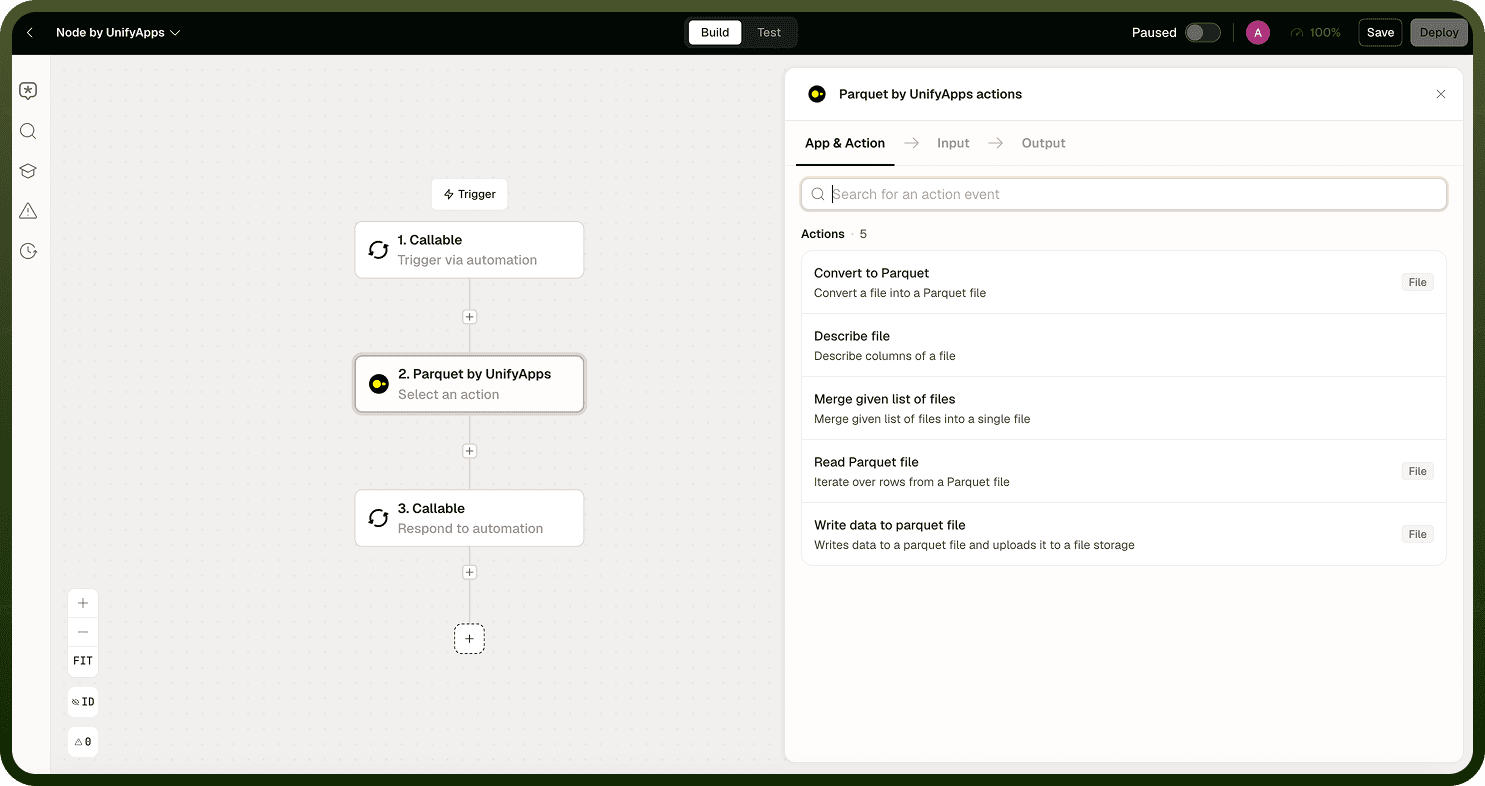
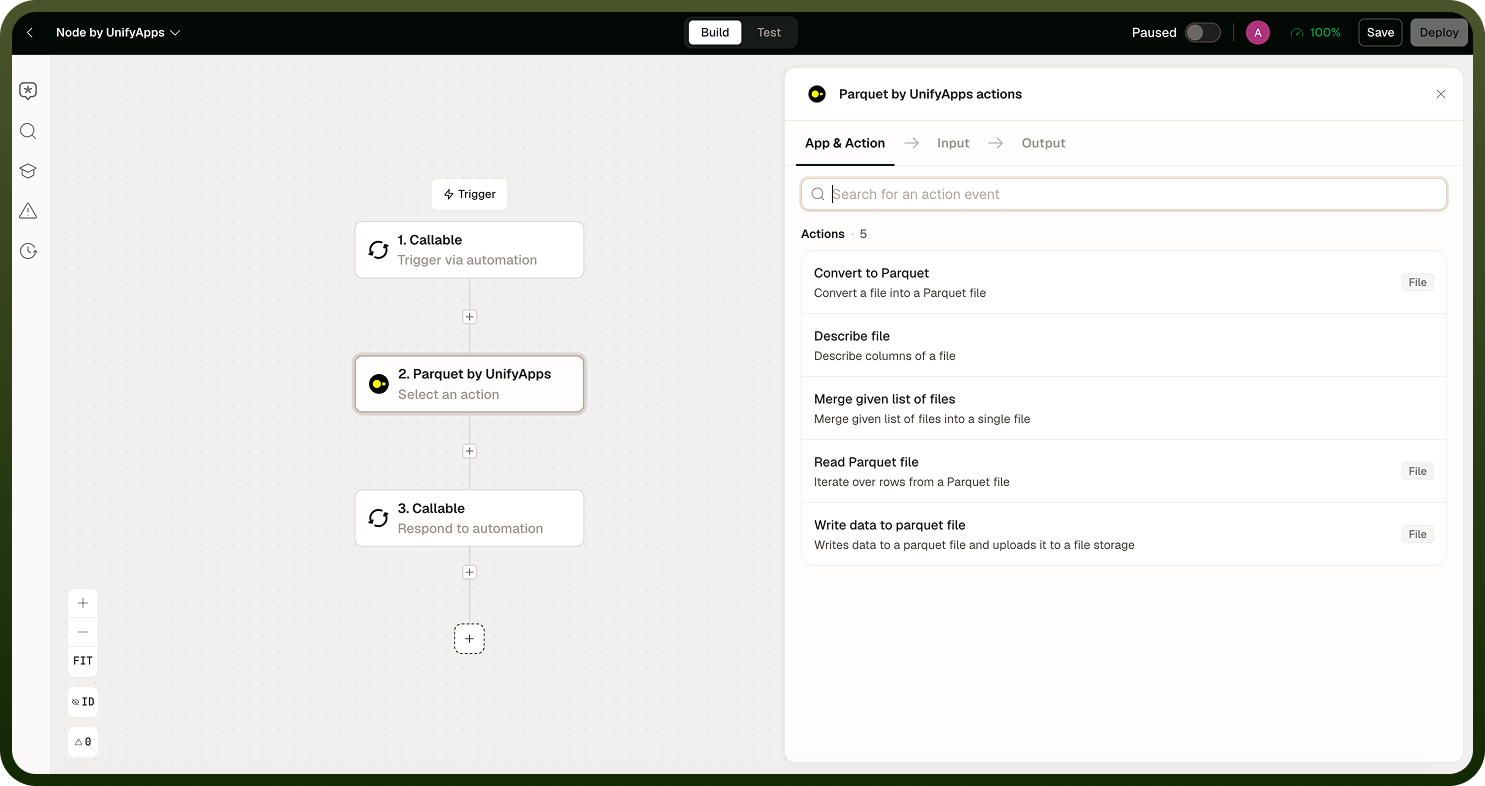
The Parquet node supports five operations:
Read Parquet file: read a Parquet file row by row or in configurable batches
Write data to parquet file: write a list of data out to a Parquet file with a defined schema
Describe file: inspect a file's schema (its columns and types) without reading row data
Merge given list of files: combine multiple Parquet files into one, with optional deduplication
Convert to Parquet: convert a CSV, XLSX or XLS file into a Parquet file
Reading Parquet Files
Read a file as an iterator: Read Parquet file yields rows one at a time or, with Batch mode on, in batches. Batching controls how many rows you get per pass to manage memory; it does not process rows in parallel, and iteration is sequential. For a large file, use the iterator (optionally batched) rather than expecting the entire table in a single value.
Input Field | Description |
|---|---|
File | The Parquet file to read. Required. |
Batch mode | When on, you work on rows in batches of the size you set. Off by default. |
Batch size | Number of rows per batch when Batch mode is on. Default 100. |
Parse dates as epoch milliseconds | When on, all DATE and TIMESTAMP fields are returned as epoch milliseconds. Otherwise they are returned in the native format stored in the file. Off by default. |
Read all fields as string | When on, every field in each row is returned as a string. Off by default. |
Define the output schema of the row | The fields of each row, so you can map them in later steps. |
When writing, you define the schema (columns and types). There is no full auto-detection, so ensure your declared columns match your data.
Merging Parquet Files
The Merge operation combines input files in the order you provide them. If you supply unique columns, it deduplicates on that key and keeps the last occurrence (by row order across the inputs). Earlier duplicates are removed.
Merge returns two outputs: the merged file (unique rows) and a separate duplicates file (the removed rows). Nothing is silently discarded — inspect the duplicates file if you need to audit what was deduped.
Note: The "last wins" deduplication rule is the key behavior to remember. If you are merging snapshots and want the newest record to survive, order your inputs so the newest file comes last.
If the files you merge are large, turn on Large Files on Merge given list of files. Describe file has the same option, labelled Large File.
Converting to Parquet
Convert to Parquet turns a CSV, XLSX or XLS file into a Parquet file and returns it as Converted File.
Input Field | Description |
|---|---|
File | The file to convert to Parquet. Required. |
Source format | The input file type: CSV (default), XLSX or XLS. Required. |
File Name | Used as the prefix of the exported file name. |
Keep exact file name | When on, the file is saved with the exact name in File Name. When off (default), a timestamp is appended to the file name. |
Notes
Keep these practices in mind when working with the Parquet node:
Use Describe before mapping fields from an unfamiliar Parquet file — it returns the column names and types without reading all the data.
Parquet is a binary format; you cannot inspect its contents directly. Use Read or Describe to understand what a file contains.
For large files, prefer batched iteration over a single read to avoid memory issues in the automation run.
When merging files, order your inputs so the most authoritative (newest) file comes last — the Merge operation keeps the last occurrence on deduplication.
Always declare the schema explicitly when writing — the node does not auto-detect columns from the data you pass in.
Inspecting the schema with Describe before reading or writing ensures field mappings align with the file's actual structure.