


Auth by UnifyApps provides comprehensive identity and authentication management capabilities within automation workflows.
Overview
Auth by UnifyApps provides comprehensive identity and authentication management capabilities within automation workflows. The node supports user authentication flows, identity provider management, multi-factor authentication, password management, external session handling, and SAML federation — enabling automations to orchestrate secure access control and identity lifecycle operations.
Use Cases
Automated User Onboarding — When a new employee record is created, an automation orchestrates the full auth setup: creating the user account, configuring MFA, sending a triggered password reset for first-login, and registering the user with the appropriate identity provider. The workflow validates each step and alerts HR on any failures.
Security Incident Response — When a security alert fires, an automation ends the affected user's sessions with Delete User Session (or Logout User External Session for external sessions) and logs all auth events for the security team's audit trail. To tighten lockout rules, it uses Update Identity Provider to set Max Login Failures, Reset Attempt Counter Duration and User Lockout Duration (minutes).
SSO into Other Apps — When users need to sign in to another application through UnifyApps, an automation uses Generate SAML Response for that service provider. UnifyApps acts as the SAML identity provider and returns the SAML response, the assertion consumer service URL and the relay state to post to the app.
Actions
Authentication
Login to UnifyApps — Starts a login with the selected identity provider. Returns a redirect URL and session expiry, or an MFA session ID when a second factor is required (complete it with Verify MFA).
Biometric Registered — Checks whether a user has registered biometric authentication (fingerprint, face ID) on their device
Create User External Session — Creates a UnifyApps session for a user authenticated by an external identity provider, for the selected application.
Identity Provider Management
Create Identity Provider — Registers a new identity provider (SAML, OIDC) in the UnifyApps tenant
Update Identity Provider — Modifies the configuration of an existing identity provider, including lockout rules such as Max Login Failures
Delete Identity Provider — Removes an identity provider registration
Fetch Identity Providers — Retrieves a list of all configured identity providers for the tenant
Find Identity Provider by Id — Retrieves the details of one identity provider by its ID
Password Management
Trigger Reset Password — Starts the reset flow for a username: creates a short-lived reset session and sends the user a reset link or an MFA challenge
Validate Reset Password Session — Checks that the reset session is still valid before you show the reset form
Reset Password — Sets the new password using the session ID created by Trigger Reset Password. Use it as the final step after Validate Reset Password Session.
Multi-Factor Authentication
Verify MFA — Validates a user's MFA code (TOTP, SMS, email) as part of a step-up authentication flow
Re Trigger MFA — Resends the MFA challenge to the user, used when the initial code expires or is not received
Sessions
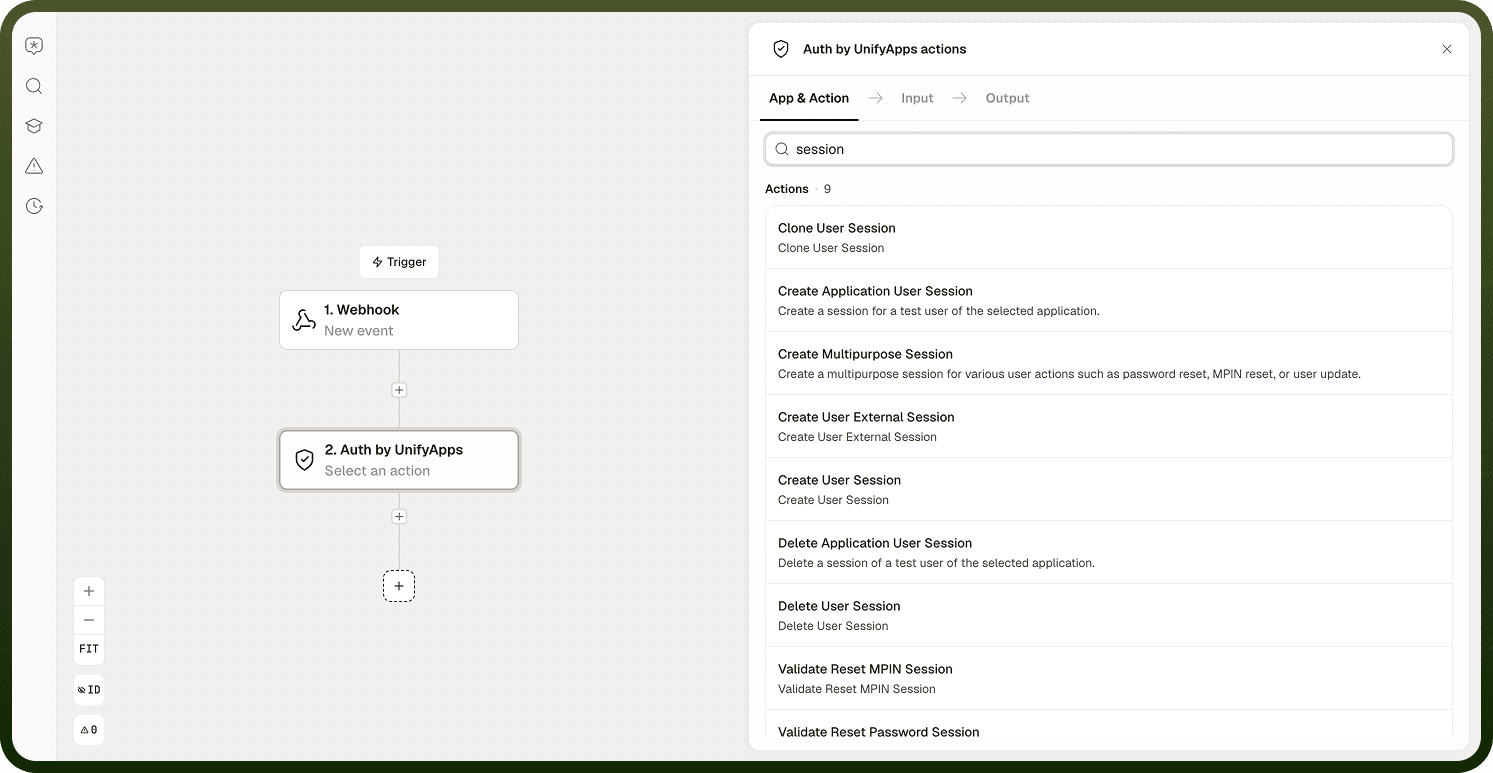
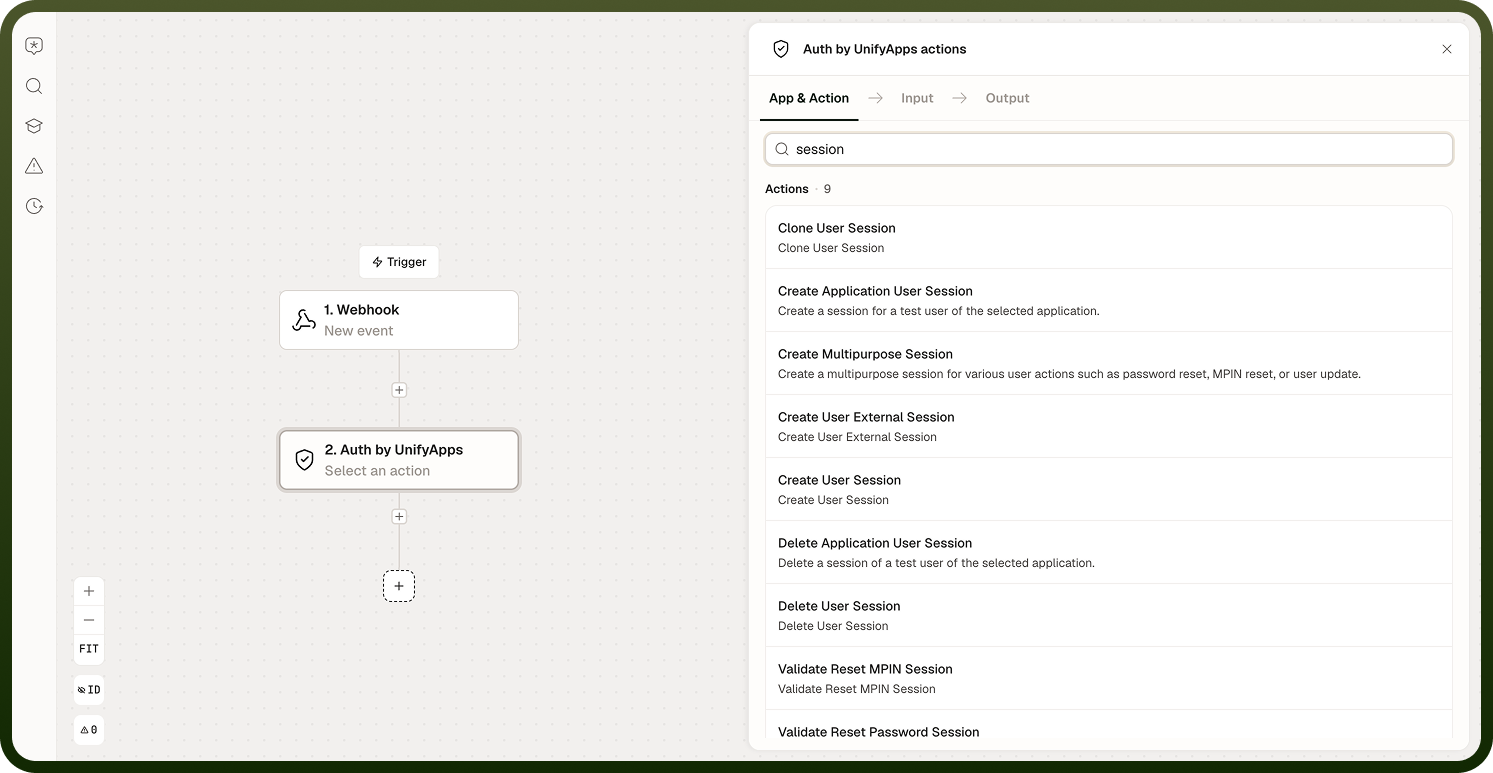
Create User Session — Creates a session for the current user, or for a test user when a User is selected
Clone User Session — Copies the current session's attributes into a new session and returns its session ID
Delete User Session — Ends the session with the given Session Id (logs the user out)
Create Application User Session — Creates a session for a test user of the selected application
Delete Application User Session — Deletes a session of a test user of the selected application
Create Multipurpose Session — Creates a short-lived session for user actions such as password reset, MPIN reset or user update
Perform Multipurpose Operation — Runs the operation for a multipurpose session, using its Session Id and the payload you define
Logout User External Session — Ends the external sessions of a user for the selected identity provider
MPIN Management
Trigger Reset MPIN — Starts the MPIN reset flow for a username and creates a short-lived reset session
Validate Reset MPIN Session — Checks that the MPIN reset session is still valid
Reset MPIN — Sets the new MPIN using the session ID from Trigger Reset MPIN, as the final step of the flow
SAML
Generate SAML Response — Produces a SAML response for the selected service provider so users can sign in to that app through UnifyApps (UnifyApps as the identity provider). Returns the SAML response, the assertion consumer service URL and the relay state.
Security Note: Actions that modify authentication configuration (Create/Update/Delete Identity Provider, Reset Password, Reset MPIN) should be protected with appropriate automation access controls to prevent unauthorized identity changes.
Notes
Keep the following in mind when using Auth by UnifyApps:
Auth by UnifyApps needs no connection. Restrict who can edit and run automations that change identity providers or reset credentials.
Token expiry is not handled automatically; add a validation step or error handler to detect expired tokens and trigger re-authentication when needed.
When building login or session flows, test with both valid and invalid credentials to confirm the automation handles authentication failures gracefully.
Use the Auth node for centralized identity operations rather than embedding credentials in Custom HTTP requests, which are harder to audit and rotate.
Review the Use Cases section before choosing which Auth action to use; some operations look similar but differ in whether they modify session state.