


The Meeting Bot node joins a video meeting as an automated participant, retrieves the recording, and leaves — all from within an automation. Use it to capture meeting content for transcription, summarization, archiving, or downstream processing without requiring a human attendee.
Overview
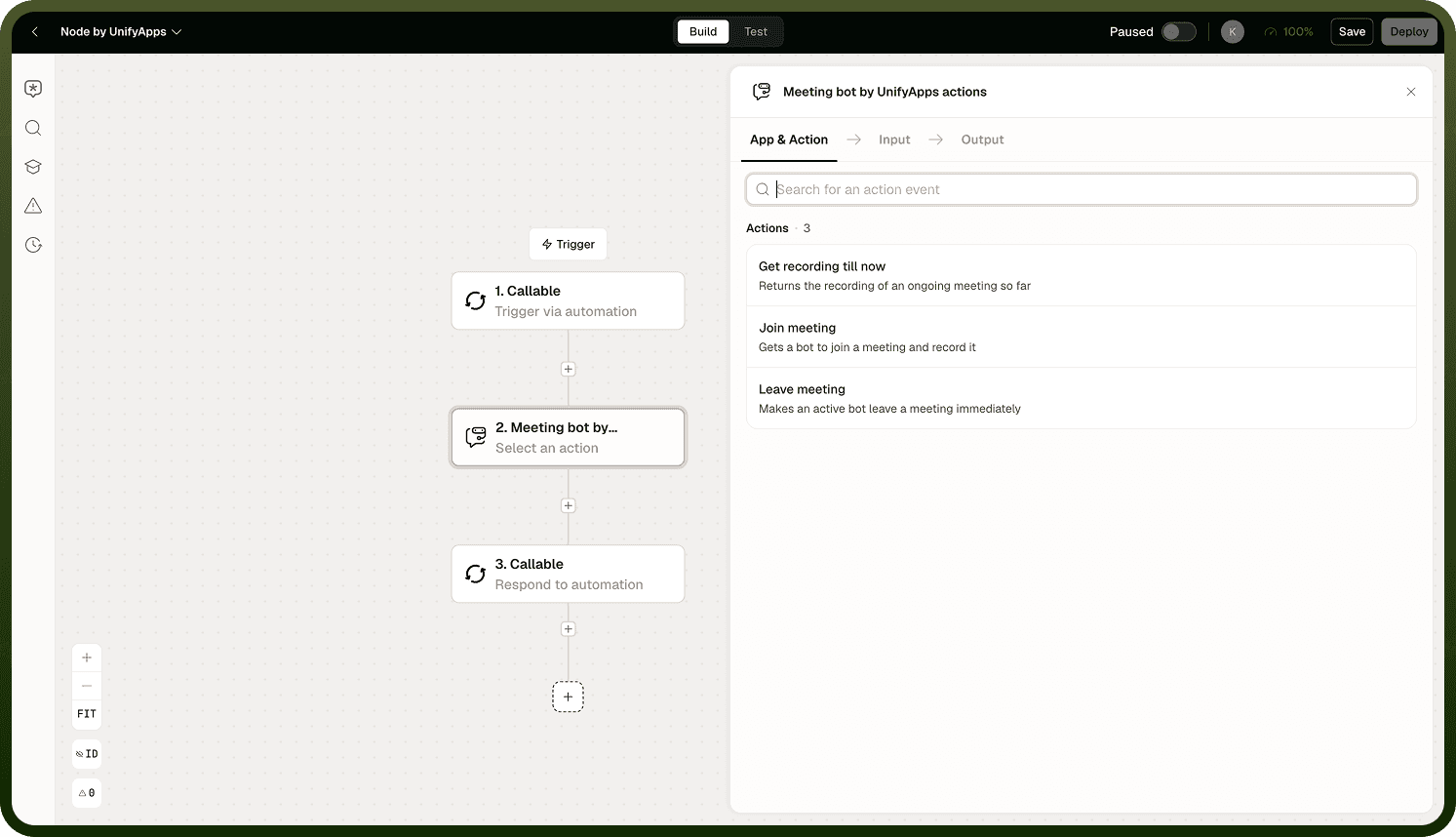
The node has three actions: Join meeting, Get recording till now and Leave meeting. No connection is needed. The bot joins a meeting using its URL, appears in the participant list under the bot name you set, and records the session. When the bot leaves, the Join meeting step returns the recording, so the next step can process it. Join meeting is asynchronous — the automation waits while the bot is in the meeting.
Joining a Meeting
Set these fields in Join meeting:
Meeting URL — the full meeting URL, for example
https://meet.google.com/meeting-code. Zoom, Google Meet and Microsoft Teams meetings are supported.Bot name — the name the bot uses when it joins (default
UnifyApps). Choose a name that clearly identifies it as a bot so participants know they are being recorded.Max meeting duration (minutes) — the longest the bot stays in the meeting before leaving. If left empty, it's 240 minutes (4 hours).
Auto leave meeting — on by default: the bot leaves when it detects it is the only participant. If turned off, the bot stays until the max duration is reached or the Leave meeting action is called.
Audio Stream WebSocket URL — optional. If set, the bot streams live audio to this WebSocket URL instead of recording to files. The URL must accept binary WebSocket connections.
Join meeting is asynchronous. The automation pauses while the bot attends the meeting; it resumes when the bot leaves or is removed. The output then holds the recording: a video file and an audio file, plus the segmented video and audio files.
Note: Recording consent requirements vary by jurisdiction and meeting platform. Before deploying automations that record meetings, confirm that all participants have been notified and that recording is permitted under your organization's policies and applicable law. The bot name is the primary mechanism for signalling its presence — use a name that makes the bot's role clear.
Getting the Recording So Far
The final recording comes back in the output of Join meeting or Leave meeting when the bot leaves. To get the recording of an ongoing meeting so far, use Get recording till now with the same Meeting URL — the bot must still be in the meeting. Turn on Finalize current segment to include the segment that is still being recorded; otherwise it may be left out. The recording is returned as files that can be passed to a transcription step, stored in a file destination, or processed by a Code or AI node.
Leaving a Meeting
Call Leave meeting with the Meeting URL to remove the bot from the meeting before it ends naturally — for example, when a condition in the automation is met. The bot must already be in the meeting. Leave meeting returns the recording. Otherwise, the bot leaves on its own when it is the only participant left (if Auto leave meeting is on) or when the max meeting duration is reached.
Notes
Keep these guidelines in mind when using the Meeting Bot node:
Always use a bot name that clearly identifies the participant as an automated bot — this is the primary way to signal to meeting participants that recording is happening.
Confirm recording consent requirements for your jurisdiction and meeting platform before using this node in production.
The final recording is returned by Join meeting or Leave meeting when the bot leaves. Use Get recording till now only for a partial recording while the bot is still in the meeting.
Join meeting is asynchronous; the automation run pauses while the bot is in the meeting.
A clearly named bot and verified consent compliance are prerequisites before using this node in any production environment.