

The RSS Feed node reads syndication feeds. It operates in two modes: a one-off fetch of the current items, and a polling trigger that watches a feed and starts your automation when new entries appear. Use the one-off fetch to pull a feed on demand, and the trigger to react to new posts, for example news monitoring, content syndication, or alerting on a status feed. The node uses an RSS Feed connection, which can include an auth token for protected feeds.
Set Up the Connection
Create an RSS Feed connection and choose the Authentication type:
No Authentication: for public feeds that don't require credentials.
Auth Token: for protected feeds. Enter the token in the Auth token field.
Operations
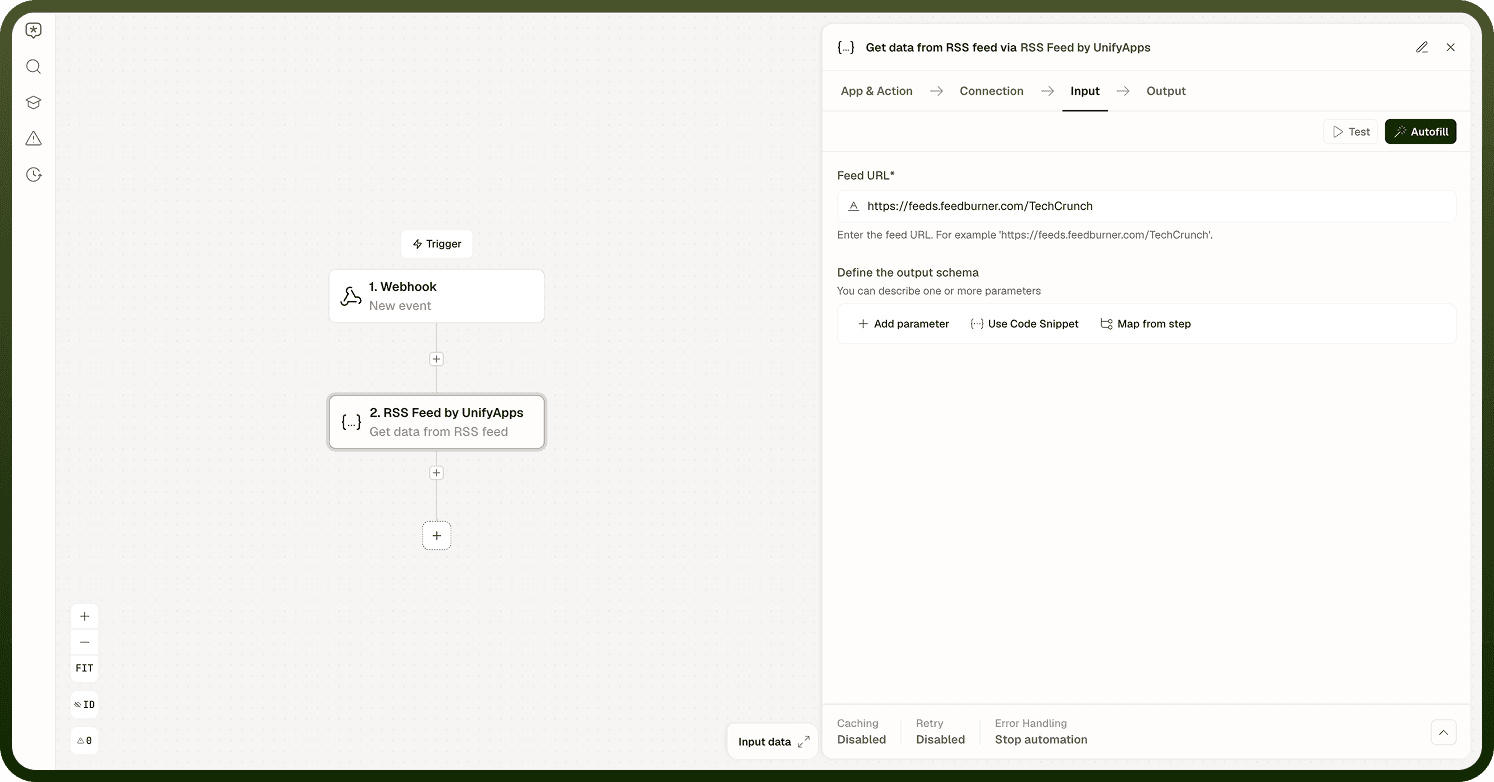
Get data from RSS feed
A one-off fetch of the feed's current items. Call this when you need to pull items at a point in time without setting up a recurring trigger — for example, pulling the latest posts from a feed as part of a larger pipeline.
Input
Input Field | Description |
|---|---|
Feed URL | Required. The URL of the feed to fetch, for example https://feeds.feedburner.com/TechCrunch. |
Define the output schema | The fields you want each feed item to return, so you can map them in later steps. |
Output
Returns the feed's items, with the fields you defined in Define the output schema.
New item in RSS feed (Trigger)
A polling trigger that watches a feed on a schedule and starts your automation whenever new entries appear. This is the mode to use for continuous monitoring — news alerts, status feed subscriptions, or content syndication pipelines.
Input
Input Field | Description |
|---|---|
Feed URL | Required. The RSS feed URL that is periodically monitored to detect and fetch new items. |
Batch size | Number of records to fetch in each batch. Default 100, from 1 to 1000. |
Polling interval | Time interval in minutes to poll for new records. Default 10, from 1 to 30. |
From | Fetch new records after this date and time. Leave it empty to get records created in the last hour. |
Trigger conditions | Only trigger events that match the conditions you set are processed. |
Output
Each poll cycle that finds new items emits them to the automation as a batch list. Each item in the batch includes title, description, link, comments, pubDate, guid and creator.
How the Polling Trigger Works
The trigger polls the feed on its configured schedule — every 10 minutes by default. Each cycle it reads newest-first and walks back until it reaches items it has already seen (the cutoff), so only genuinely new items are forwarded. New items are tracked using their publish date as the checkpoint, supplemented by a small set of recently-seen IDs to avoid re-firing on the same entry.
Two behaviors to plan for:
Publish date is the dedupe key. Items that lack a publish date, or that share an identical timestamp, can be tracked imperfectly. A feed that back-dates or omits publish dates may cause missed or duplicate events.
First-run look-back. If From is empty, the first run picks up items from the last hour rather than the entire feed history. Set From to an earlier date and time to start further back.
The checkpoint is stored per automation, so the same feed URL used in two separate automations tracks its read position independently.
Notes
To make the most of it:
Prefer feeds that include publish dates on every item; deduplication is most reliable when every item has a unique, non-null timestamp.
Set a polling interval appropriate to how frequently the feed publishes. A 1-minute interval on a feed that updates weekly wastes capacity.
If you need to process historical feed items, use the one-off fetch, or set From on the trigger to an earlier date and time.
When a protected feed requires a token, enter it in the RSS Feed connection (Auth Token) rather than in the automation.
Design downstream steps to handle bursts. A feed that publishes many items between poll cycles forwards them all at once, up to the batch size.
Matching your polling interval to the feed's actual publish frequency keeps the automation responsive without wasting capacity on feeds that update infrequently.