


The URL Shortener node turns long URLs into short links and manages those links over time. You can shorten a URL, resolve a short code back to its target, update where a code redirects, remove codes, and search your saved mappings. Use it to produce clean links for notifications, messages, or campaigns — and to repoint an existing short link later without changing the URL already in circulation.
Short links are served on a platform domain in the form .../short/<code>, or on your own custom domain if one is configured.
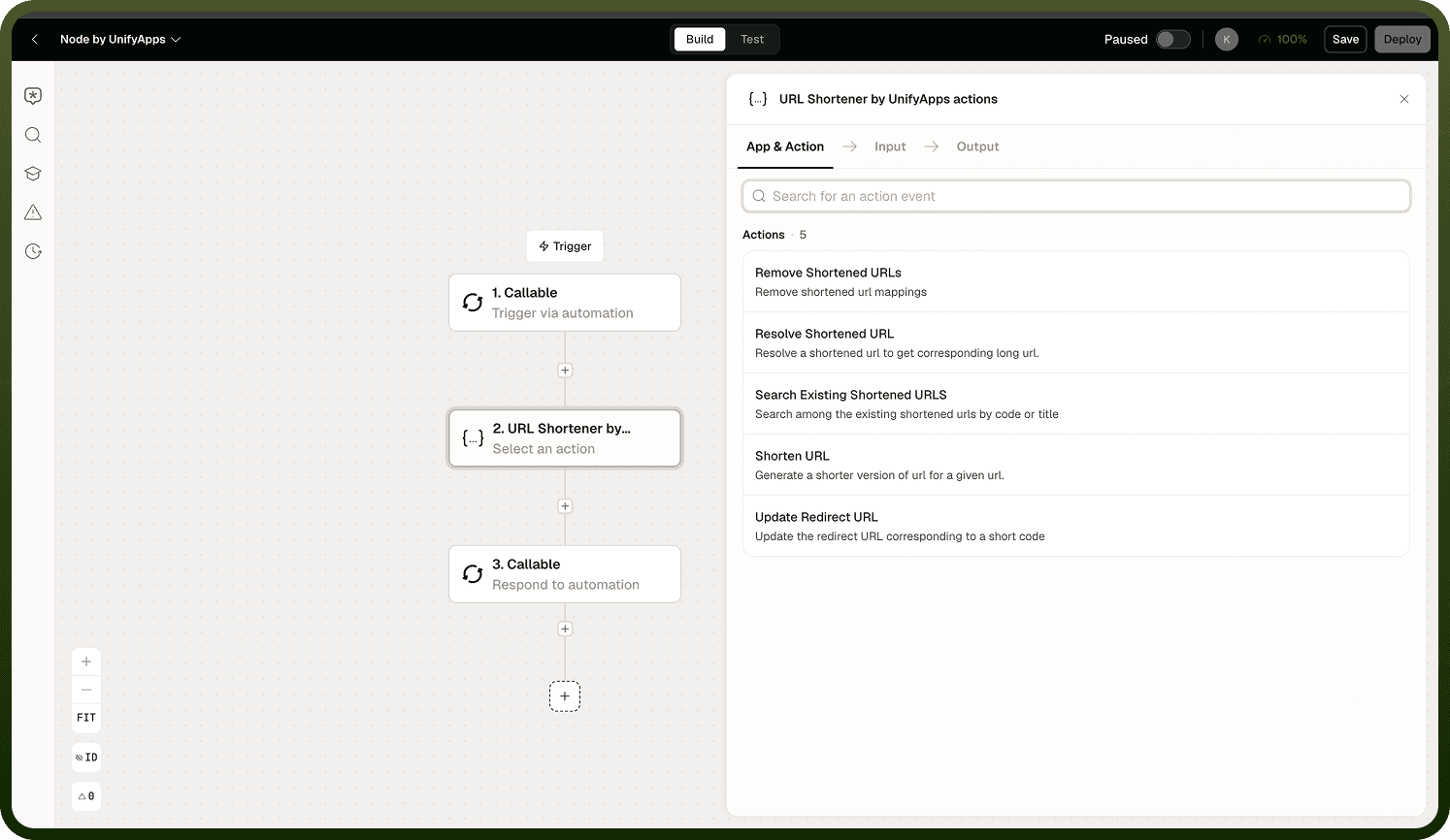
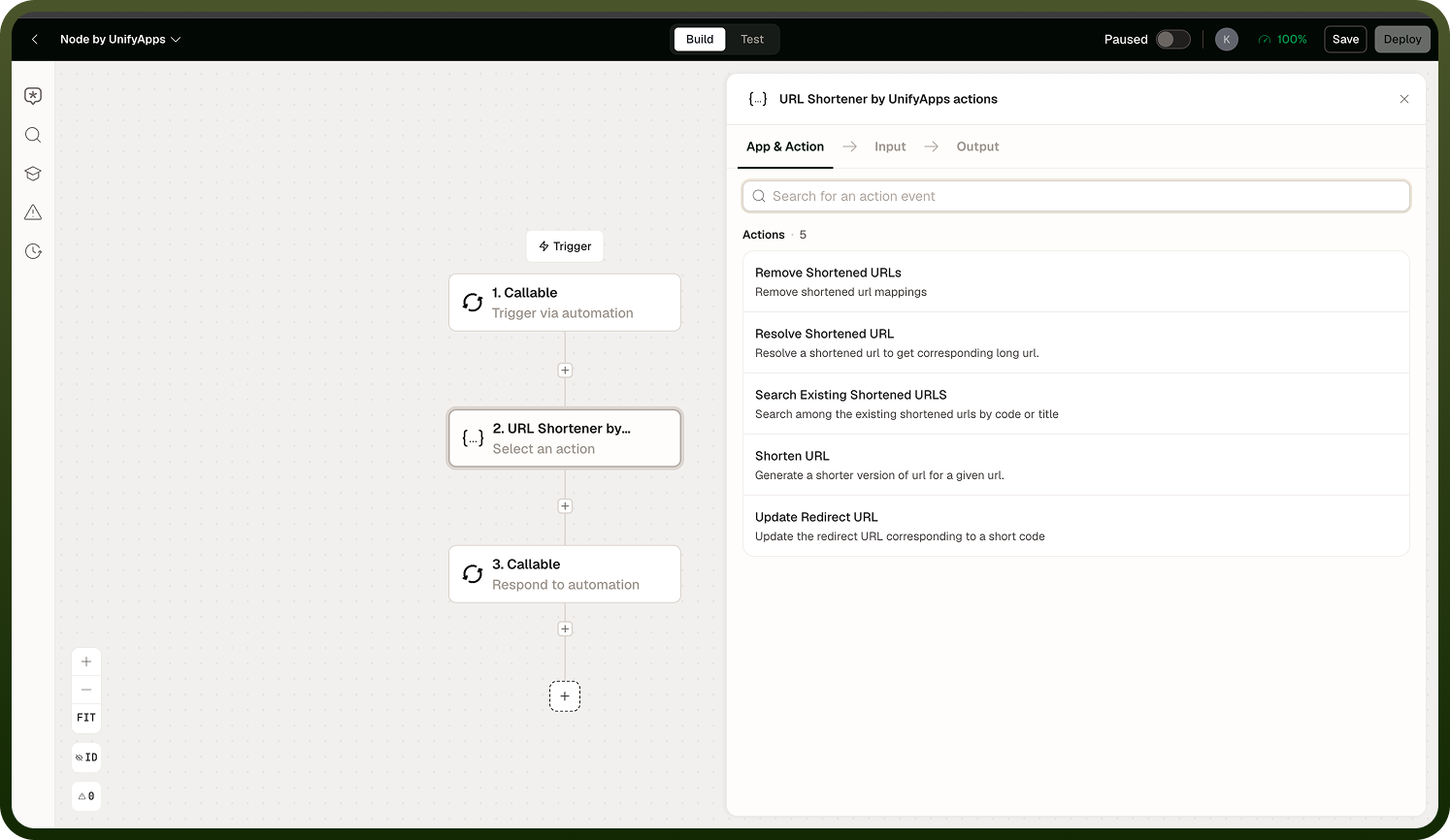
Operations
Shorten URL
Generates a new short code for a long URL and stores the mapping. The short code is derived from the URL using a hash with a random salt, producing a code of configurable length (7 characters by default). Short links expire after 7 days by default.
Input
Input Field | Description |
|---|---|
Title | Optional. A title to identify the mapping. Search Existing Shortened URLS matches on this title. |
Long URL | The long URL to shorten. |
Short-Code Length | Optional. The number of characters in the generated short code, from 5 to 32. Default: 7. |
Expires After | How long the short link stays active before it stops redirecting. Default: 7. |
Expiry Unit | The unit for Expires After: Seconds, Minutes, Hours, Days (default) or Never. Choose Never to keep the link permanent. |
Output
Returns the generated short code, the full short URL, the long URL, the title and the expiry time (absent for permanent links). Store the short code if you need to update or resolve the link later.
Note: Short-code generation is non-deterministic — shortening the same URL twice produces two different codes and two independent mappings. If you need a stable short link for a given URL, shorten it once and reuse the code you receive. Do not assume that the same URL always maps to the same code.
Resolve Shortened URL
Looks up the target URL for a given short code. Use this when an automation needs to know where a code currently points — to validate it, branch on it, or display it — not to redirect an end user.
Input
Input Field | Description |
|---|---|
Short Code | The code portion of the short link to look up. |
Output
Returns the target URL and title associated with the short code.
Note: Resolve Shortened URL is a lookup, not a redirect. It returns the destination URL so your automation can act on it; it does not issue an HTTP 301 or 302 to send a user to that destination. The browser redirect happens when a user visits the short link through the platform's link-serving layer.
Update Redirect URL
Changes the destination a short code points to without altering the short link itself. Use this to repoint a link that is already in circulation — in an email, a campaign, or a notification — without requiring recipients to use a new URL.
Input
Input Field | Description |
|---|---|
Short Code | The code whose redirect target should be changed. |
New Redirect URL | The new destination URL to associate with the code. |
Output
Returns the updated mapping: its title, short code, redirect URL and short URL.
Remove Shortened URLs
Deletes one or more short codes and their mappings. After removal, those short links no longer resolve.
Input
Input Field | Description |
|---|---|
Short Codes | The list of short codes to remove. |
Output
Returns the number of mappings deleted.
Search Existing Shortened URLS
Searches your stored short link mappings by title. Use this to verify what links exist or retrieve a code you did not store from a prior run.
Input
Input Field | Description |
|---|---|
Title Query | Search text matched against the mapping titles. |
Offset | The number of results to skip. Default: 0. |
Limit | The maximum number of results to return. Default: 20. |
Sort Order | Ascending (default) or Descending, by mapping title. |
Output
Returns a list of matching mappings, each with its title, short code, short URL and target URL, plus the total number of hits and whether more results are available.
Notes
To make the most of it:
Shorten a URL once and persist the returned code; calling Shorten URL multiple times on the same URL creates multiple independent codes, not a single canonical one.
Use Update Redirect URL when you need to change a destination after a link is already distributed — it keeps the short URL stable while changing where it points.
Short links expire after 7 days by default. Set Expires After and Expiry Unit, or choose Never for a permanent link. To remove links before they expire, use Remove Shortened URLs.
This node does not provide click tracking. If you need analytics on link usage, route traffic through a dedicated link-tracking service before shortening with this node.
When a custom domain is configured for your workspace, short links are served on that domain rather than the default platform domain — verify the domain setting before sharing links externally.