


The EDI Tools node parses and generates EDI B2B documents in X12 and EDIFACT formats so automations can participate in trading-partner exchanges without hand-coding the format.
Overview
EDI Tools is a built-in node for working with Electronic Data Interchange documents — the structured B2B message format used between trading partners for purchase orders, invoices, ship notices, and similar business transactions. It supports both major standards: X12 (common in the United States) and EDIFACT (common internationally). Three operations are available: parse an inbound EDI document into JSON, generate an outbound EDI document from JSON, and retrieve high-level information about a document. Use it to automate supplier onboarding, order management, logistics, and any other workflow that exchanges EDI documents with external partners.
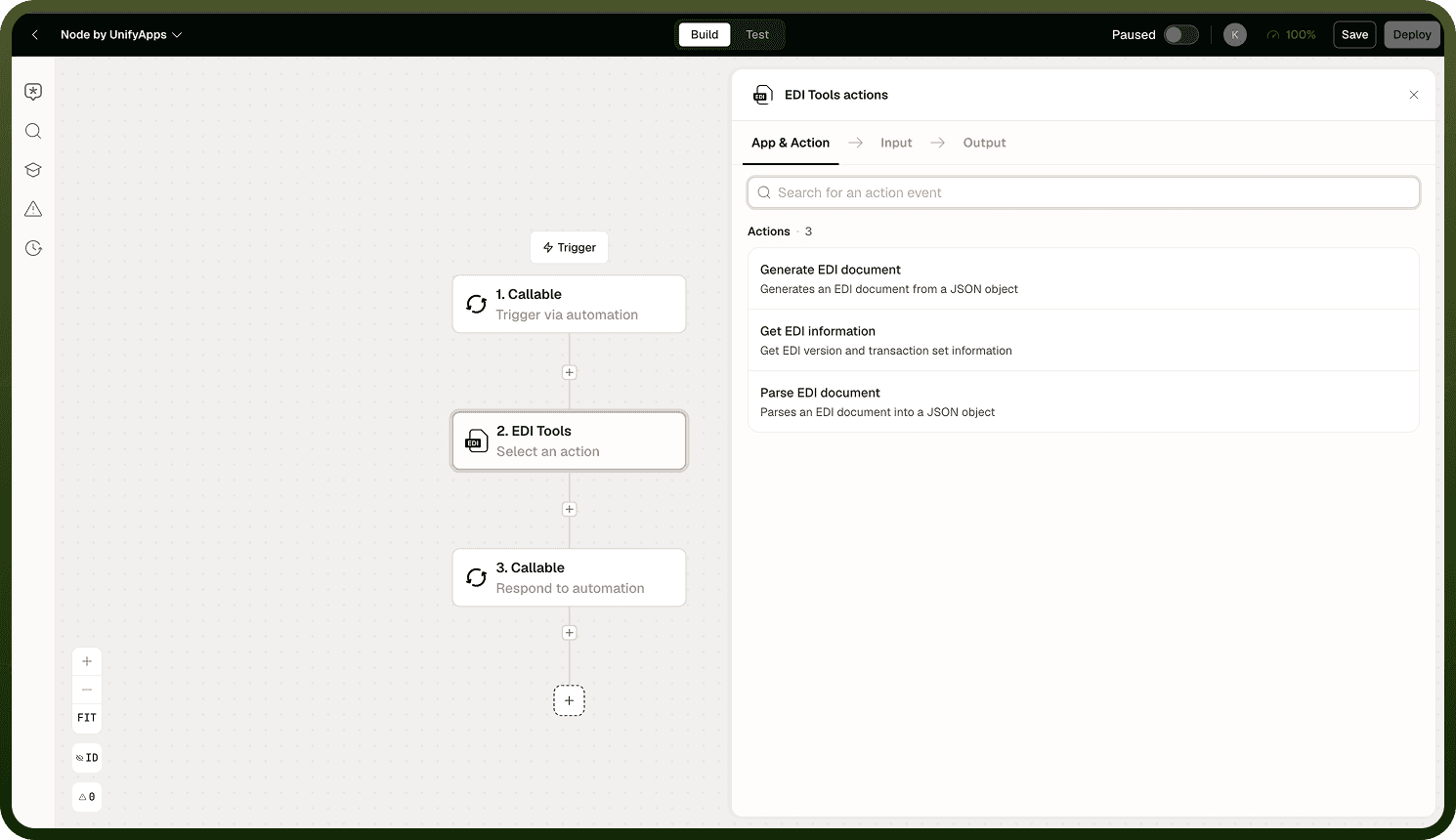
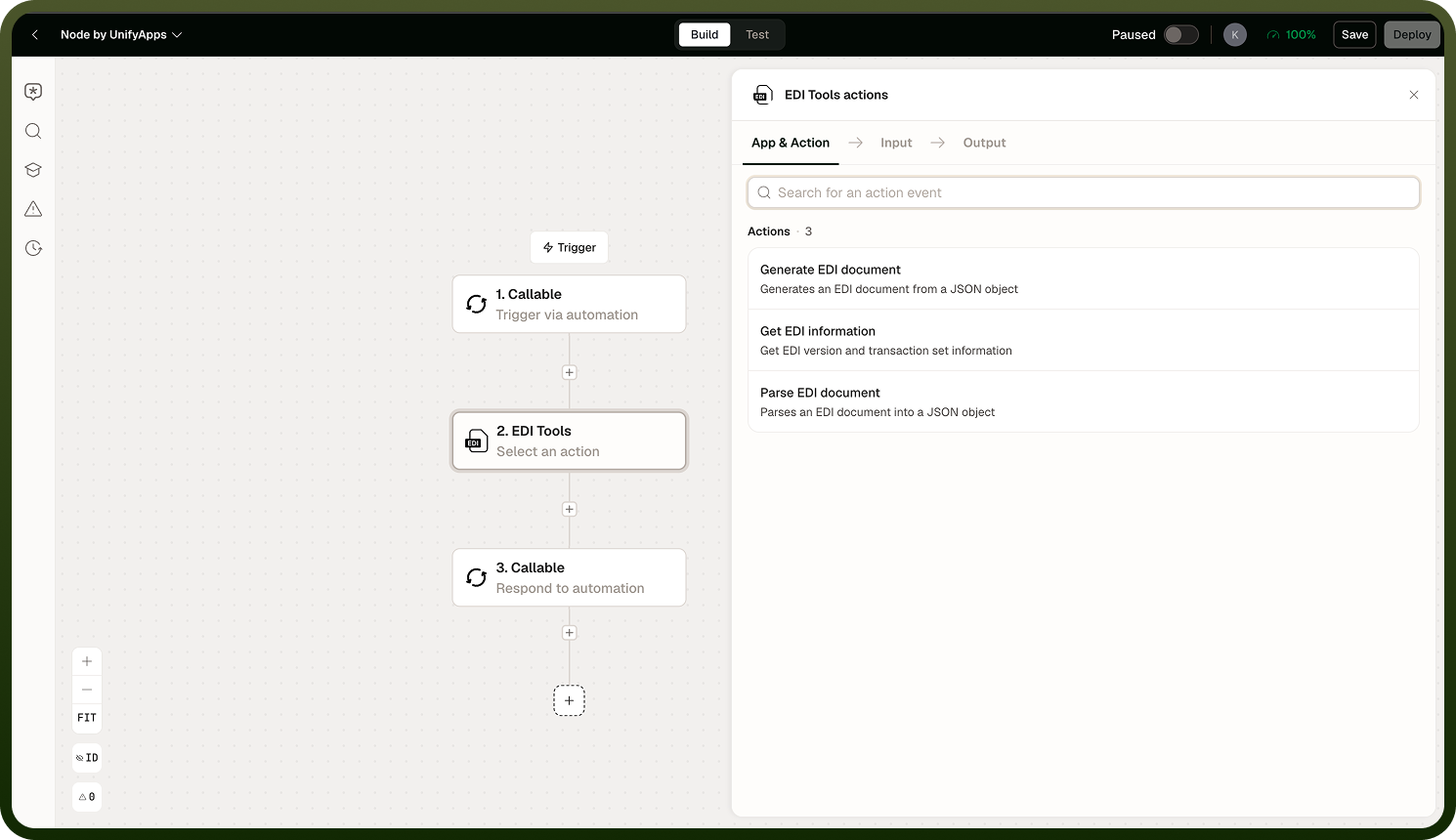
Operations
Choose one operation per node instance from the three available actions.
Operation | Description |
|---|---|
Parse EDI document | Converts an inbound EDI document (X12 or EDIFACT) into a JSON object for use in subsequent nodes. |
Generate EDI document | Builds a well-formed EDI document from a JSON input, producing the correctly formatted output string. |
Get EDI information | Retrieves high-level information about an EDI document — such as its standard, release, and transaction set — without fully parsing the content. |
Standards and Setup
EDI Tools covers both major EDI standards across their common releases and transaction sets.
X12 — the dominant standard in the US, covering releases 004010, 005010, 005030 and 005040. Common transaction sets include the 850 (purchase order), 810 (invoice), 856 (advance ship notice), 997 (functional acknowledgement), and others.
EDIFACT — the international standard, covering releases D96A and D99B. Common message types include ORDERS, INVOIC, DESADV, and similar.
When configuring a Parse or Generate operation, you need to tell the node what document shape to expect or produce. Two approaches are available:
Setup via sample EDI on: Provide an example document in Sample EDI and the node infers the standard, release, and transaction set automatically. This is the fastest path when you have a real document from your trading partner.
Setup via sample EDI off (default): Pick the EDI standard, Release, and Transaction set yourself. Use this when you do not have a sample document or when you need to lock the configuration to a specific release regardless of what arrives.
Delimiters
EDI documents use specific separator characters — segment terminators, element separators, and sub-element separators — to divide data. The defaults differ between X12 and EDIFACT, and individual trading partners sometimes use non-standard delimiters in their documents.
Important: If an inbound document uses non-default delimiters and you do not configure the node to match, parsing can fail silently or corrupt the output data. Always confirm delimiter settings against your trading partner's specifications before deploying an integration.
When receiving documents from a new trading partner, obtain their EDI specifications or a sample document to verify which delimiters they use. Set them explicitly under Delimiter options in the node configuration rather than relying on defaults.
Validation
A functional acknowledgement — the X12 997 — may be produced as part of a parse operation, but its presence is not guaranteed. Do not build downstream logic that assumes the 997 will always be available as a parse output.
If your integration requires sending a 997 back to a trading partner after receiving a document, use the Generate operation in a separate node instance to build the acknowledgement from your own data, rather than relying on a 997 surfaced by Parse.
Notes
Keep the following in mind when using the EDI Tools node.
EDI Tools supports X12 (releases 004010, 005010, 005030 and 005040) and EDIFACT (releases D96A and D99B).
Turning on Setup via sample EDI is the fastest configuration path when you have an example document from your trading partner; leave it off and pick the EDI standard, Release and Transaction set to lock to a precise release.
Delimiters must match the inbound document. Set them under Delimiter options; non-default separators configured incorrectly can cause silent parse failures or data corruption.
A 997 acknowledgement may appear as a parse output but is not guaranteed — do not make downstream logic depend on it being present.
Use the Get EDI information operation to inspect a document's standard, release, and transaction set without committing to a full parse.
Each operation is a separate node instance — you cannot combine Parse and Generate in a single node.