


Use the Agendor connector to manage sales pipelines and customer relationships.
Integrating your application with Agendor lets you use these operations in an automation. It exposes 15 actions, listed below. Add the connector from the Connections area, authenticate, then select its operations in the automation builder. Capabilities: actions.
Authentication
Before you begin, make sure you have the following information:
Connection Name: Choose a meaningful name for your connection. This name helps you identify the connection within your application or integration settings.
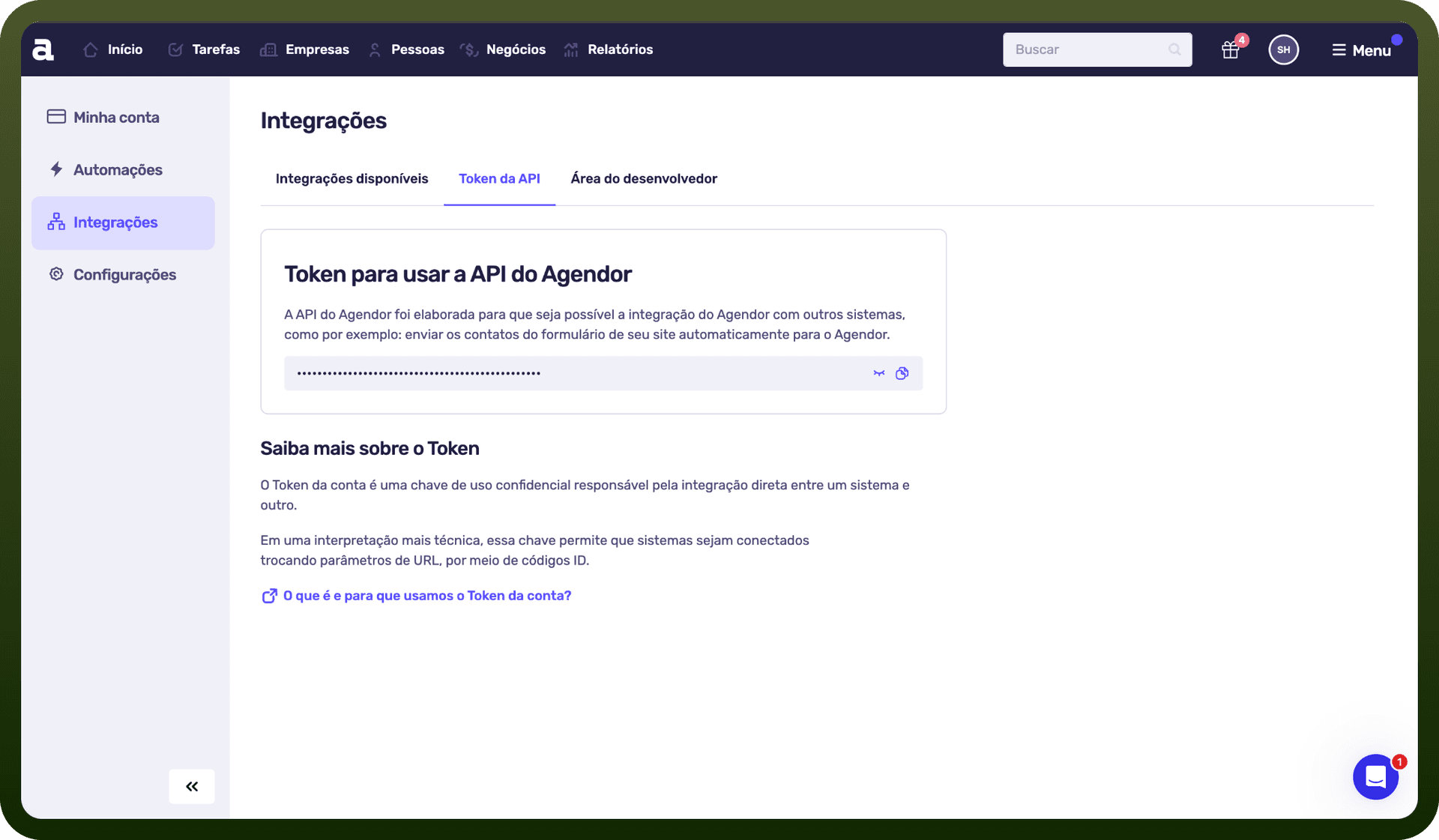
Authentication type: Agendor uses an API token. Enter it in the API Token field.
Getting your API token
Log in to your Agendor account.
Go to Menu → Integrations.
Copy your API token.
Paste it into the API Token field of the UnifyApps connection form.
Actions
Action Name | Description |
|---|---|
Create organization | Creates a new organization in Agendor |
Create person | Creates a new person in Agendor |
Delete organization | Deletes a specific organization in Agendor |
Delete person | Deletes a specific person in Agendor |
Get deal | Gets a specific deal in Agendor |
Get organization | Gets a specific organization in Agendor |
Get person | Gets a specific person in Agendor |
List organizations | Lists and searches organizations in Agendor |
List people | Lists and searches people in Agendor |
Update deal | Updates an existing deal in Agendor |
Update deal stage | Updates the stage of a deal in Agendor |
Update deal status | Updates the status of a deal in Agendor |
Update organization | Updates a specific organization in Agendor |
Update person | Updates an existing person in Agendor |
Upsert organization | Creates or updates an organization in Agendor |
About the API
Agendor is a CRM platform designed for companies conducting consultative sales. The API provides access to three primary resource categories:
Users - Retrieve all users linked to your account
Organizations - Perform full CRUD operations on organizational records
People - Manage contact/people records with create, read, update, and delete functionality
The platform emphasizes managing sales teams (internal and external representatives) through its integration capabilities, with comprehensive endpoint documentation available in the official API reference.