


Use the Groove HQ connector to manage customer support and helpdesk.
Integrating your application with Groove HQ lets you use these operations in an automation. It exposes 12 actions, listed below. Add the connector from the Connections area, authenticate, then select its operations in the automation builder. Capabilities: actions.
Authentication
Before you begin, make sure you have the following information:
Connection Name: Choose a meaningful name for your connection. This name helps you identify the connection within your application or integration settings.
API Token: The connection uses token authentication. Enter your Groove private API token in the API Token field. Follow the steps below to find it.
Obtaining Your API Token
Log in to your Groove account.
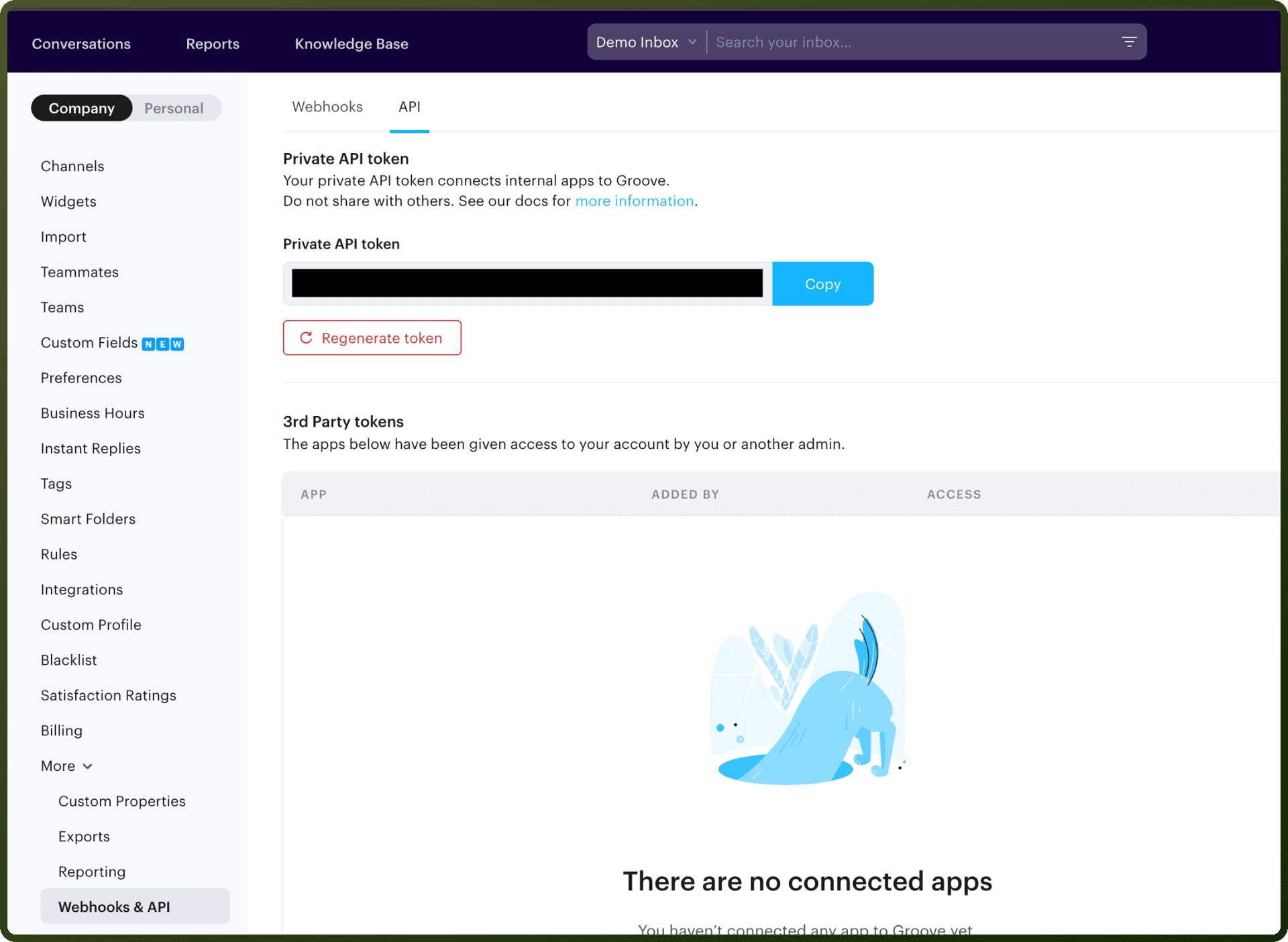
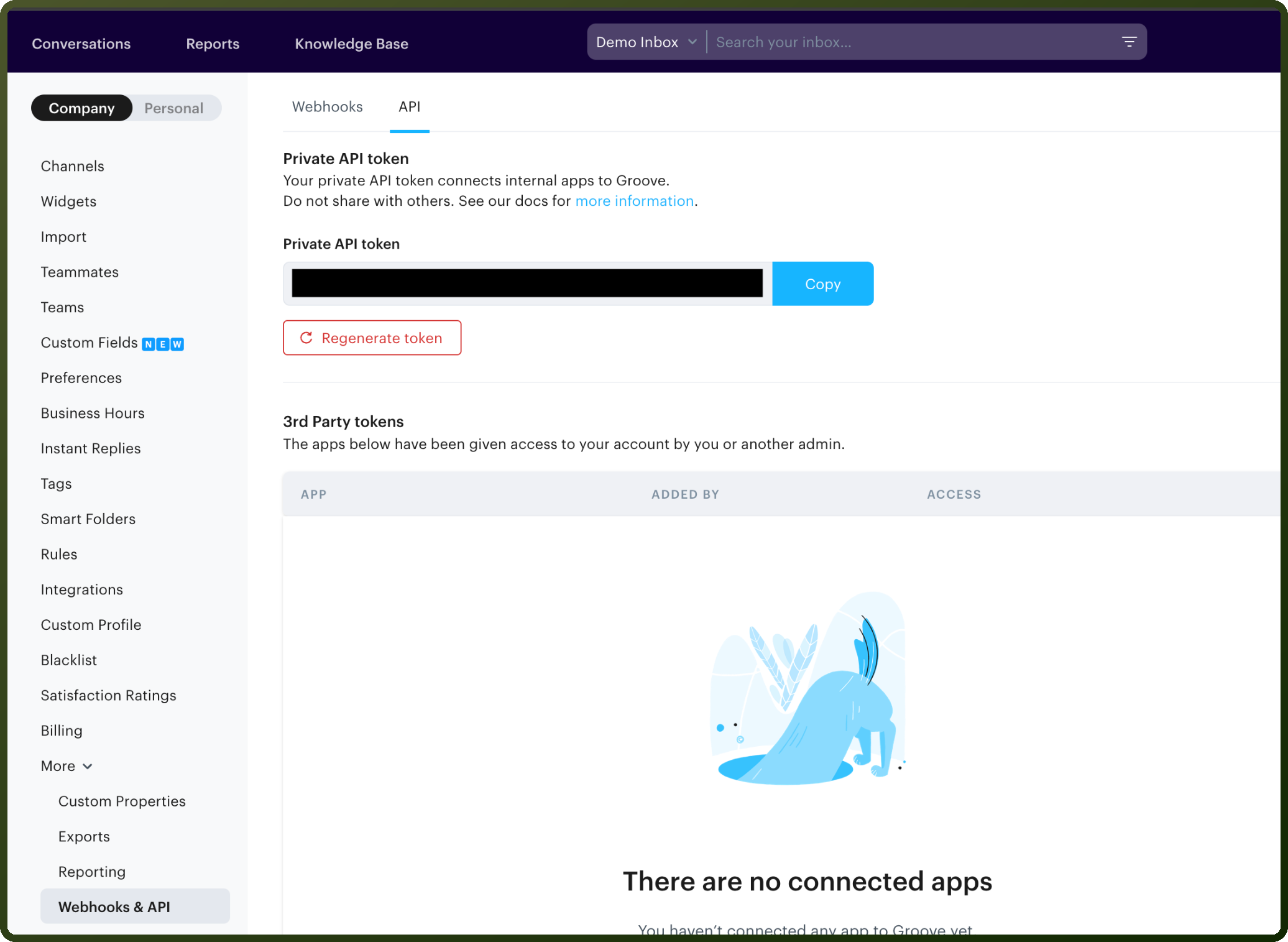
Open Settings, then go to Webhooks & API > API.
Copy the Private API token.
In UnifyApps, paste it into the API Token field of the Groove HQ connection.
Actions
Action Name | Description |
|---|---|
Create group | Creates a new group to segregate the tickets in Groove HQ |
Create message | Creates a new message to a ticket in Groove HQ |
Create ticket | Creates a new ticket in Groove HQ |
Find customer | Finds a customer in Groove HQ |
Find group | Finds a group using its group ID in Groove HQ |
Find message | Finds a message using its ID in Groove HQ |
Find ticket | Finds a ticket using its ticket number in Groove HQ |
Find ticket state | Finds the state of a ticket in Groove HQ |
List tickets | Lists details of all tickets in Groove HQ |
Update customer | Updates a customer in Groove HQ |
Update ticket state | Updates the state of a ticket in Groove HQ |
Updating group | Updating group in groovehq. |