


Use the Gladia connector to convert speech to text using AI.
Integrating your application with Gladia lets you use these operations in an automation. It exposes 8 actions, listed below. Add the connector from the Connections area, authenticate, then select its operations in the automation builder. Capabilities: actions.
Authentication
Before you begin, make sure you have the following information:
Connection Name: Choose a meaningful name for your connection. This name helps you identify the connection within your application or integration settings.
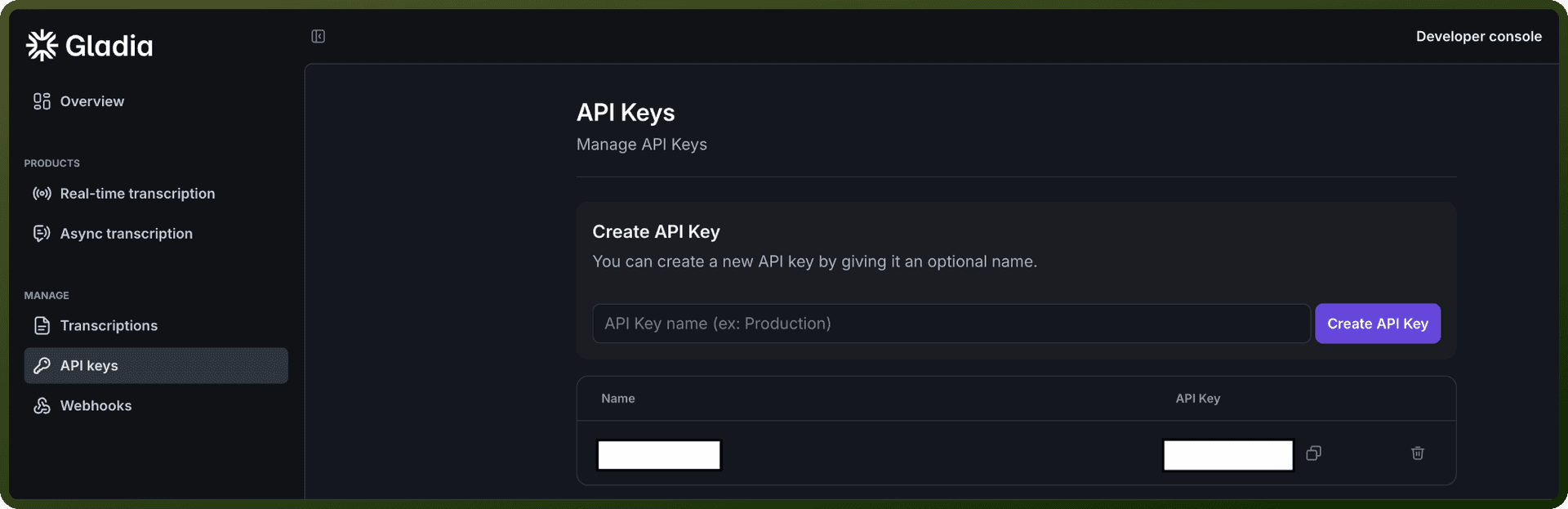
API key: Gladia uses API key authentication, so there's no authentication type to choose. Paste your Gladia API key into the API key field. You can find it in the Gladia dashboard.
Authentication & setup
Gladia uses header-based API Key authentication. Include your API key in the x-gladia-key header to authenticate all API endpoints.
Getting Credentials:
Create an account at app.gladia.io
Sign in and navigate to the API keys section
Use the default key created automatically, or generate a new one
Gladia Offering: Gladia provides 10 hours of free audio transcription per month to test functionality.
Actions
Action Name | Description |
|---|---|
Delete pre-recorded transcription | Deletes a pre-recorded transcription in Gladia |
Get live session result | Gets the result of a live transcription session in Gladia |
Get pre-recorded transcription result | Gets the result of a pre-recorded transcription in Gladia |
Initiate live session | Initiates a new live transcription session in Gladia |
Initiate pre-recorded transcription | Initiates a transcription for a pre-recorded audio file in Gladia |
List live transcriptions | Lists live transcription sessions in Gladia |
List pre-recorded transcriptions | Lists pre-recorded transcription jobs in Gladia |
Upload file | Uploads an audio file to Gladia for transcription |
About the API
Gladia provides audio transcription services accessible through REST APIs. The platform offers transcription workflows with support for pre-recorded audio handling capabilities.
For complete API documentation and discovering all available endpoints and features, visit: https://docs.gladia.io/llms.txt