


Use the Browserless connector to run browser automation and web scraping at scale.
Integrating your application with Browserless lets you use these operations in an automation. It exposes 10 actions, listed below. Add the connector from the Connections area, authenticate, then select its operations in the automation builder. Capabilities: actions.
Browserless REST APIs provide HTTP endpoints for common browser tasks like screenshots, PDFs, content scraping, file downloads, function execution, and website unblocking.
Authentication
Before you begin, make sure you have the following information:
Connection Name: Choose a meaningful name for your connection. This name helps you identify the connection within your application or integration settings.
Authentication Type: Browserless uses API token authentication. The connection form asks for a Connection name and an API token.
Obtaining Your API Token
Go to the Browserless sign-up page and create a free account, or log in at the account dashboard if you already have one.
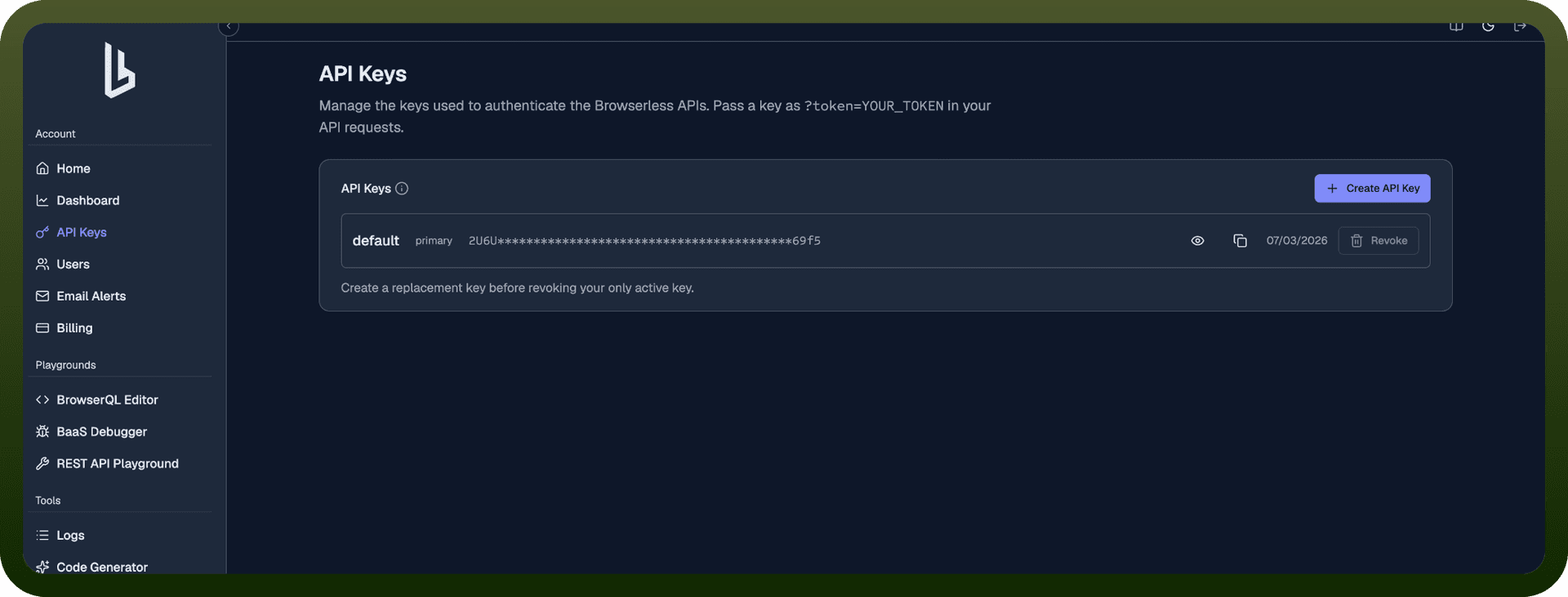
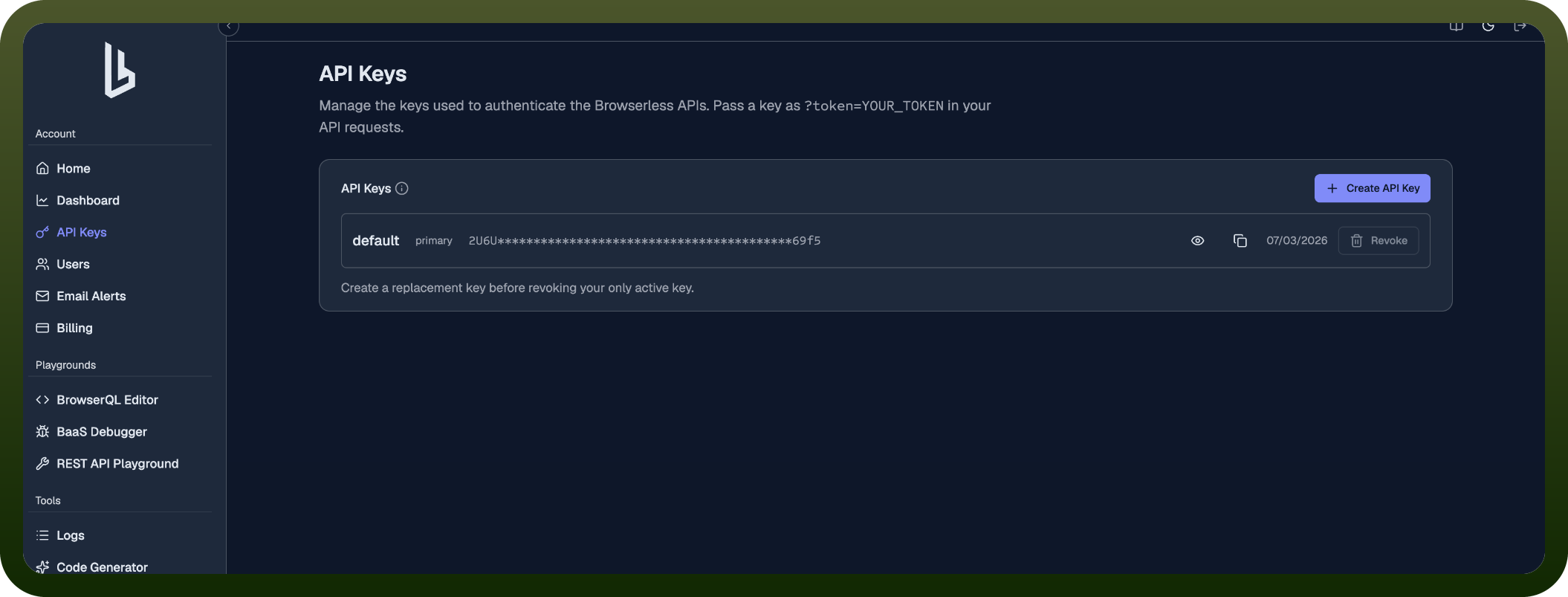
On your account home page, find the API Key section. Your default token is already listed there.
Click Copy next to the token to copy it, or click Manage API keys to create an additional one.
To create a new key, click Create API key, enter a name to identify it, and confirm. Copy the token right away, as Browserless shows it only once.
Paste the token into the API token field of the connection form.
Actions
Action Name | Description |
|---|---|
Download file | Run custom Puppeteer code and return files that Chrome downloads during execution. |
Export URL | Fetch a URL and stream the result in its native content type. Can bundle all resources into a ZIP file. |
Generate PDF | Navigate to a URL or render raw HTML and return a PDF file. |
Get content | Fetch fully rendered HTML from a real browser, including JavaScript-rendered content. Response is raw HTML (text/html). |
Run function | Execute custom Puppeteer code via HTTP. Your function receives a page object and optional context. |
Run performance audit | Run Lighthouse audits and return metrics for accessibility, best practices, performance, PWA, and SEO. |
Scrape with selectors | Extract structured JSON from a fully rendered page using CSS selectors. |
Smart scrape | Intelligently scrape any URL using cascading strategies. Returns HTML, markdown, screenshots, PDFs, or extracted links. |
Take screenshot | Capture PNG, JPEG, or WebP screenshots of a page. |
Unblock site | Bypass CAPTCHAs and bot detection, then return content, cookies, screenshots, or a WebSocket endpoint for custom automation. |