


Use the Attio connector to build customizable CRM workflows and databases.
Integrating your application with Attio lets you use these operations in an automation. It exposes 20 actions and 4 triggers, listed below. Add the connector from the Connections area, authenticate, then select its operations in the automation builder. Capabilities: actions, triggers.
Authentication
Before you begin, make sure you have the following information:
Connection Name: Choose a meaningful name for your connection. This name helps you identify the connection within your application or integration settings.
Authentication Type: Attio uses access token (API key) authentication. The connection asks for one value, an Attio access token. UnifyApps sends it with each request for you.
Authentication & setup
To connect, generate an access token in your Attio workspace and paste it into the UnifyApps connection.
Get your access token
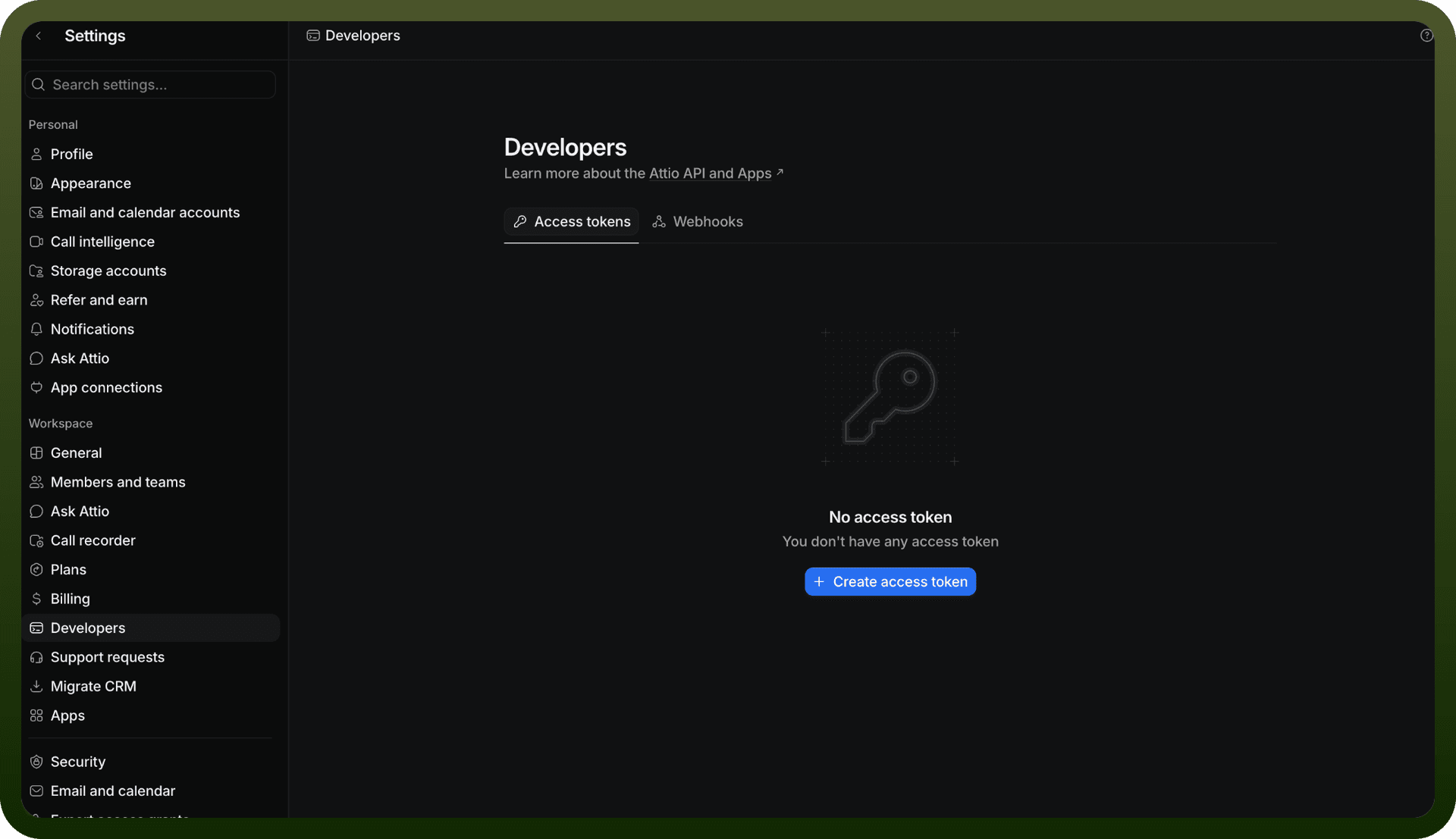
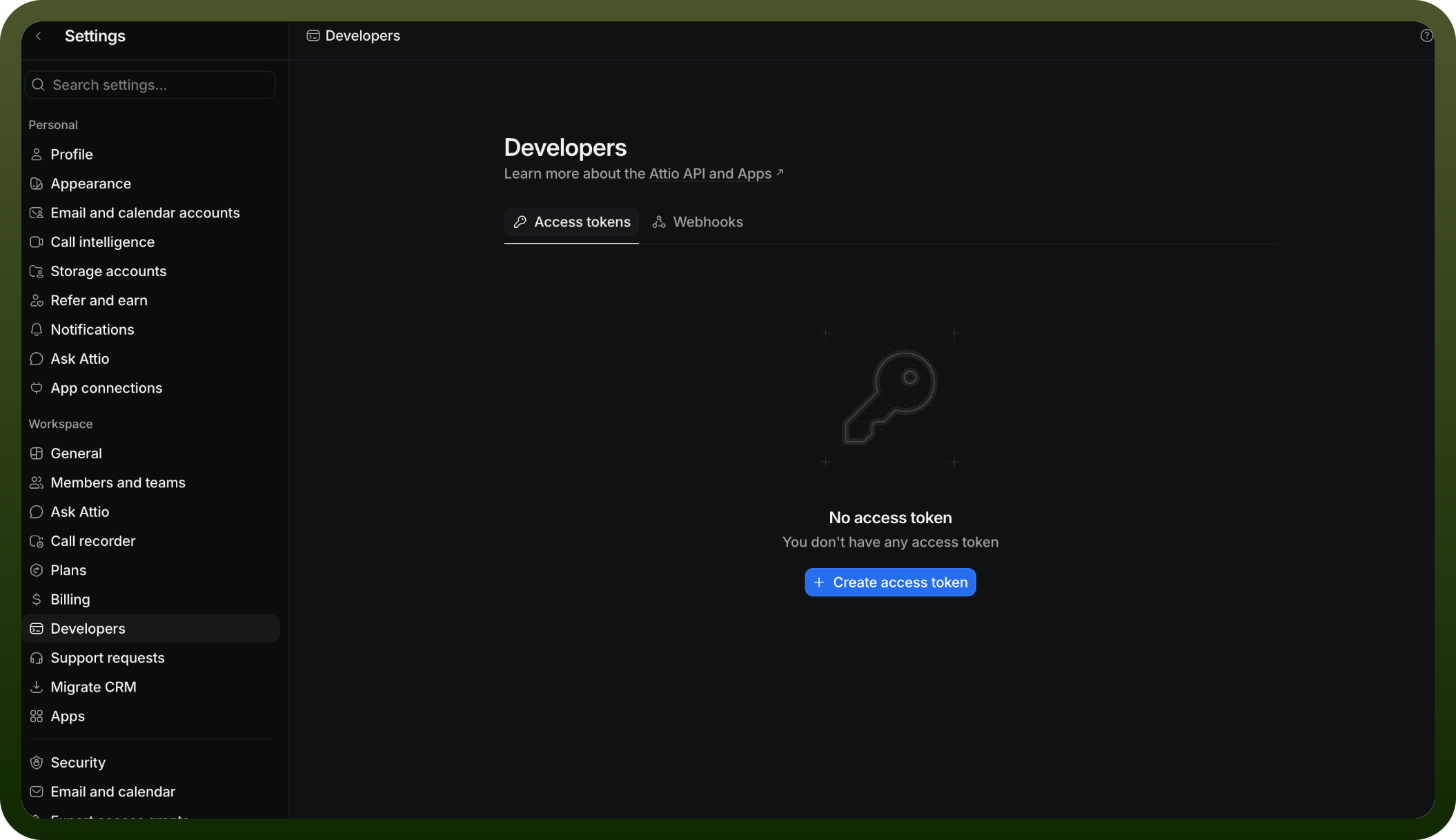
Go to Workspace Settings > Developers.
Click Create a new integration and name it.
Set the scopes the token needs for the data you want to read or change.
Generate an access token and copy it.
In UnifyApps, paste the token into the Attio connection form.
Security: Treat access tokens like passwords—they contain sensitive information. Never expose them publicly.
Actions
Action Name | Description |
|---|---|
Create a company record | Creates a company record in Attio |
Create a list | Creates a new list in Attio |
Create a person record | Creates a new person record in Attio |
Create an attribute | Creates a new attribute in Attio |
Create an object | Creates a new object in Attio |
Delete a person record | Deletes a person record by its ID in Attio |
Get a company record | Gets a company record by its ID in Attio |
Get a list | Gets a list by its ID in Attio |
Get a person record | Gets a person record by its ID in Attio |
Get an attribute | Gets an attribute by its ID in Attio |
Get an object | Gets an object by its ID in Attio |
List all lists | List all lists in Attio |
List attributes | Lists all attributes defined on a specific object or list in Attio |
List company records | Lists company records in Attio |
List object | Lists all system-defined and user-defined objects in your workspace in Attio |
Update a company record | Updates a company record by its ID in Attio |
Update a list | Updates a list by its ID in Attio |
Update a person record | Updates a person record by its ID in Attio |
Update an attribute | Updates an attribute by its ID in Attio |
Update an object | Updates an object by its ID in Attio |
Triggers
Trigger Name | Description |
|---|---|
On note created | This trigger will be invoked when a note is created in Attio |
On note deleted | This trigger will be invoked when a note is deleted in Attio |
On record created | This trigger will be invoked when a record(company, person or other record) is created in Attio |
Update note | This trigger will be invoked when a note is updated in Attio |
About the API
Attio is a public REST API that exchanges JSON over HTTPS. The platform supports:
CRM Data Management: REST endpoints for managing records and entries
OAuth Integration: Building OAuth flows for third-party connections
Data Handling: Filtering, sorting, and pagination of API responses
Real-time Events: Webhook setup and event listening capabilities
Rate Management: Guidelines for working within API limits
Rate Limits
100 read requests per second
25 write requests per second
HTTP 429 returned when limits are exceeded