


Use the BoldSign connector to create and manage digital signatures.
Integrating your application with BoldSign lets you use these operations in an automation. It exposes 5 actions, listed below. Add the connector from the Connections area, authenticate, then select its operations in the automation builder. Capabilities: actions.
Authentication
Before you begin, make sure you have the following information:
Connection Name: Choose a meaningful name for your connection. This name helps you identify the connection within your application or integration settings.
Authentication Type: BoldSign uses API token authentication. The connection form asks for a Connection name and an API token.
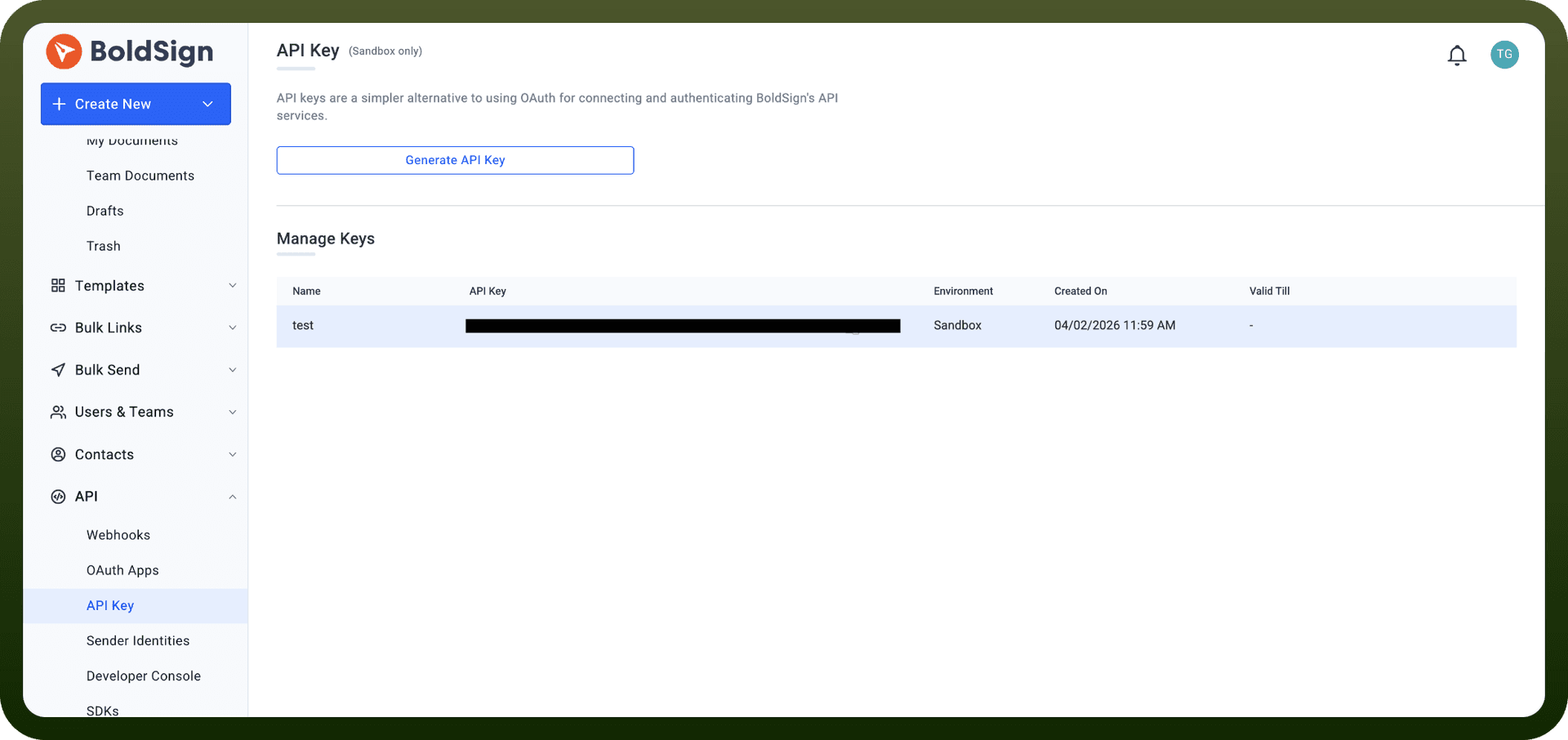
Obtaining Your API Key
Log in to your BoldSign account.
Navigate to the API menu in the left navigation pane.
Select API Key.
Click Generate API Key.
Copy the API key and paste it into the API token field of the connection form.
Actions
Action Name | Description |
|---|---|
Delete document | Deletes document from BoldSign |
Download document | Downloads document from BoldSign |
List documents | Lists documents in BoldSign |
Revoke document | Revokes document in BoldSign |
Send document | Sends document in BoldSign |