


OpenAI is a leading AI research and deployment company that develops advanced artificial intelligence models, including GPT and DALL·E. It aims to create safe and beneficial AI to solve real-world problems and enhance human productivity.
Connecting your application to OpenAI allows for the integration of advanced AI models like GPT for text generation, DALL·E for image creation, and Codex for coding assistance.
Authentication
Before you begin, make sure you have the following information:
Connection Name: Choose a name that easily identifies the connection within your settings, such as "MyAppOpenAIIntegration". This is crucial for managing multiple connections or integrations.Authentication Type: Choose OpenAI API for AI operations, or ChatGPT Compliance API to use the compliance actions for a ChatGPT workspace.API token:Visit the OpenAI platform at https://platform.openai.com/api-keys.
Log in with your OpenAI account details. If you don’t have an account, you will need to create one.
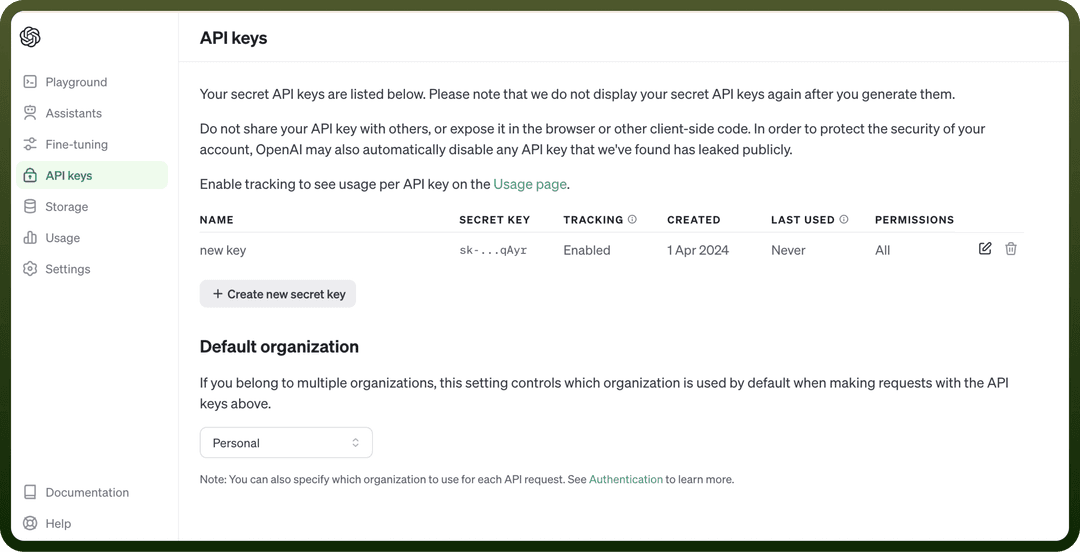
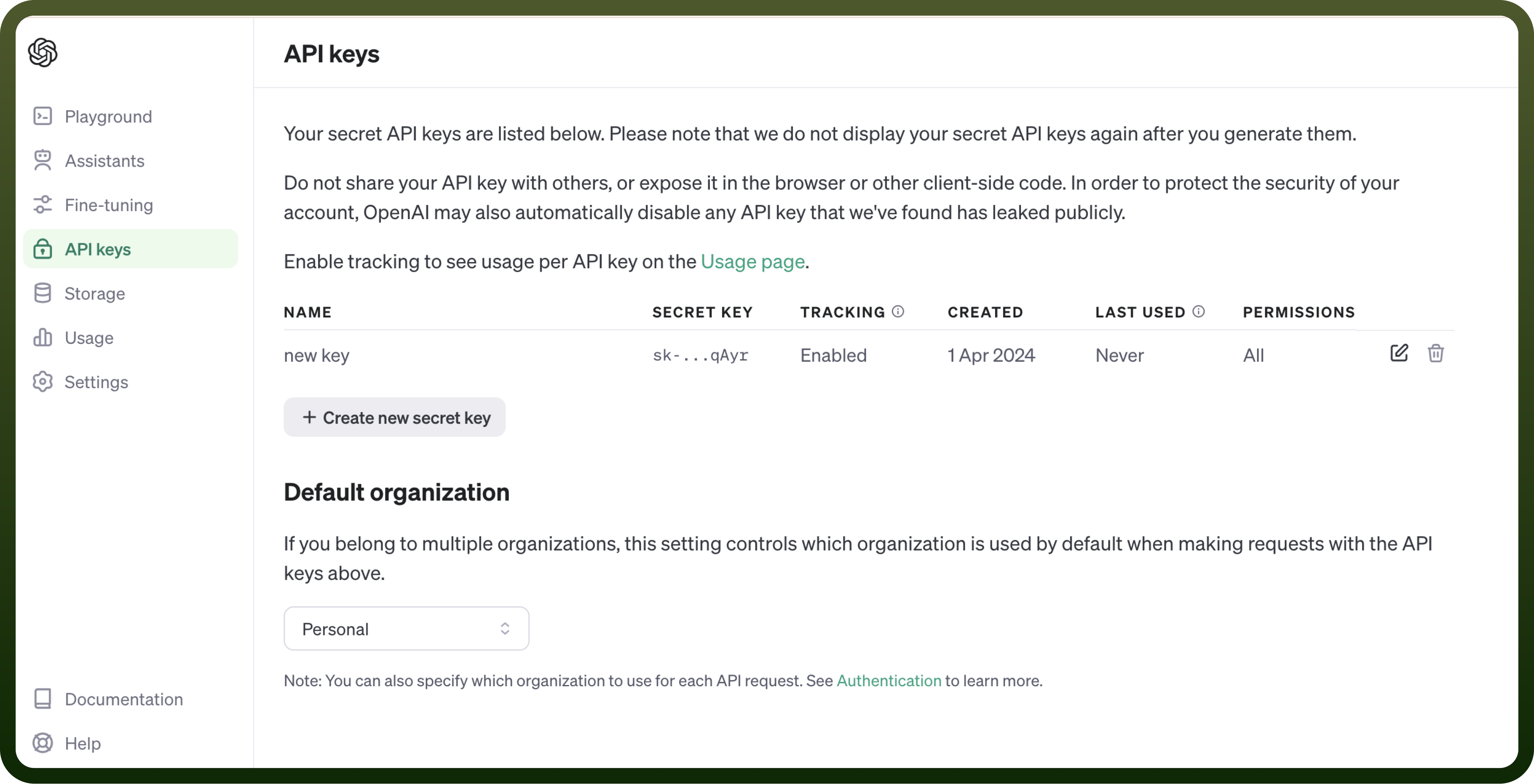
Navigate to the API keys section.
Generate a new API key or use an existing one if available. Ensure to keep this key secure as it grants access to OpenAI's services and is billed based on usage.
The connection form also asks for:
Domain: For AI operations, enter
api.openai.com. For the ChatGPT Compliance API, enterapi.chatgpt.com.Workspace ID (ChatGPT Compliance API only): The ChatGPT workspace ID. You can find it in your ChatGPT Admin console under Workspace details.
Request timeout duration (optional): The timeout for requests, in seconds.
Actions
General
Actions | Description |
|---|---|
| Performs a contextual analysis of text to answer user-provided questions with OpenAI |
| Categorises and classifies a text using OpenAI |
| Creates chat completions with OpenAI in a streaming fashion |
| Creates a transcription in OpenAI |
| Creates a transcription supporting multilingual audio with automatic language detection in OpenAI |
| Creates a model response using Flex processing (cost-optimized, async) |
| Creates image variations with the current OpenAI Images API |
| Creates a model response with OpenAI's modern Responses API |
| Creates a streaming model response with OpenAI's modern Responses API |
| Translates an audio file into English using Whisper with OpenAI |
| Edits one or more images with the current OpenAI Images API |
| Drafts and generates an email using OpenAI |
| Generates images with the current OpenAI Images API |
| Generates a text embedding with OpenAI |
| List Assistants in OpenAI |
| List Chat Completion Messages in OpenAI |
| List Chat Completions in OpenAI |
| List Models in OpenAI |
| Moderates a text with OpenAI |
| Extracts structured data from freeform text using OpenAI |
| Converses with ChatGPT models supported by OpenAI |
| Gets a summary of the input text in configurable length with OpenAI |
| Convert text to speech using OpenAI |
| Upload a file to OpenAI for use with Assistants, Fine-tuning, Batch API, or other features |
Batch processing
Actions | Description |
|---|---|
| Cancel an in-progress OpenAI batch job |
| Create a new batch processing job in OpenAI to run a set of asynchronous requests at 50% of the synchronous cost |
| Creates batch job in OpenAI |
| Downloads batch result file in OpenAI |
| Gets batch job in OpenAI |
| Retrieve the metadata, status, and request counts of an OpenAI batch job |
| List your organization's OpenAI batch processing jobs with optional pagination |
| Download the JSONL results of a completed OpenAI batch by file ID |
| Uploads batch input file in OpenAI |
Realtime
Actions | Description |
|---|---|
| Sends a message to OpenAI Realtime |
| Start a realtime session with OpenAI's Realtime model |
ChatGPT Compliance API
These actions need a connection that uses the ChatGPT Compliance API authentication type.
Actions | Description |
|---|---|
| Download and retrieve log entries from a specific compliance log file by its ID |
| List compliance log files for a ChatGPT workspace filtered by event type |
| List compliance log files for a ChatGPT workspace filtered by multiple event types |
| List all users in a ChatGPT compliance workspace |
| List compliance conversations for a ChatGPT workspace, optionally filtered by timestamp and users |