


Use the Apify connector to extract and automate web data.
Integrating your application with Apify lets you use these operations in an automation. It exposes 7 actions and 2 triggers, listed below. Add the connector from the Connections area, authenticate, then select its operations in the automation builder. Capabilities: actions, triggers.
Authentication
Before you begin, make sure you have the following information:
Connection Name: Choose a meaningful name for your connection. This name helps you identify the connection within your application or integration settings.
Authentication Type: Apify uses API token authentication. Paste your Apify API token into the API token field. UnifyApps sends the token with each request for you.
Authentication & setup
The connection asks for one value: your Apify API token.
Getting Credentials
Log in to Apify Console.
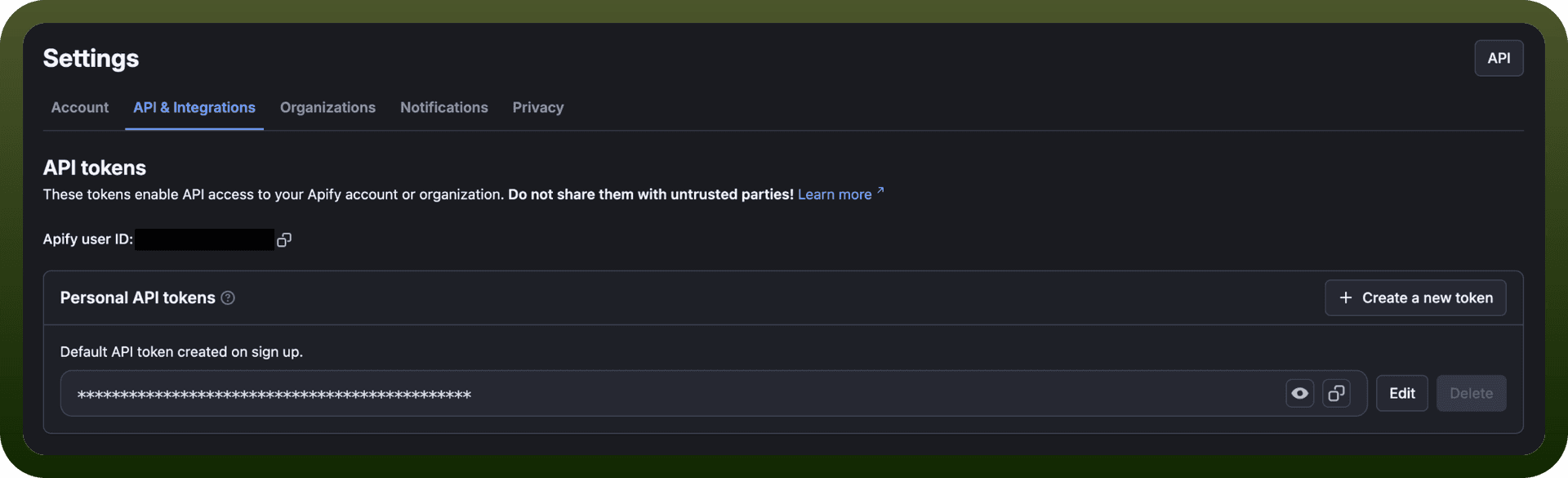
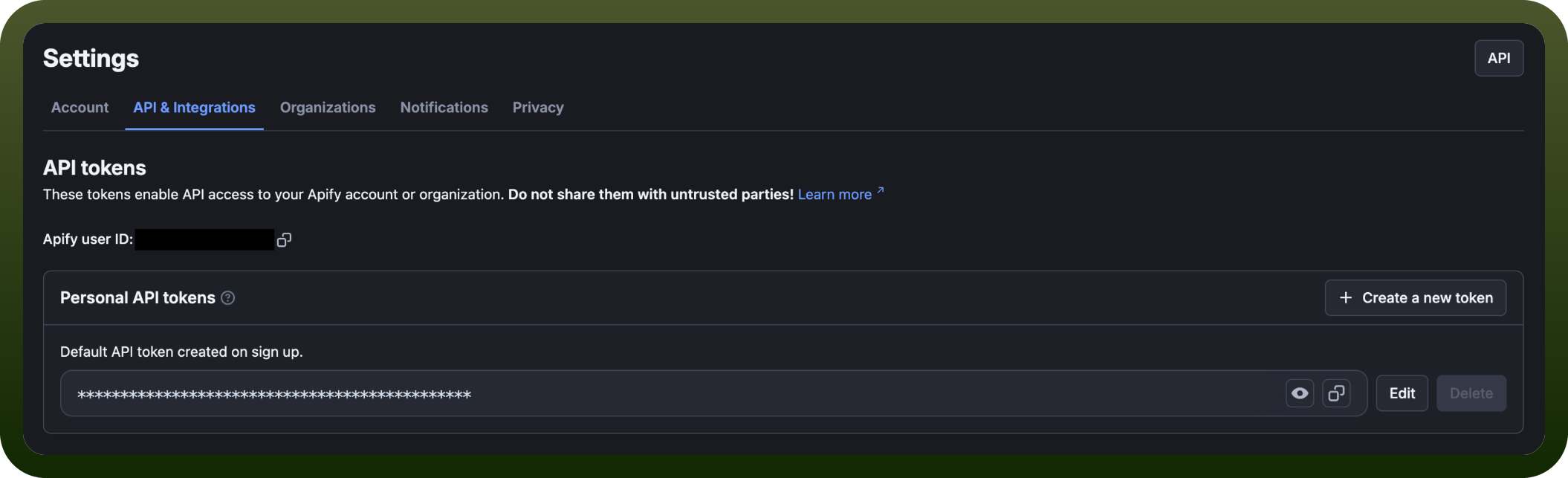
Go to Settings > API & Integrations.
Copy your API token, or create a new one.
In UnifyApps, paste the token into the API token field of the Apify connection.
Security Best Practices
Treat your API token like a password and don't share it.
You can revoke and regenerate tokens in Apify Console at any time. If you do, update the connection in UnifyApps with the new token.
Actions
Action Name | Description |
|---|---|
Fetch dataset items | Get list of dataset items in Apify |
Find last actor run | Finds the most recent actor run in Apify |
Find_last_task_run | Finds the most recent actor's task run in Apify |
Get key value store record | Gets a record from key-value store in Apify |
Run tasks | Runs actor task in Apify |
Scrape single url | Runs a scraper for the website and returns its content as text, markdown and html |
Set key value store record | Create a new or updates an existing record in a key-value store in Apify |
Triggers
Trigger Name | Description |
|---|---|
New actor run | This trigger will be invoked when a new actor run is finished in Apify |
New task run | This trigger will be invoked when a new actor's task run is finished in Apify |
About the API
Apify provides "programmatic access to the Apify platform" through RESTful HTTP endpoints. Core capabilities include:
Actor Execution: Run actors synchronously (immediate results) or asynchronously (long-running operations)
Data Storage: Two storage systems—Datasets for structured/tabular data and Key-Value Stores for flexible data types
Data Retrieval: Fetch results in multiple formats (JSON, CSV, XML, HTML, XLSX, RSS)
Monitoring: Track run status and access execution logs
Custom Storage: Write your own data to Datasets or Key-Value Stores