


Use the AlgoDocs connector to extract and process document data with AI.
Integrating your application with AlgoDocs lets you use these operations in an automation. It exposes 5 actions, listed below. Add the connector from the Connections area, authenticate, then select its operations in the automation builder. Capabilities: actions.
Authentication
Before you begin, make sure you have the following information:
Connection Name: Choose a meaningful name for your connection. This name helps you identify the connection within your application or integration settings.
Authentication type: Choose how UnifyApps signs in to AlgoDocs:
API Key: Enter your secret AlgoDocs API key in API key.
Basic Auth: Enter the Email of your AlgoDocs account and your secret API key.
Getting Your API Key
Sign up or log in at https://algodocs.com/register
Access your AlgoDocs account dashboard
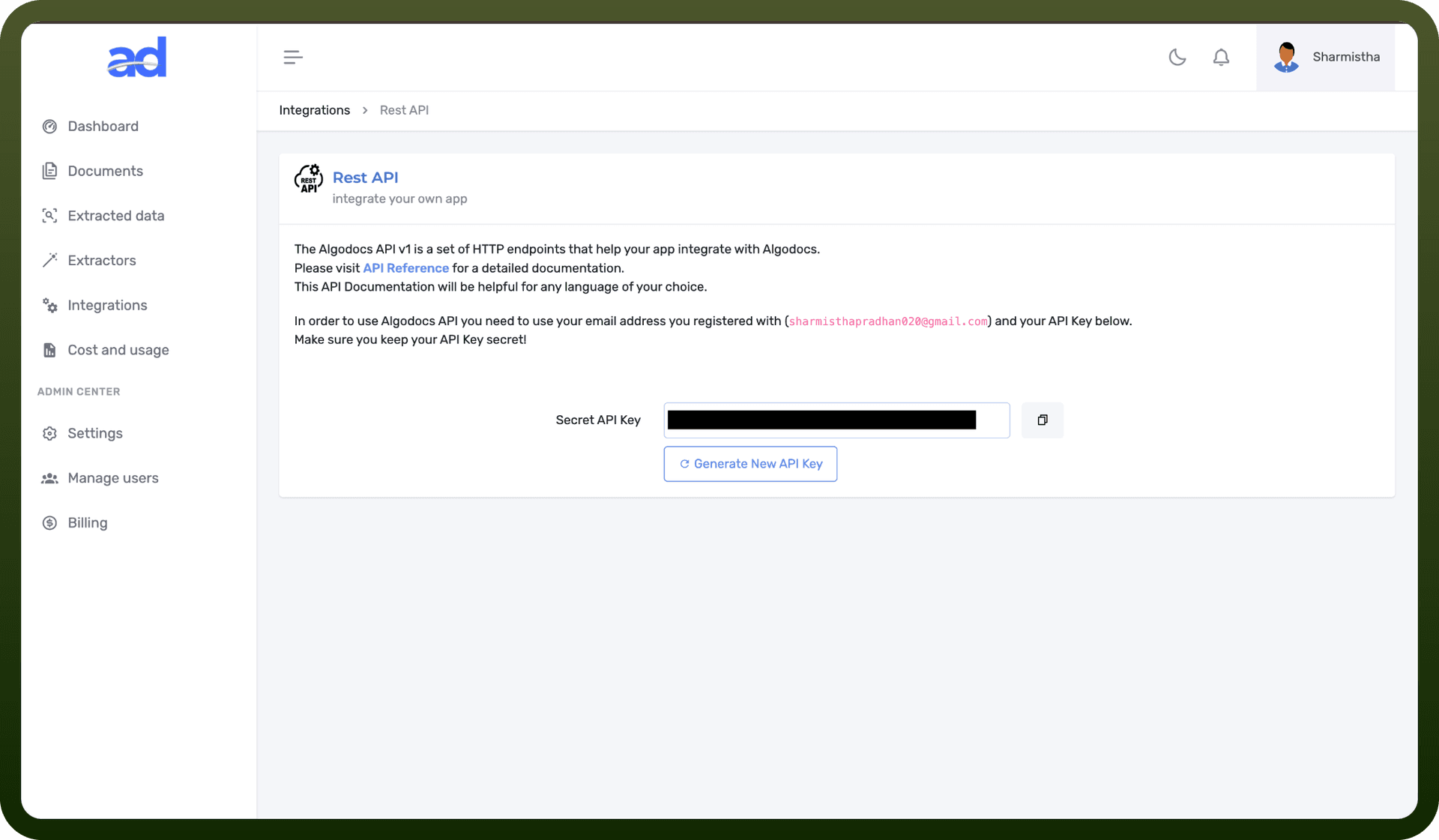
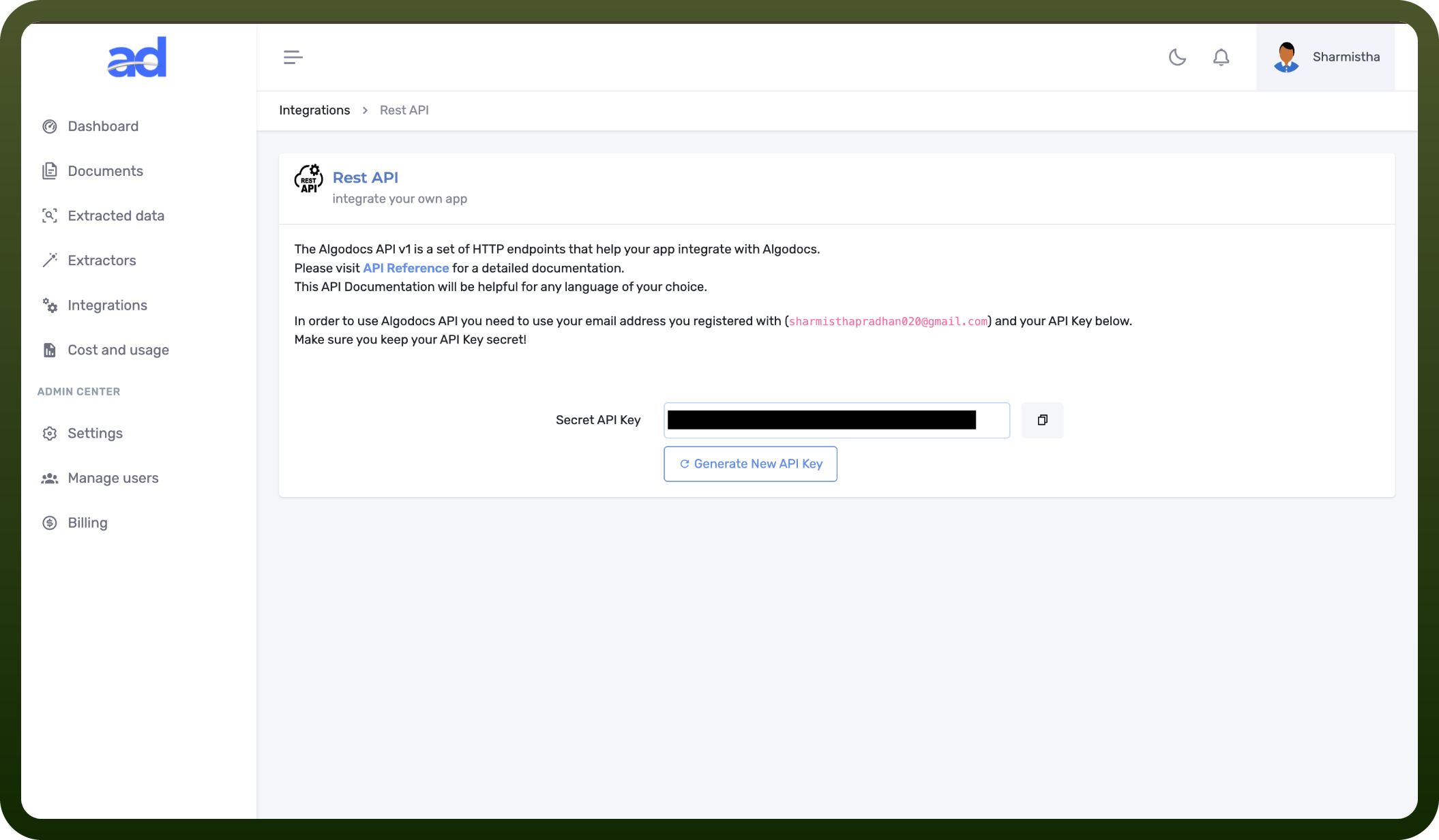
Navigate to API Keys section at https://app.algodocs.com/restapi
Retrieve your Secret API key
Store it securely for authentication requests
Actions
Action Name | Description |
|---|---|
Get document | Gets document details by ID in AlgoDocs |
List extractors | List all document data extractors in AlgoDocs |
List folders | List all folders in AlgoDocs |
Upload file by content | Upload a file by content to AlgoDocs |
Upload file by url | Upload a file by url to AlgoDocs |
About the API
AlgoDocs API v1 provides intelligent document processing and data extraction capabilities:
API Base URL: https://api.algodocs.com/v1/
Document Extractors: List and manage custom document extractors for specific document types
File Management: Create and organize documents within folder structures
Document Import: Upload files via local path, public URL, or base64 encoding
Data Extraction: Retrieve extracted data in multiple formats (JSON, XML, Excel)
Batch Processing: Process single or batch documents for scalable extraction
Document Classification: Automatic document recognition and routing to appropriate extractors
Client Libraries: Official SDKs available for Python and PHP
Supports documents of any type with customizable extraction rules.