


BambooHR allows you to track hours worked, manage benefits enrollment, and run payroll all from a single platform.
Connecting your application to a BambooHR account enables integration of HR workflows, automation, and employee data management, enhancing productivity and ensuring all HR processes are kept organized and compliant.
Authentication
Ensure you have the following information ready for a seamless integration process:
Connection Name: Select a descriptive name for your connection, like "MyAppBambooHRIntegration". This helps you identify the connection within your application or integration settings.
Authentication Type: BambooHR uses an API key together with your company domain. The connection asks for the API key (API Token) and the domain.
API Token Based Authentication
To generate an API key, log into the account and navigate to the profile icon located in the bottom-left corner.

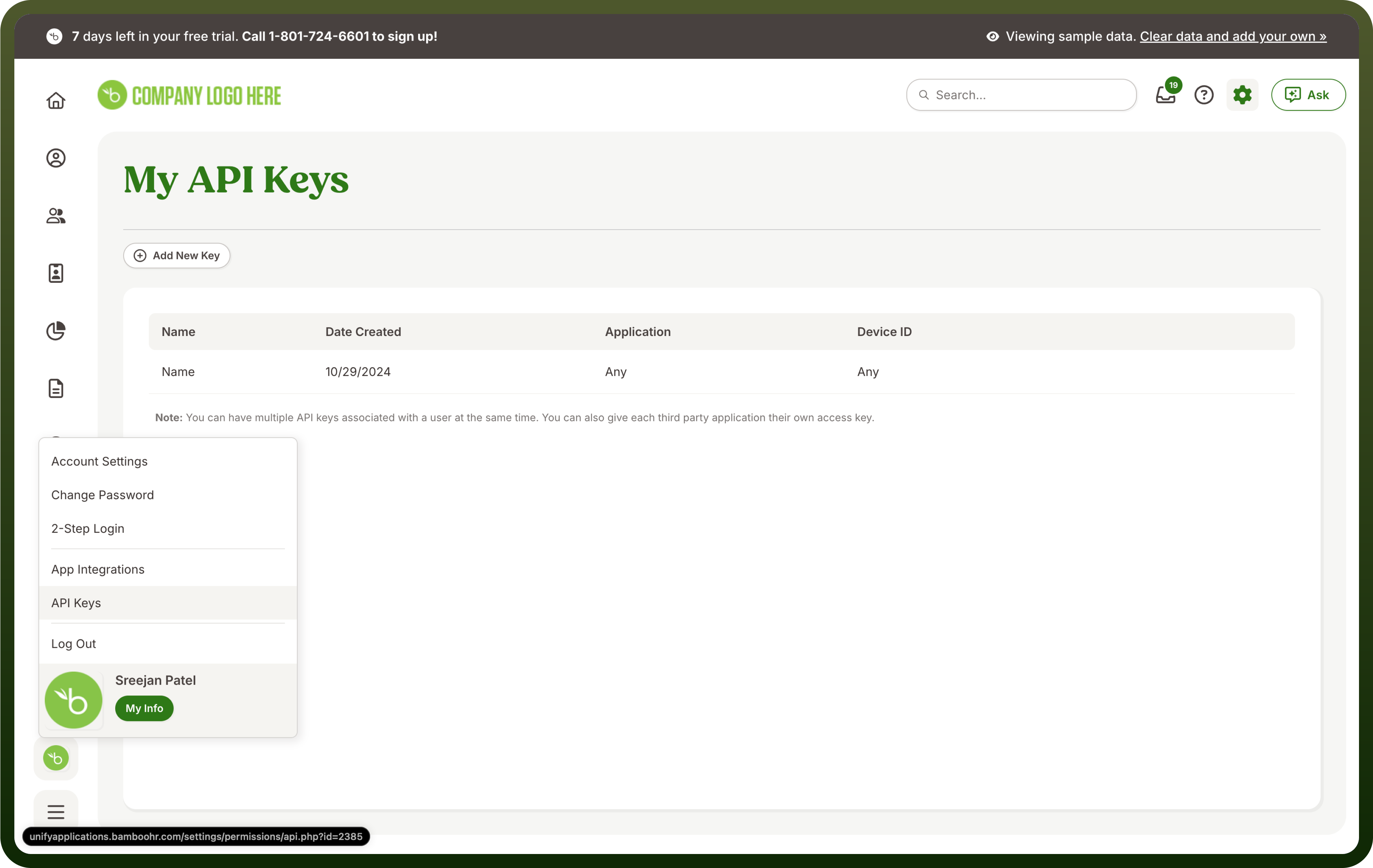
Select the “
API Keys” in the option. Click on “Generate Key” button to generate the new API key.
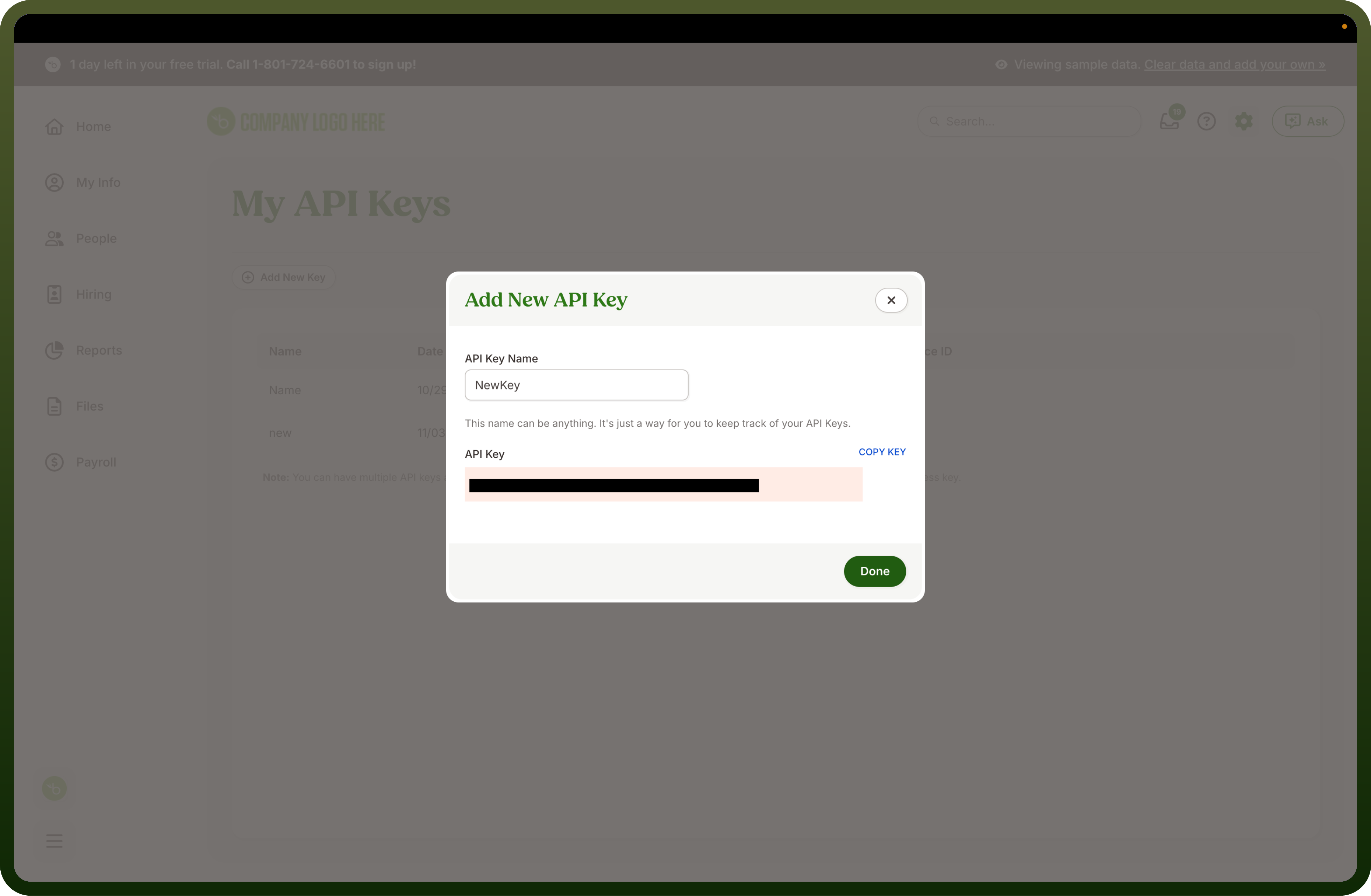
Copy the generated API Key and use it to create a new connection.
Treat this API Key with high confidentiality, as it allows access to your account.
Domain: In the domain field, enter your BambooHR company subdomain, the first part of your BambooHR URL. For example, for https://acme.bamboohr.com, enter acme.
Actions
Actions | Description |
|---|---|
| Creates a company file category in BambooHR |
| Creates a custom employee report in BambooHR |
| Creates a new employee in BambooHR |
| Create a new employee file category in BambooHR |
| Creates a training record for an employee in BambooHR |
| Creates a new job opening in BambooHR |
| Create table record of employee in BambooHR |
| Creates a training record for an employee in BambooHR |
| Create or update a time off request in BambooHR |
| Deletes a company file by its ID in BambooHR |
| Deletes employee file in BambooHR |
| Deletes a training record by its ID in BambooHR |
| Delete table record of employee in BambooHR |
| Deletes a training category by its ID in BambooHR |
| Get company employee report by ID in BambooHR |
| Gets a company file by its ID in BambooHR |
| Gets all company files and categories in BambooHR |
| Gets company information in BambooHR |
| Gets a custom report by its ID in BambooHR |
| Gets all custom reports in BambooHR |
| Gets all datasets in BambooHR |
| Get employee details in BambooHR |
| Gets employee file by id in BambooHR |
| Gets employee files and categories in BambooHR |
| Gets an employee's photo by its ID in BambooHR |
| Gets training records for an employee in BambooHR |
| Gets all fields from a specific dataset in BambooHR |
| Gets job applications from BambooHR |
| Gets job detail in BambooHR |
| Gets job summaries in BambooHR |
| Gets list field details in BambooHR |
| Gets states/provinces by country ID in BambooHR |
| Get table records of an employee in BambooHR |
| Get Time Off Balances of an Employee |
| Gets all training categories in BambooHR |
| Gets employee specific detail in BambooHR |
| Lists company file in BambooHR |
| Lists all company locations in BambooHR |
| Lists all countries in BambooHR |
| List employees in BambooHR |
| Lists employees in BambooHR |
| Lists all fields in BambooHR |
| Lists job application in BambooHR |
| Lists job opening in BambooHR |
| Lists all tabular fields in BambooHR |
| Lists all time-off requests occurring between two specific dates in BambooHR |
| Lists all users in BambooHR |
| Updates a company file by its ID in BambooHR |
| Update employee in BambooHR |
| Updates employee file in BambooHR |
| Update table record of employee in BambooHR |
| Update the status of a time off request in BambooHR |
Triggers
Triggers | Description |
|---|---|
| Checks on a schedule for new employees in BambooHR (polling, not real-time) |
| This trigger will check for created or updated employee in BambooHR |
| Triggers when an employee is created or updated in BambooHR |
| Schedule custom employee report fetch from BambooHR |