


Use the Awork connector to plan projects and manage team workloads.
Integrating your application with Awork lets you use these operations in an automation. It exposes 9 actions and 6 triggers, listed below. Add the connector from the Connections area, authenticate, then select its operations in the automation builder. Capabilities: actions, triggers, knowledge (RAG).
Authentication
Before you begin, make sure you have the following information:
Connection Name: Choose a meaningful name for your connection. This name helps you identify the connection within your application or integration settings.
Authentication Type: Awork uses API key authentication. The connection asks for one value, the API Key. UnifyApps sends it with each request for you.
Get an API key
Log in to your awork workspace.
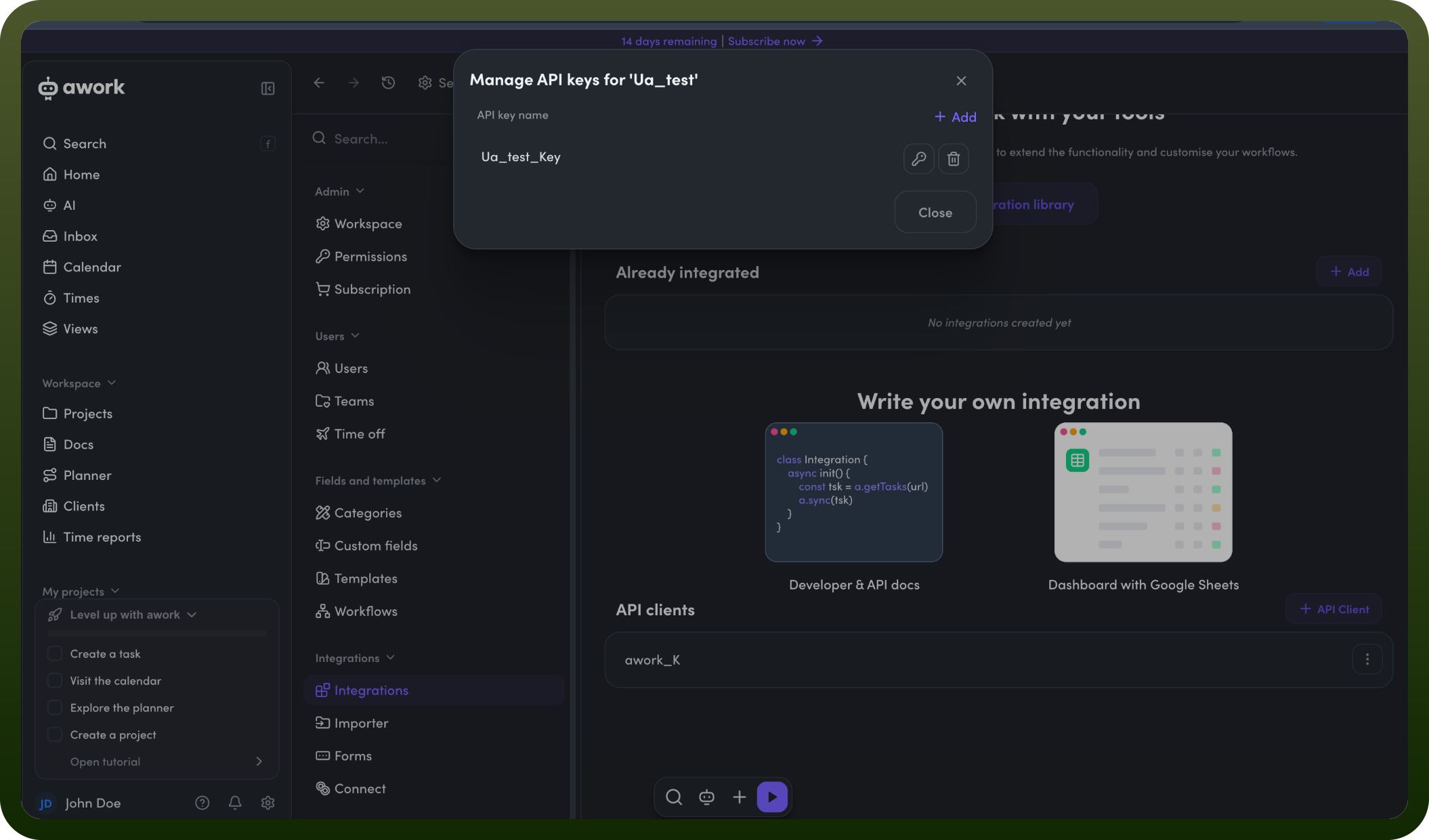
Go to Settings > Integrations.
Click Manage API Keys and create a new API key.
Copy the key.
In UnifyApps, paste the key into the API Key field of the Awork connection.

Actions
Action Name | Description |
|---|---|
Create a project | Creates a new project in Awork |
Create a task | Creates a new task in Awork |
Delete a project | Deletes the project with specified ID in Awork |
Get a project | Gets the project with specified ID in Awork |
Get a task | Gets the task with specified ID in Awork |
Search projects | Search projects in Awork |
Search users | Search users in Awork |
Update a project | Updates the project with specified ID in Awork |
Update a task | Updates the task with specified ID in Awork |
Triggers
Trigger Name | Description |
|---|---|
New project | This trigger will be invoked when a new project is created in Awork |
New task | This trigger will be invoked when a new task is created in Awork |
New time entry | This trigger will be invoked when a new time entry is created in Awork |
Updated project | This trigger will be invoked when a existing project is updated in Awork |
Updated task | This trigger will be invoked when a existing task is updated in Awork |
Updated time entry | This trigger will be invoked when a existing time entry is updated in Awork |
About the API
The awork API provides a resource-based architecture for:
Workspace Management: Manage workspace data and configuration
User-Specific Access: Data scoped to user roles and permissions
Project Management: Create and manage projects
Task Management: Task creation and tracking
Team Collaboration: Cross-team work and communication
For complete API reference documentation, visit https://developers.awork.com/apiv1