


Freshsales is a Customer Relationship Management (CRM) software that helps sales teams manage leads, track emails, and visualize their sales pipeline. It includes AI-powered insights, automation tools, and an integrated calling system. The platform enables businesses to streamline their sales processes and close more deals efficiently.
Freshsales offers a built-in phone and email system with AI-driven lead scoring, giving sales teams a faster and smarter way to prioritize and connect with prospects—all in one platform.
Authentication
Before you begin, make sure you have the following information:
Connection Name: Choose a meaningful name for your connection. This name helps you identify the connection within your application or integration settings. It could be something descriptive like ‘Freshsales Connection’.Authentication Type: Freshsales uses an API key for authentication. The connection also asks for your Bundle alias.
API Token
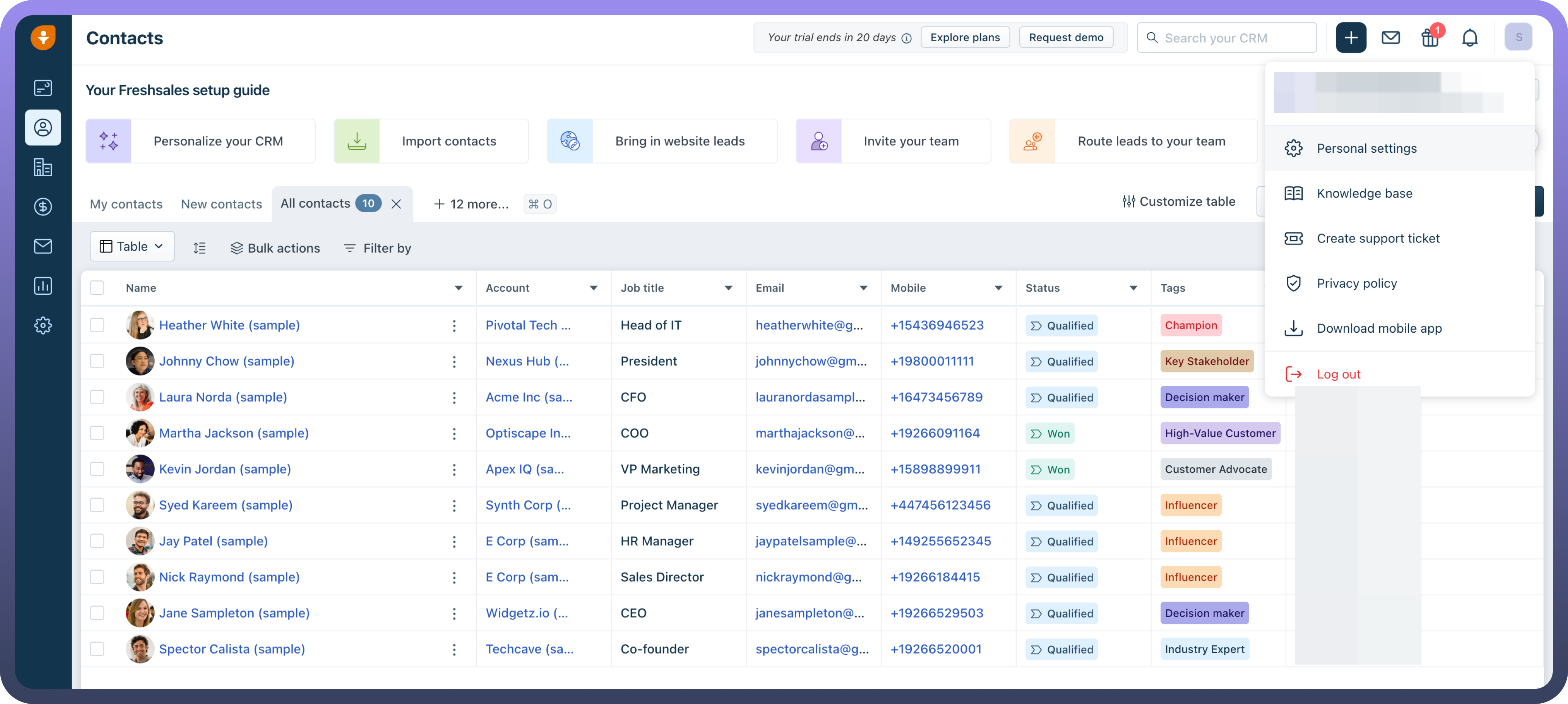
Log in to your Freshsales account and click on the ‘
profile icon’ at the top right corner.Navigate to ‘
Personal Settings’ from the dropdown menuIn the ‘
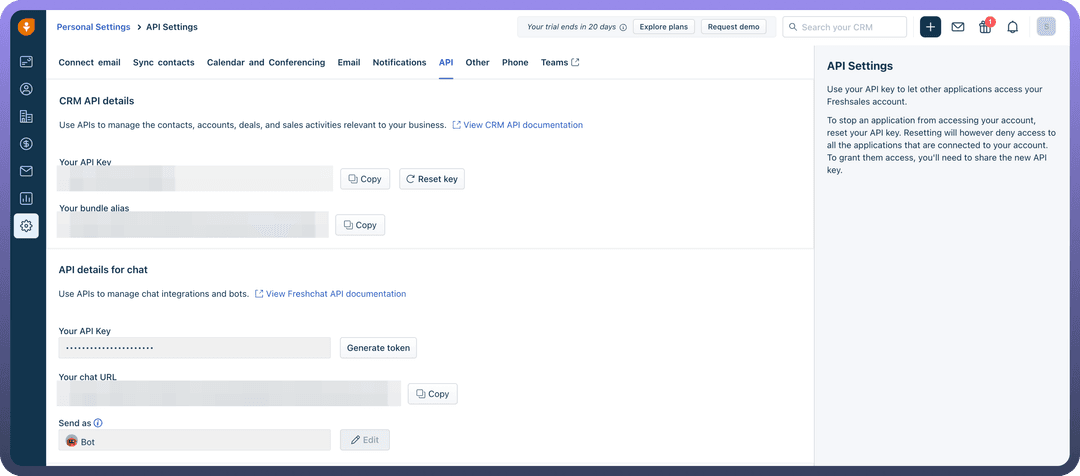
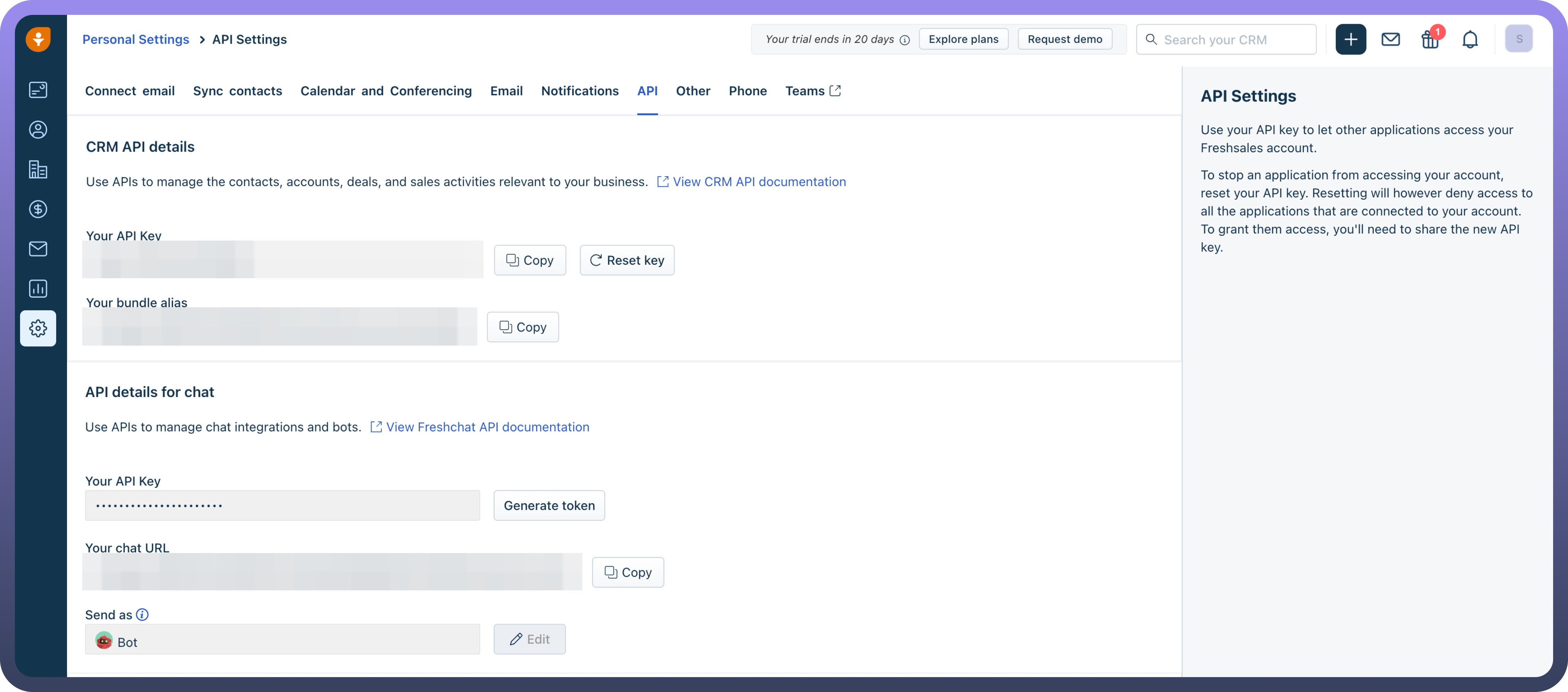
Personal Settings’ page, navigate to the ‘API’ tabAPI Token will be created, copy and store securely for further use.

Bundle alias
The connection requires your Freshsales Bundle alias, for example acme.myfreshworks.com/crm/sales. UnifyApps uses it as the base URL for every request. You can find it on the same API tab in Personal Settings, under the API key.
Actions
| Actions | Description |
Create sales account | Creates a sales account in Freshsales |
Create task | Creates a task in Freshsales |
Delete contact | Delete contact in Freshsales |
Delete custom module record | Deletes a custom module record in Freshsales |
Delete deal | Delete deal in Freshsales |
Delete note | Deletes a note in Freshsales |
Delete sales account | Delete sales account in Freshsales |
Delete sales activity | Deletes a sales activity in Freshsales |
Delete task | Deletes a task in Freshsales |
Get contact details | Gets contact details from Freshsales |
Get custom module record details | Gets custom module record details from Freshsales |
Get deal details | Gets deal details from Freshsales |
Get sales account details | Gets sales account details from Freshsales |
Get sales activity details | Gets sales activity details from Freshsales |
Get task details | Gets task details from Freshsales |
Lookup search | Retrieve list of records details in Freshsales |
Remove contacts from a marketing list | Remove contacts from a marketing list in Freshsales |
Search contacts | Search contacts in Freshsales |
Search deals | Search deals in Freshsales |
Search records by query | Retrieve list of records by query in Freshsales |
Search sales accounts | Search sales accounts in Freshsales |
Search tasks | Search tasks in Freshsales |
Update contact | Update contact in Freshsales |
Update custom module record | Updates a custom module record in Freshsales |
Update marketing list | Updates a marketing list in Freshsales |
Update note | Updates a note in Freshsales |
Update task | Updates a task in Freshsales |
Upsert contact | Upsert contact in Freshsales |
Upsert deal | Upsert deal in Freshsales |
Upsert sales account | Upsert sales account in Freshsales |
Move contacts to a marketing list | Mode contacts to a marketing list in Freshsales |
Add contacts to a marketing list | Add contacts to a marketing list in Freshsales |
Clone contact | Clone contact in Freshsales |
Create contact | Create contact in Freshsales |
Create custom module record | Creates a custom module record in Freshsales |
Create marketing list | Creates a marketing list in Freshsales |
Create note | Creates a note in Freshsales |