


Google Ads is an online advertising platform that helps businesses reach their target audience through paid search, display, and video ads. It enables precise targeting, budget control, and performance tracking to drive traffic and conversions.
Integrating Google Ads maximizes ROI by streamlining ad management, improving targeting, and providing actionable insights for better campaign performance.
Authentication
Ensure you have the following information ready for a seamless integration process:
Connection Name: Select a descriptive name for your connection, like 'MyAppGoogleAdsIntegration'. This helps easily identify the connection within your application or integration settings.Authentication Type: Google Ads supports OAuth 2.0 for secure user authentication and authorization.
OAuth 2.0-based Authentication
Perform the following steps to generate access credentials:
Turn on the Google Ads API from
APIs & Services->Enable APIs and services.Create OAuth client credentials and add the Callback URL shown in the UnifyApps connection form as an authorized redirect URI. Follow these steps.
Set up an OAuth consent screen to configure OAuth consent for your application by the following steps .
After adding a new secret, the console displays the Client Identifier as “
Client ID” andClient Secretas “Client Secret”. Copy this and treat it with high confidentiality, as it allows access to your Google Ads account.
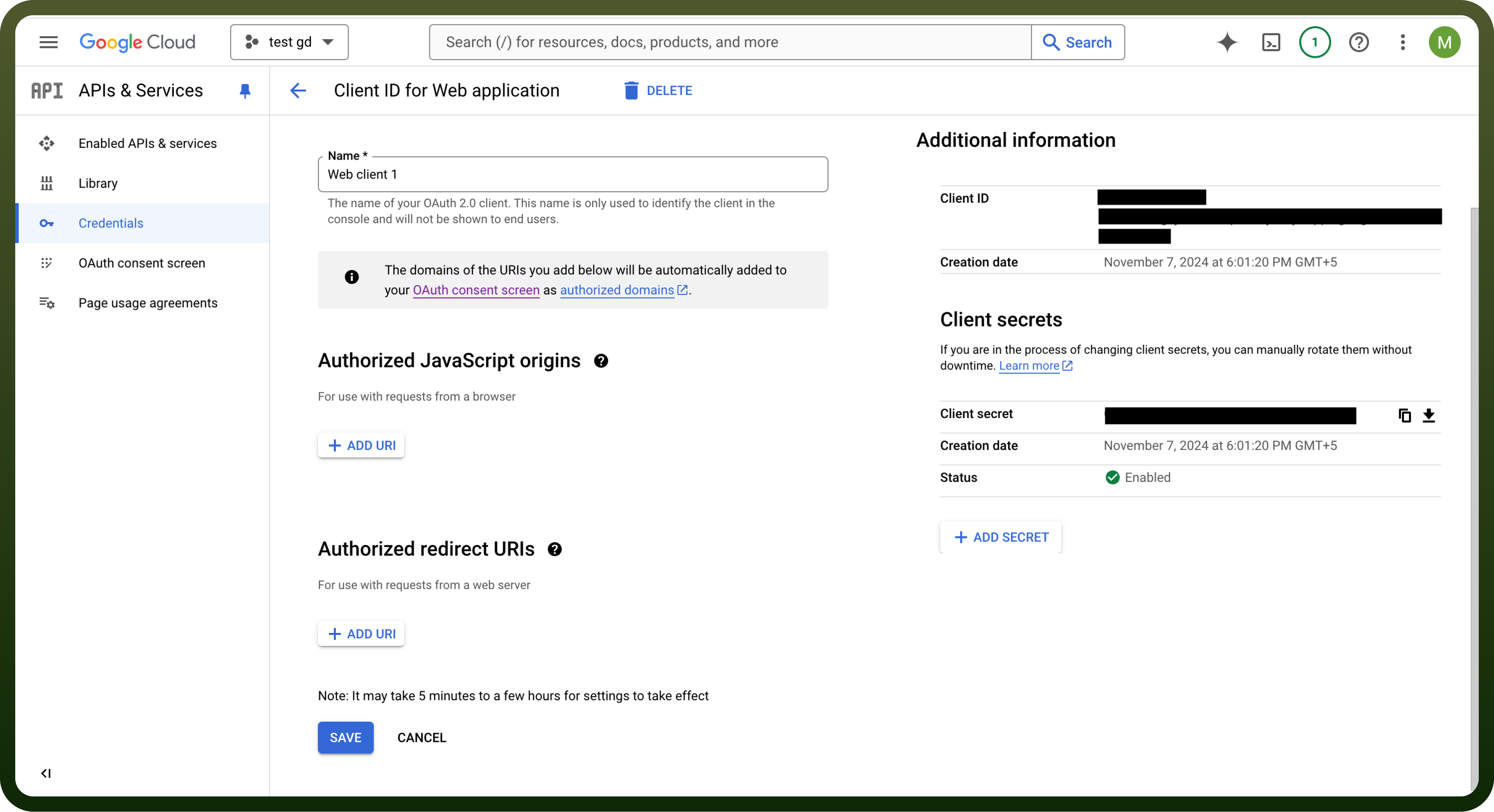
Use the
Client IDandClient secret, press the Authorise button. You’ll be redirected to a Google sign-in page.If you're not already logged into Google, enter your Google account credentials and Sign in.
Google will display a permissions request screen, showing the app name and the specific Google services we are requesting access to (Google Ads).
Carefully review the permissions being requested. If you’re comfortable with them, click the "
Allow" or "Grant Access" button.After granting access, you will be automatically redirected back to our platform, where you should see a confirmation message indicating that your Google account is now connected and authorized.
Ensure that the following permissions are granted for OAuth authentication:
Developer Token:
Sign in to your Google Ads Manager account.
Go to
Admin>API Center.
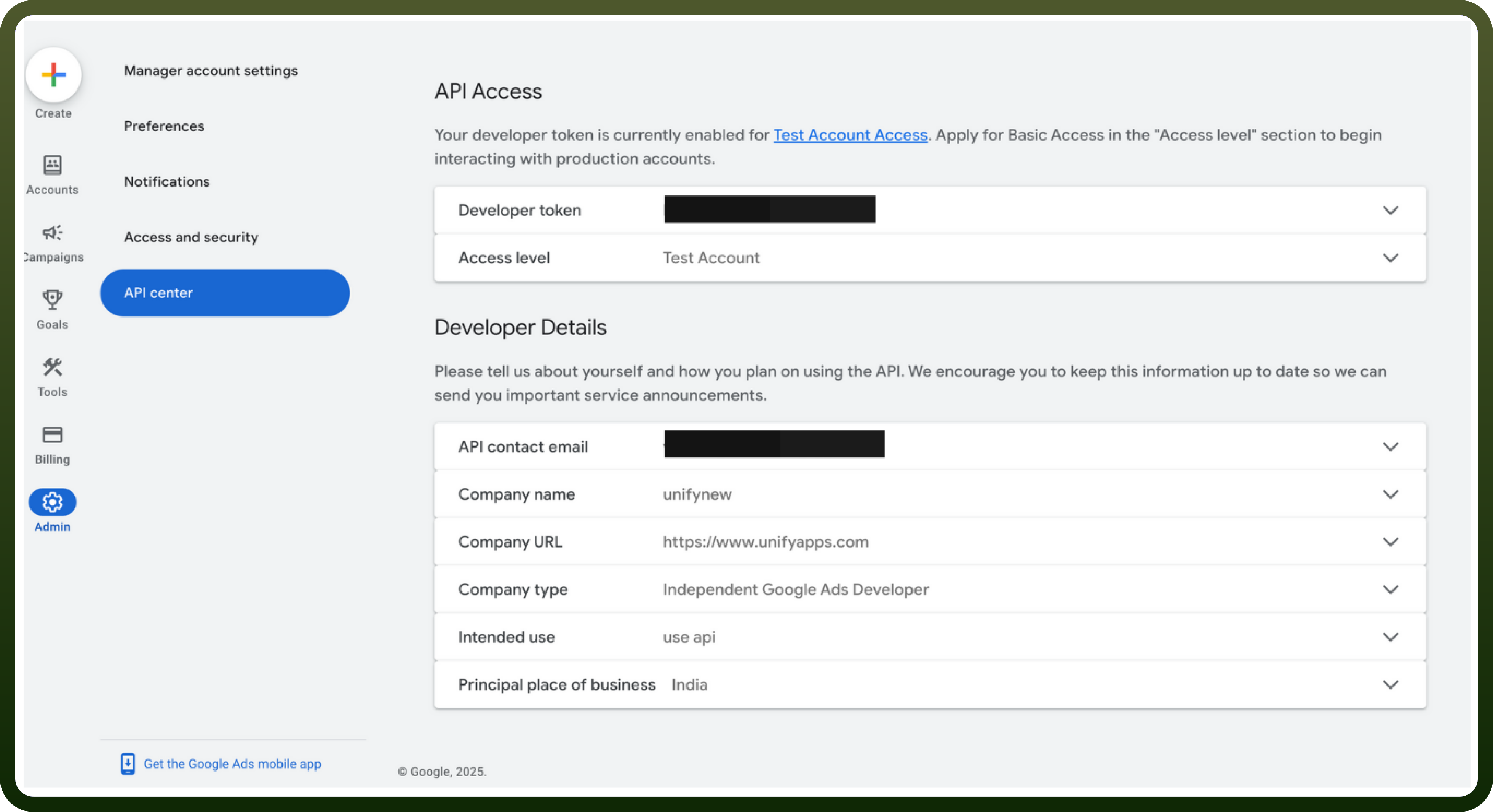
For detailed instructions, visit Google Ads Manager Accounts.
Manager Customer ID: This is the Customer ID of the target Google Ads manager account, a 10-digit string (e.g., XXXXXXXXXX). To find it:Go to the account overview of your Manager account.
Choose the manager account linked to your team for managing the underlying ad accounts.
Learn more about Manager accounts here.
Client Customer ID: This is the Customer ID of the target Google Ads client account, a 10-digit string (e.g., XXXXXXXXXX). To find it:Go to the account overview of the client account.
Choose the client account linked to your team for managing ad campaigns.
Learn more about Client accounts here.
API Version: Specify the version of the Google Ads API you plan to use. Google Ads regularly updates its API, so it's essential to use the correct version for compatibility. For example:Enter a version that Google currently supports (for example, vNN). Older versions are retired regularly, so check Google's Ads API release notes.
For the latest version, visit the Google Ads API documentation.
Actions
Actions | Description |
|---|---|
| Creates an Ad group in Google Ads |
| Creates a bidding strategy in Google Ads |
| Creates a campaign in Google Ads |
| Creates a campaign budget in Google Ads |
| Creates a user list in Google Ads |
| Deletes an ad in Google Ads |
| Deletes an ad group in Google Ads |
| Deletes a bidding strategy in Google Ads |
| Deletes a campaign in Google Ads |
| Deletes a campaign budget in Google Ads |
| Deletes a user list in Google Ads |
| Search ad groups in Google Ads |
| Search bidding strategy in Google Ads |
| Search campaign budgets in Google Ads |
| Search campaigns in Google Ads |
| Search customer client in Google Ads |
| Search user list in Google Ads |