


Use the Azure OpenAI connector to build AI applications using OpenAI models.
Integrating your application with Azure OpenAI lets you use these operations in an automation. It exposes 13 actions, listed below. Add the connector from the Connections area, authenticate, then select its operations in the automation builder. Capabilities: actions.
Authentication
Before you begin, make sure you have the following information:
Connection Name: Choose a meaningful name for your connection. This name helps you identify the connection within your application or integration settings.
Authentication Type: Choose API key or Token.
Connection fields
Resource name: the unique name of your Azure OpenAI resource. It is the first part of your endpoint host: for an endpoint like https://my-openai-resource.openai.azure.com/, the resource name is my-openai-resource.
Deployment ID: the name you gave your model deployment. Find it under Model deployments for your resource.
API version: the Azure OpenAI API version to use for requests, for example 2023-05-15. See the Azure OpenAI documentation for supported versions.
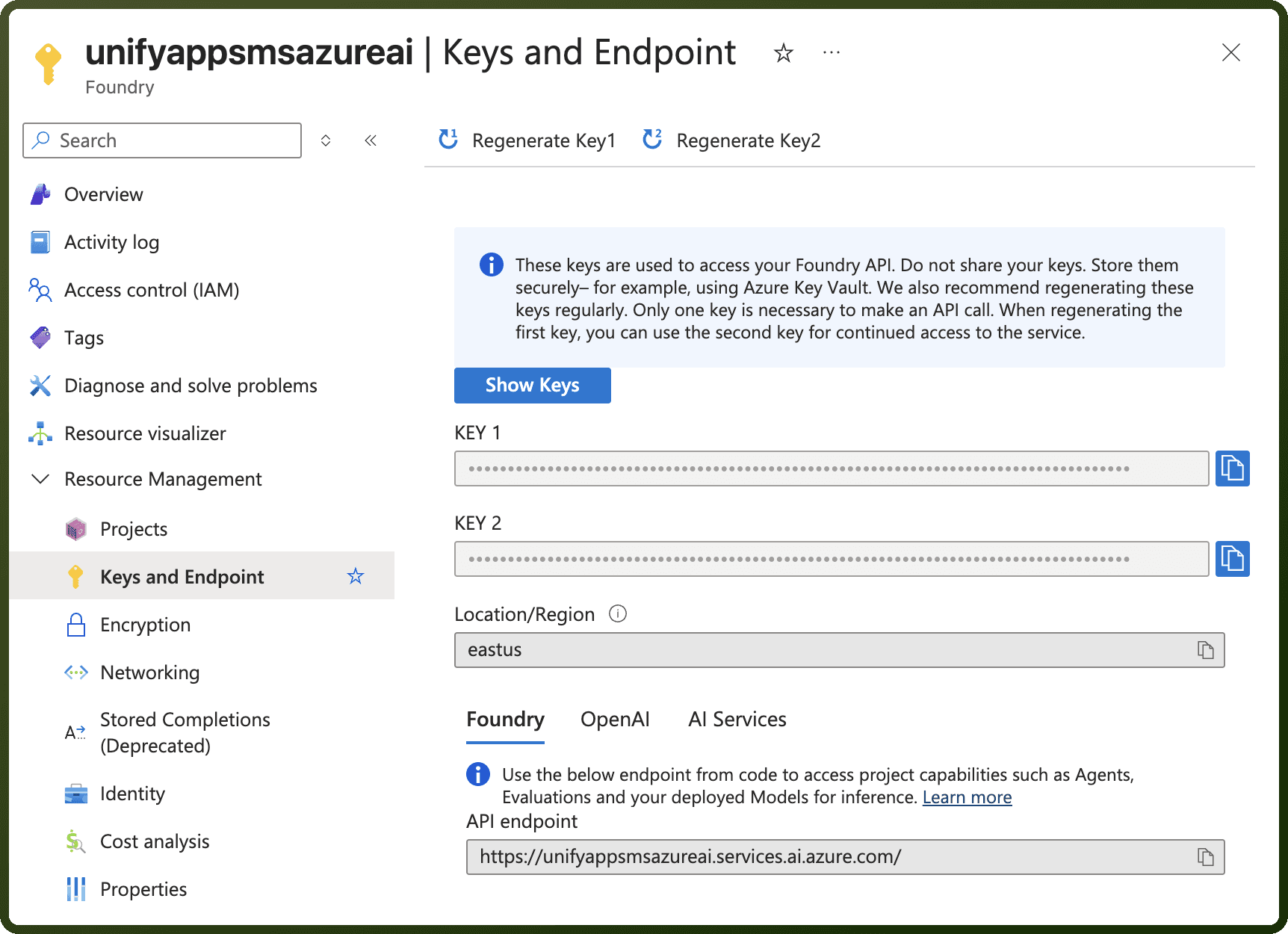
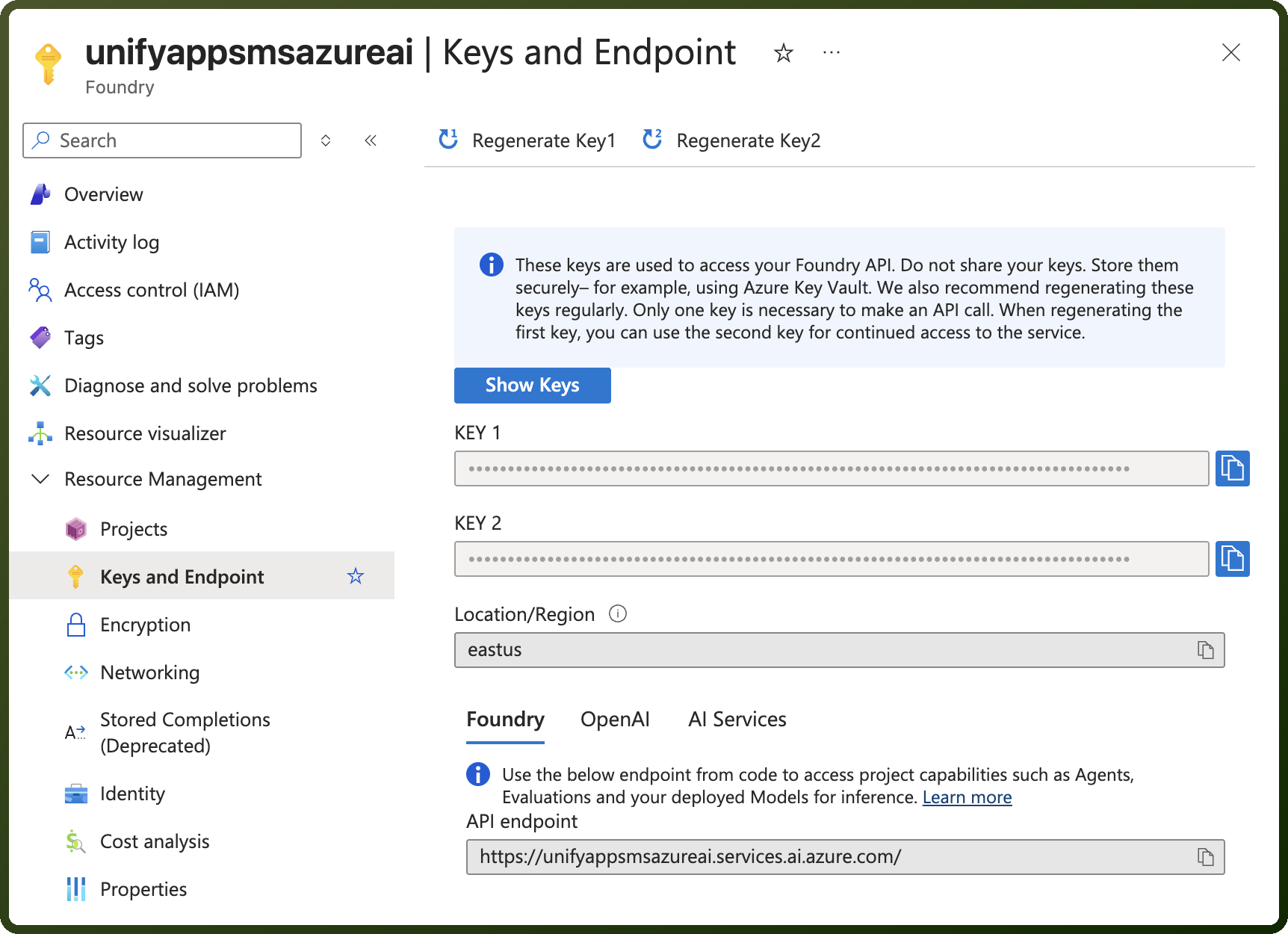
Authentication type: API key (paste Key 1 or Key 2 into the API key field) or Token (paste a Microsoft Entra bearer token into the Auth token field).
Custom resource URL (optional): turn on if your resource uses a custom URL.
Custom domain (optional): overrides the default domain (openai.azure.com), for example services.ai.azure.com.
Get your API key
Sign in to the Azure Portal.
Open your Azure OpenAI resource.
Go to Keys and Endpoint.
Copy Key 1 (or Key 2), and note the resource name from the endpoint.
In UnifyApps, select API key and paste the key into the API key field.
Actions
Action Name | Description |
|---|---|
Chat completions | Creates chat completions with Azure OpenAI |
Chat completions (Streaming) | Creates chat completions with Azure OpenAI in streaming fashion |
Create a transcription (v2) | Creates a transcription supporting multilingual audio with automatic language detection in Azure OpenAI |
Create Embeddings | Creates embeddings with Azure OpenAI |
Create message using Claude | Create message using Claude in Azure AI |
Create message using Claude (Streaming) | Create message using Claude in Azure AI with streaming response |
Generate image | Generate image using Azure OpenAI |
Generate response | Generates a response using Azure OpenAI |
Generate response (Generic) | Generates a generic response using Azure OpenAI |
Generate stream response (Generic) | Generates a stream generic response using Azure OpenAI |
Rerank documents | Rerank documents in Azure AI |
Send Message to Azure OpenAI Realtime | Sends a message to Azure OpenAI Realtime |
Start Azure OpenAI Realtime Session | Start a realtime session with Azure OpenAI's Realtime model |
About the API
Azure OpenAI provides access to OpenAI's models through Azure infrastructure:
Chat Completions: Language model interactions
Embeddings: Vector generation for semantic search
Image Generation: DALL-E image creation
Audio Processing: Speech-to-text and text-to-speech
Fine-tuning: Custom model training
Vision: Image analysis capabilities
All operations run on Azure infrastructure with enterprise security and compliance.