


Use the Freedcamp connector to manage projects, tasks, and collaboration.
Integrating your application with Freedcamp lets you use these operations in an automation. It exposes 5 actions and 2 triggers, listed below. Add the connector from the Connections area, authenticate, then select its operations in the automation builder. Capabilities: actions, triggers.
Authentication
Before you begin, make sure you have the following information:
Connection Name: Choose a meaningful name for your connection. This name helps you identify the connection within your application or integration settings.
Authentication Type: The connection uses a Freedcamp Secured API key. Enter the API Key and API Secret from your Freedcamp account. UnifyApps signs every request with both, so an Unsecured key, which has no secret, won't work.
Obtaining Your API Key
Log in to your Freedcamp account.
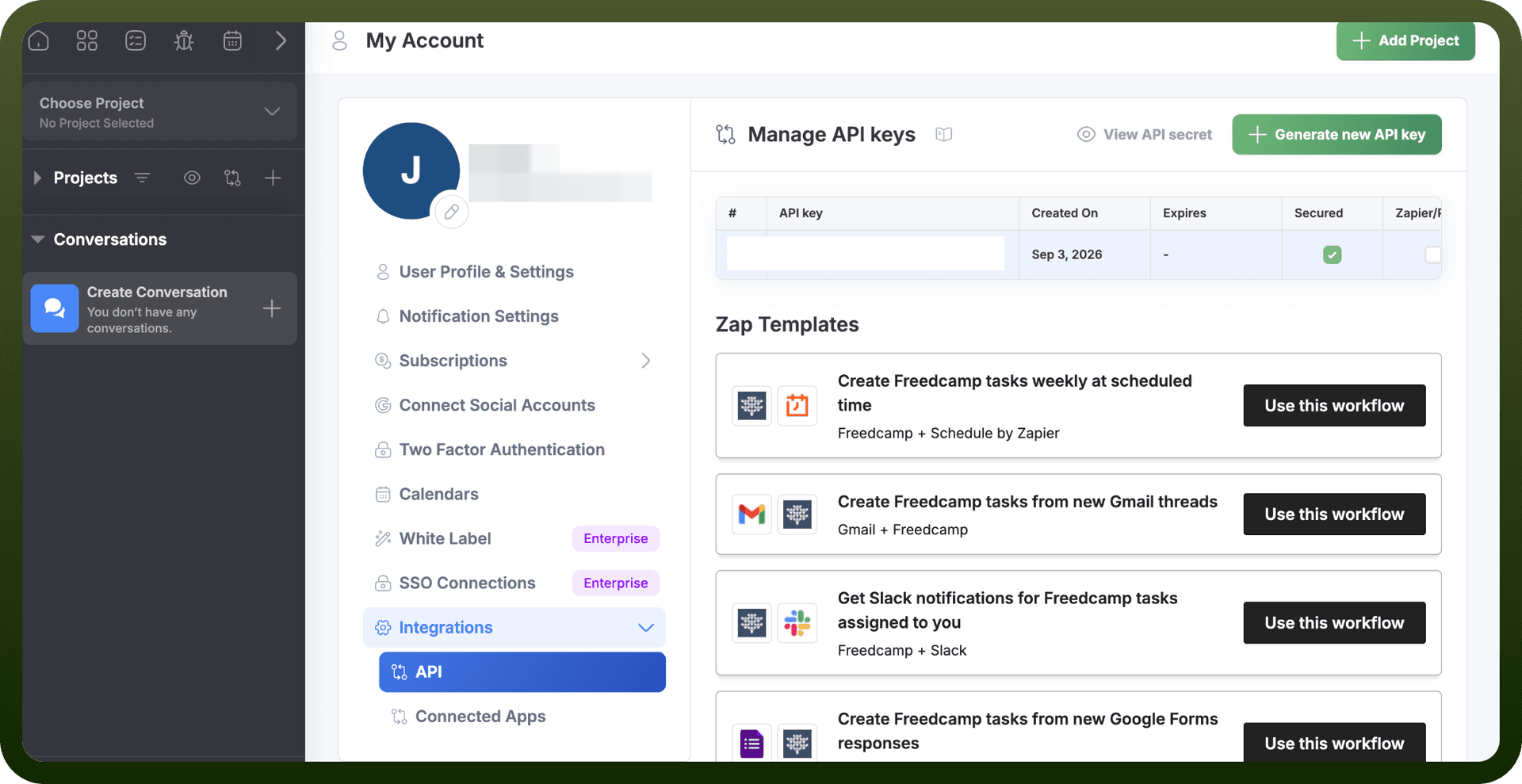
Click your avatar in the top-right corner and select My Account.
Click Integrations, then open the API tab.
Choose Secured for the key type. You're asked to re-enter your password to reveal the API secret.
Generate the API key.
Copy the API key and the API secret and store them securely for authentication purposes.
Authentication & setup
The connection supports only Secured API keys. Generate the key and secret at My Account → Integrations → API on freedcamp.com. UnifyApps adds the timestamp and HMAC-SHA1 hash that Freedcamp requires to each request for you.
Actions
Action Name | Description |
|---|---|
Add comment | Adds a new comment to task in Freedcamp |
Create project | Creates a new project in Freedcamp |
Create task | Creates a new task in Freedcamp |
Get project | Fetches project by ID in Freedcamp |
Get task | Fetches task by ID in Freedcamp |
Triggers
Trigger Name | Description |
|---|---|
On task assigned to you | Triggers when a task is assigned to you in Freedcamp |
On task completed | Triggers when a task is completed in Freedcamp |
About the API
Freedcamp API (base endpoint: https://freedcamp.com/api/v1/) provides comprehensive project and collaboration management capabilities.
Core Features:
Project management (create/manage projects, groups, memberships)
Task management with full CRUD operations, subtasks, and recurring rules
Milestones and time tracking
Discussions and wiki for collaboration
Issue/bug tracking with priority and status tracking
CRM tools (contacts, leads, calls, campaigns)
Calendar and events with iCalendar format support
File management and attachments
Comments and notification tracking
User management and team assignments
All responses return JSON with standardized fields: http_code, msg, error_id, and data.
Official documentation
https://freedcamp.com/Mobile_7Yh/iOS_application_6zp/wiki/wiki_public/view/DFaab