


Use the Agilecrm connector to combine CRM, marketing, and service automation.
Integrating your application with Agilecrm lets you use these operations in an automation. It exposes 10 actions, listed below. Add the connector from the Connections area, authenticate, then select its operations in the automation builder. Capabilities: actions.
Authentication
Before you begin, make sure you have the following information:
Connection Name: Choose a meaningful name for your connection. This name helps you identify the connection within your application or integration settings.
Authentication type: Agile CRM uses basic authentication with your account email and API key. Enter these fields:
Email: The email address you use to log in to Agile CRM.
API key: The REST API key of your Agile CRM account.
Domain: Only the subdomain of your Agile CRM account. For example, if your account URL is https://xyz.agilecrm.com, enter xyz.
Getting Your API Key
Log in to your Agile CRM account
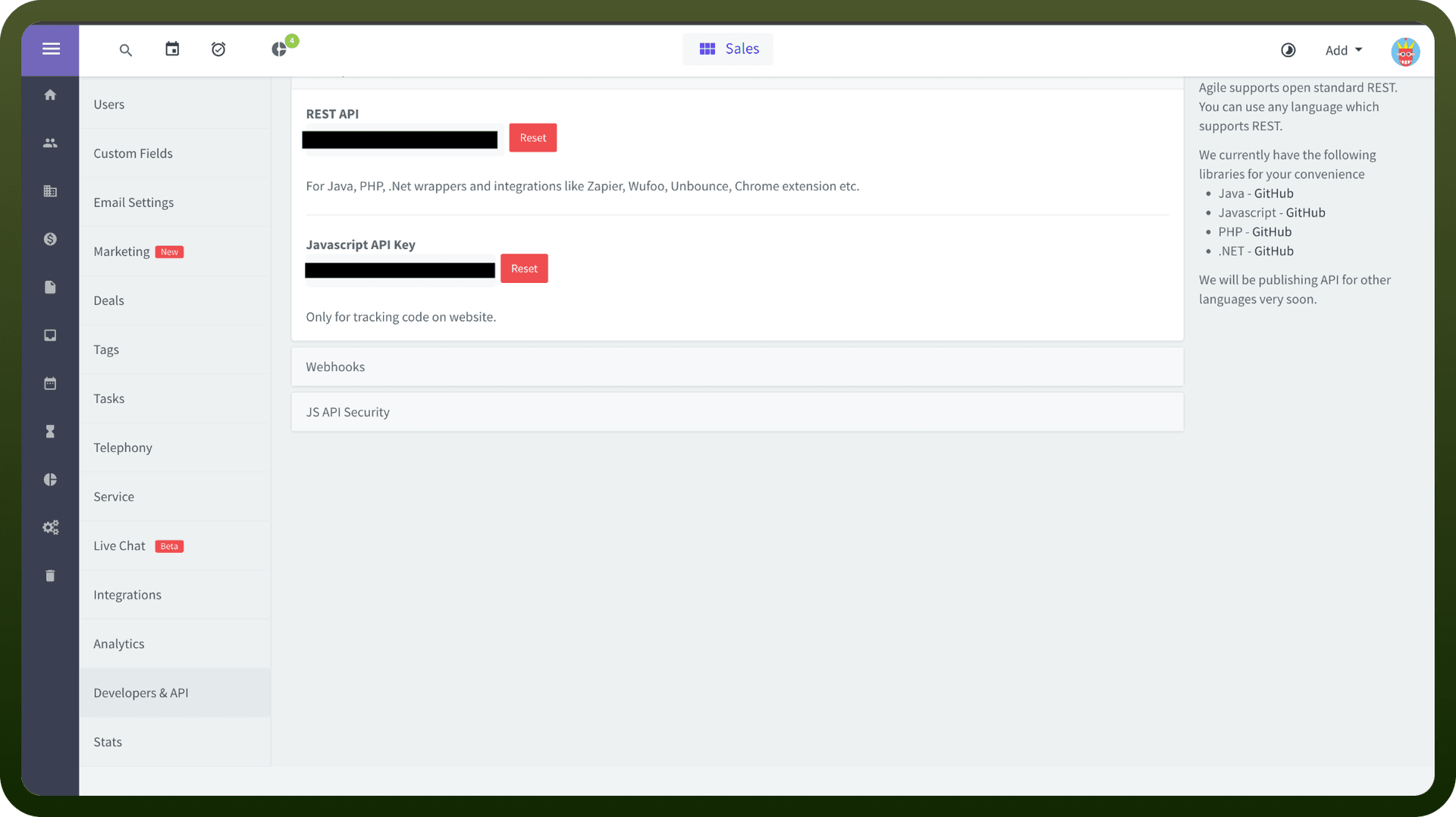
Navigate to Admin Settings (left sidebar)
Scroll down and click Developers & API
Go to API & Analytics section
Find your API Key and click Copy to copy it
Your account email is your Agile CRM login email
Actions
Action Name | Description |
|---|---|
Add contact to campaign | Add contact to campaign in Agile CRM |
Add score to contact | Add score to contact in Agile CRM |
Create company | Create company in Agile CRM |
Create contact | Create contact in Agile CRM |
Create deal | Create deal in Agile CRM |
Create event | Create event in Agile CRM |
Create note | Create note to a contact using email ID in Agile CRM |
Create task | Create task in Agile CRM |
Create ticket | Create ticket in Agile CRM |
Update contact | Update contact properties in Agile CRM |
About the API
Agile CRM provides comprehensive REST API endpoints for customer relationship management:
API Base URL: All requests go to https://{domain}.agilecrm.com/dev/
REST Architecture: JSON-based REST API for easy integration
Contact Management: Create, read, update, delete contacts and companies
Deals & Pipeline: Manage sales deals and track pipeline progress
Tasks & Activities: Create and manage tasks, notes, and activities
Custom Fields: Define and populate custom data fields
Tags & Segmentation: Organize contacts with tags for targeted automation
Email & Messaging: Send emails and manage communications
API Documentation: Comprehensive README and API documentation on GitHub
The platform includes both REST APIs and readymade UI components for rapid integration.