


Calendly is an online scheduling platform that simplifies appointment booking by allowing users to share their availability and let others book directly. It integrates with calendars, automates reminders, and eliminates back-and-forth emails.
Using Calendly for scheduling and meeting management can streamline your organization’s workflow and improve productivity. You can securely integrate it into your applications using either API keys or OAuth, depending on your specific needs.
Authentication
Before you begin, make sure you have the following information:
Connection Name: Select a descriptive name for your connection, like 'MyAppCalendlyIntegration'. This helps easily identify the connection within your application or integration settings.Authentication Type: calendly.com supports API tokens and OAuth 2.0 Authentication for authentication.
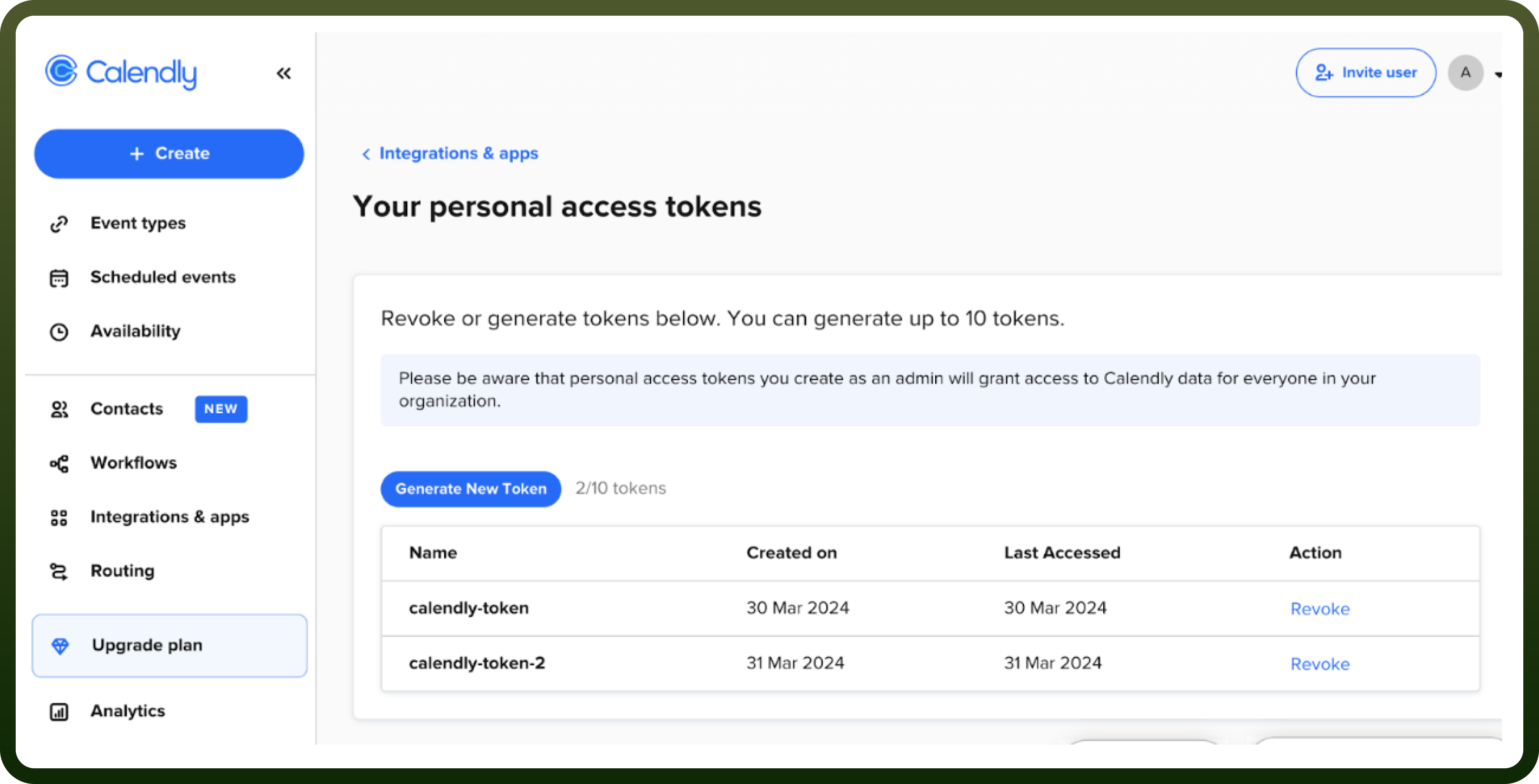
Personal Access Token Authentication
Click on the "
Integrations & Apps" in the left navigation menu of your Calendly home page.In the "
All Integrations" section, select "API and Webhooks".Navigate to your personal API token.
Generate a new API key or use an existing one if available. Ensure to keep this key secure as it grants access to Calendly's services, and usage is billed accordingly.

OAuth 2.0 Authentication
In the UnifyApps connection form, select Authorization code grant as the authentication type.
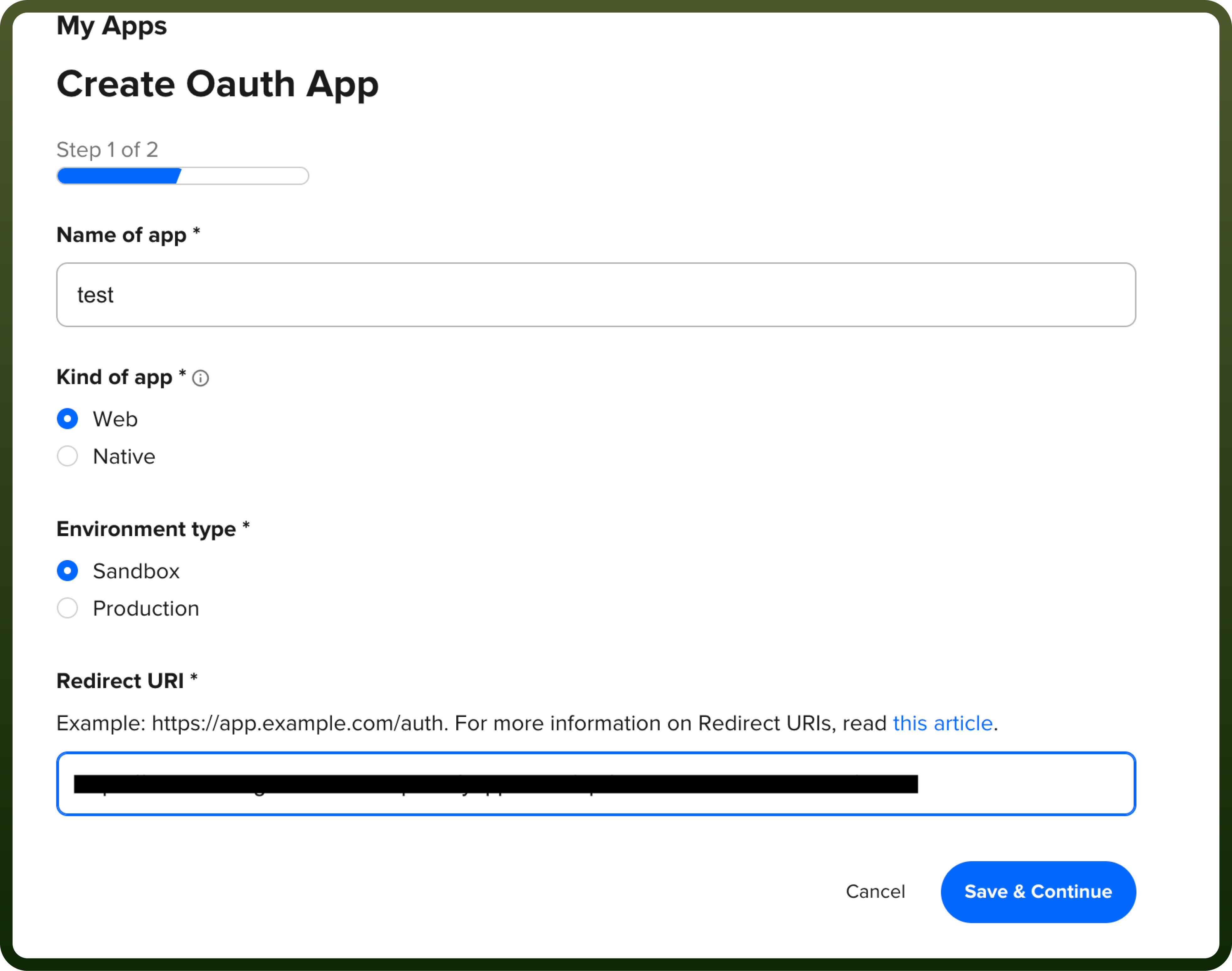
Copy the Callback URL shown in the connection form.
When you register your OAuth application in the Calendly Developer Portal, paste that Callback URL as the Redirect URI.
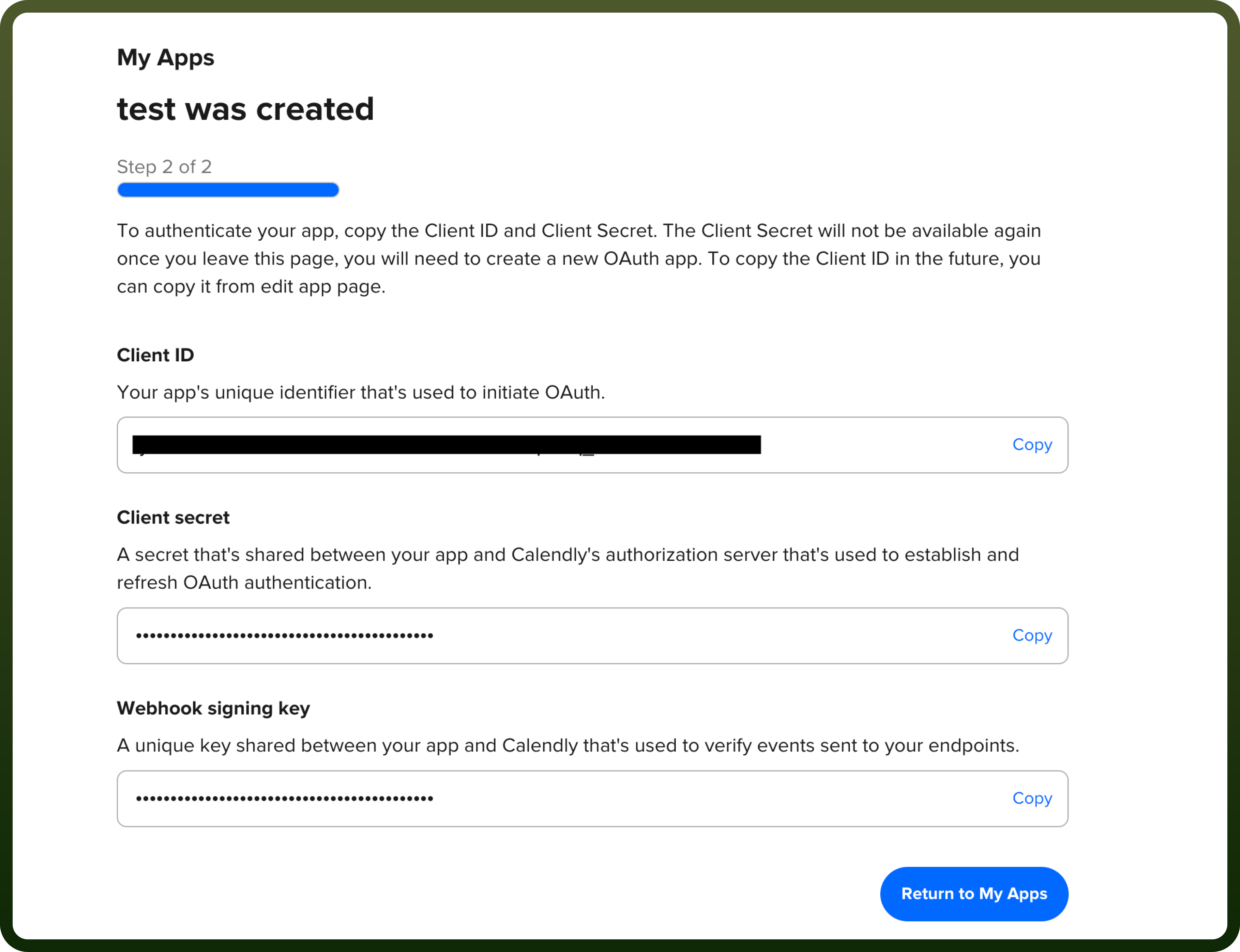
Enter the Client ID and Client Secret Calendly provides into the connection form, as described below.
Client Id: Input the Client ID provided after registering your application with Calendly. You can obtain this from the Calendly Developer Portal after setting up your app.Client Secret: Enter your Client Secret, which is provided alongside the Client ID upon registering your application in the Calendly Developer Portal. Keep this information secure.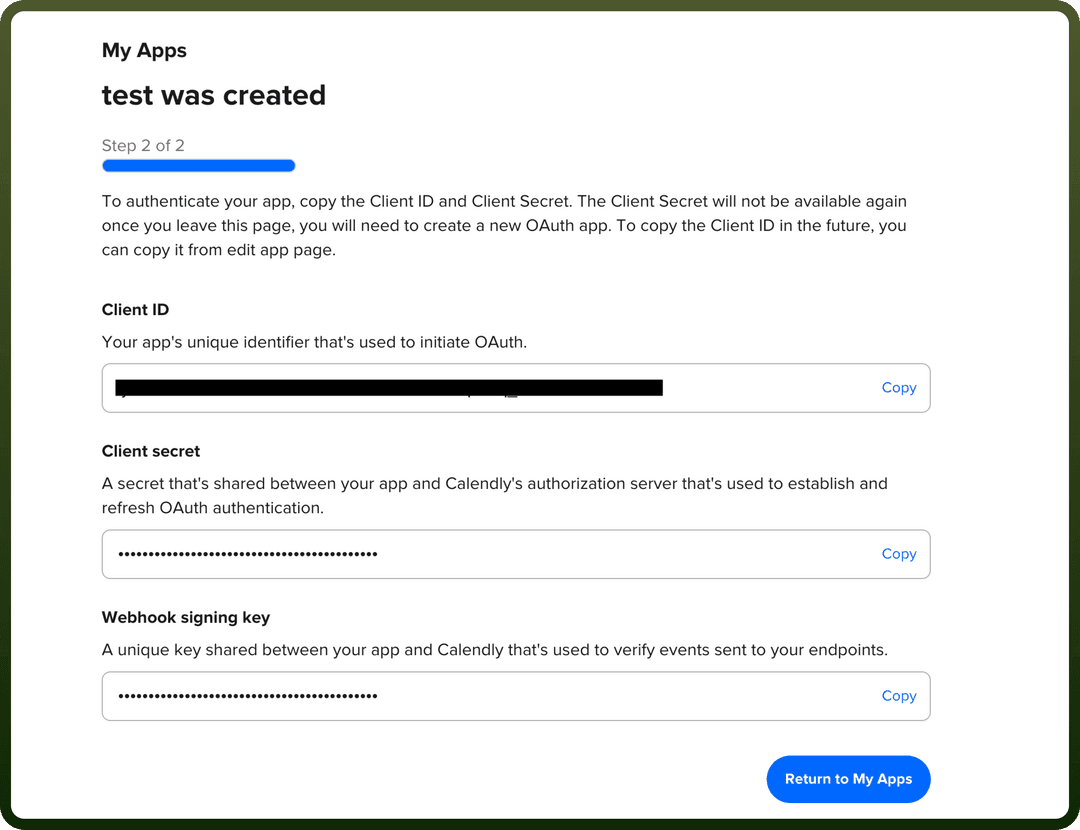

Actions
Actions | Description |
|---|---|
| Creates a single-use scheduling link in Calendly |
| Invites a user to your organization in Calendly |
| Retrieves a list of event types that matches your search criteria in Calendly |
| Lists invitees of the scheduled event in Calendly |
| Retrieves a list of scheduled event types that matches your search criteria in Calendly |
| Returns the availability schedules of the given user in Calendly |
Triggers
| Actions | Description |
New Event | Triggers on a new event in Calendly (e.g., when an invitee is created) |